Digital Sales Room

By
Sammy Jones

The Best Digital Sales Room Software for Sales Teams in 2026
The best digital sales room software in 2026 combines a single buyer-facing workspace with real-time engagement tracking and CRM sync. Top picks include Projetly for AI-driven enterprise deals with built-in onboarding continuity, Dock for sales-to-onboarding handoff, Aligned for AI-driven collaborative deal workspaces, and Trumpet for brand-forward buyer experiences.
Below, we define the category, break down all 17 platforms, and answer the most common questions buyers ask before choosing one.
What is a Digital Sales Room?
A digital sales room (DSR) is a secure, centralized online workspace where B2B sales teams and buyers collaborate throughout the customer relationship, sharing content, planning tools, and commerce functions in one persistent microsite rather than scattering them across email threads and shared drives.
Industry analysts describe the category as a private, persistent space that connects buying and selling teams across the full customer journey, not just the initial deal.
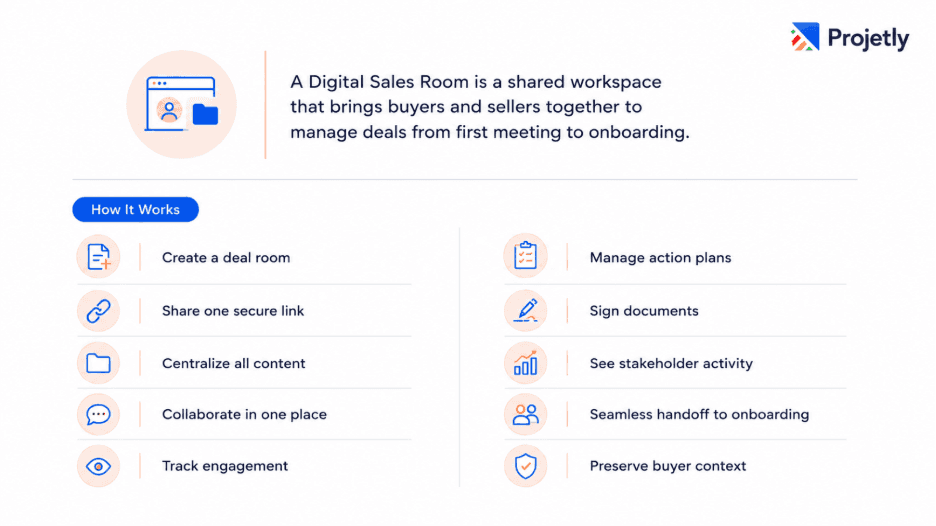
How DSR Software works:
Rep creates a buyer-facing deal room.
Shares a single unique link with the buyer.
No login is required on most platforms.
Buyers can access all deal resources in one place.
Review documents and sales collateral.
Message the seller directly.
Watch recorded demos.
Track a shared mutual action plan.
Sign documents without leaving the room.
Seller sees which stakeholders viewed each section.
Tracks engagement, including time spent on content.
Enables seamless handoff from sales to customer success.
Preserves buyer context throughout the customer journey.
What's typically inside a DSR:
An opening message or personalized video
Case studies and relevant content for the buyer's use case
Pricing and proposals
E-signature workflows
A mutual action plan with shared tasks and deadlines
In-room chat
A meeting scheduler
Two data points explain why this category exists. Gartner research puts B2B buying groups at six to ten stakeholders, and 77% of B2B buyers describe their most recent purchase as "very complex or difficult."
A single shared workspace addresses both problems: it gives every stakeholder one place to go, and it removes the friction that makes purchases feel complicated.
Why Traditional GTM Tools Aren't Enough Anymore
Most sales teams run deals across a CRM, a shared drive, an email inbox, a proposal tool, a calendar app, and maybe a Slack thread for good measure.
What You're Using | What It's Actually Doing | What's Missing |
CRM | Tracking deals internally | No buyer-facing workspace |
Sending follow-ups manually | No visibility into what was read or ignored | |
PDF Proposals | Delivering static documents | No engagement data, no live updates |
Shared Drives | Storing files | No context, no ability to collaborate |
Calendar Tools | Scheduling meetings | No deal continuity between calls |
The result: reps spend more time chasing than closing. Buyers feel unguided. Deals stall not for lack of interest, but for lack of structure.
Why B2B Teams Are Adopting Digital Sales Rooms
According to the Gartner® Market Guide for Digital Sales Rooms, by 2028, 30% of all B2B sales cycles will be primarily managed through Digital Sales Rooms (DSRs), extending across the entire customer lifecycle.
Digital Sales Rooms centralize buyer collaboration, content, communication, and execution in a single workspace, creating a more engaging and efficient buying experience.
As organizations focus on improving buyer engagement, sales efficiency, and post-sale continuity, DSRs are becoming a core part of modern B2B revenue operations.
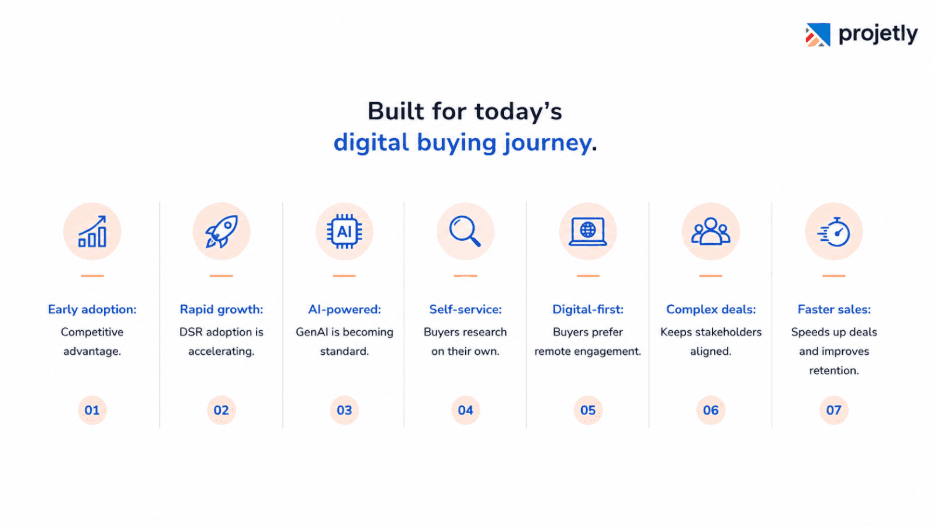
Early adoption opportunity: Most organizations are still exploring DSRs, giving early adopters a competitive edge.
Rapid market growth: By 2028, nearly one-third of B2B sales cycles are expected to run through DSRs.
AI-powered selling: Around 40% of DSRs are projected to include GenAI assistants by 2027.
Buyers prefer self-service: Buyers spend most of their purchasing journey researching independently.
Digital-first interactions: 70–80% of B2B buyers prefer remote and digital self-service experiences.
Supports complex buying teams: Centralizes collaboration for 6–10 decision-makers in a single workspace.
Faster sales execution: Well-integrated DSRs help shorten sales cycles, improve productivity, and increase customer retention.
Types of Digital Sales Room Software
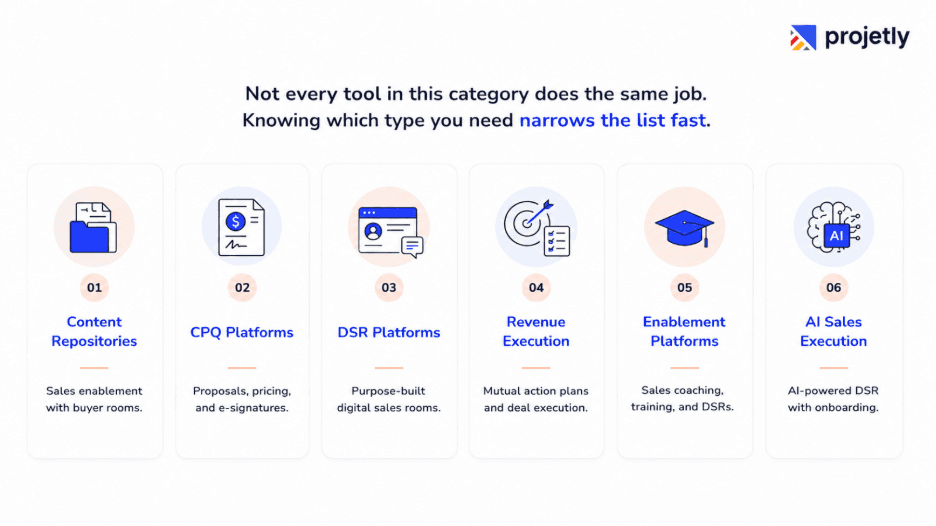
Content Repositories are primarily sales enablement platforms that include buyer-facing deal rooms as one feature alongside content management, training, and enablement capabilities. Examples: Seismic, Highspot, Mediafly, and Showpad.
CPQ Platforms focus on pricing, proposals, quotes, and e-signatures, with digital sales room functionality built around the buying and contracting process. Example: GetAccept.
DSR Platforms are purpose-built digital sales rooms designed to deliver modern buyer experiences, centralized collaboration, and streamlined deal execution without the complexity of traditional content management systems. Examples: Aligned, Trumpet, Flowla, ClientPoint, Pitcher, SalesHood, and SP_CE.
Revenue Execution Platforms center on mutual action plans, stakeholder alignment, and sales continuity, with some extending into the customer onboarding process. Examples: Accord and Dock.
Enablement Platforms bundle digital sales room capabilities within broader sales coaching, training, and content governance solutions. Examples: Allego and Mindtickle.
AI Sales Execution Platforms combine digital sales rooms with AI meeting intelligence, buyer insights, and end-to-end workflow automation that extends from sales through onboarding. Example: Projetly.
17 Best Digital Sales Room Software in 2026
Explore the top Digital Sales Room platforms that help B2B sales teams streamline collaboration, engage buyers, and close deals faster. Compare features, AI capabilities, integrations, pricing, and ideal use cases to find the right fit.
1. Projetly: Best for AI-Driven Enterprise B2B Sales and Onboarding Continuity
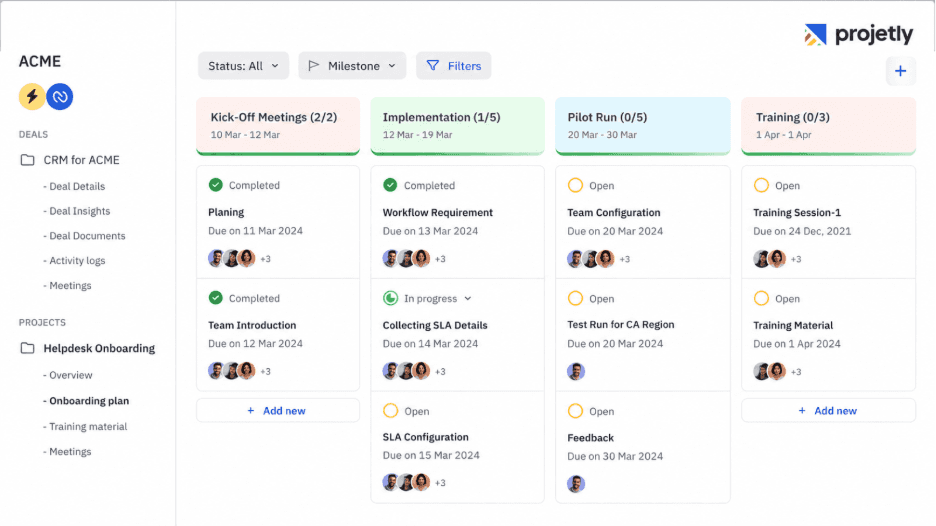
Projetly is an AI native digital sales room built for enterprise B2B selling, with a focus most competitors don't share: the same room that runs the deal carries forward into customer onboarding, so context isn't lost at signature.
Key features:
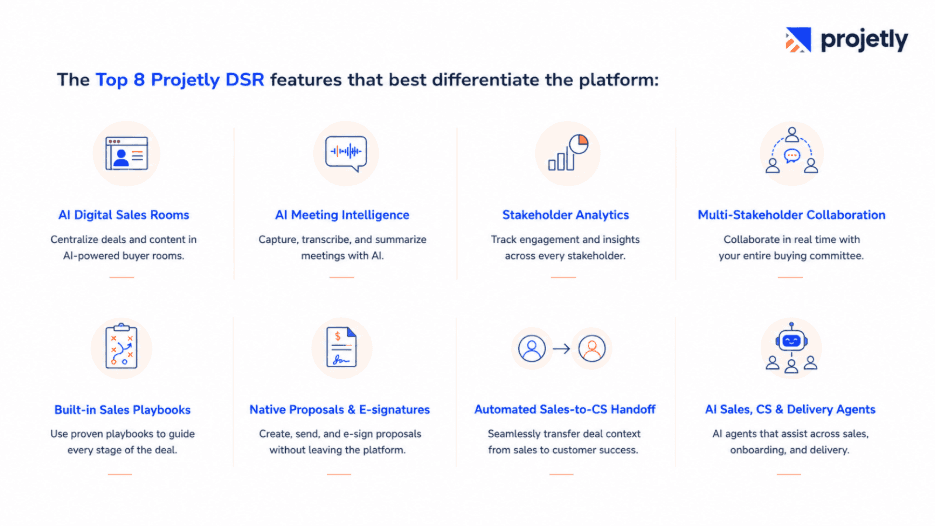
1. AI-Powered Digital Sales Rooms
A branded, centralized workspace where buyers and sellers collaborate throughout the sales cycle. Share documents, proposals, timelines, and updates in one secure portal to streamline enterprise deals.
2. AI Meeting Intelligence
Automatically records and transcribes meetings, generates AI summaries, extracts action items, creates meeting minutes (MOM), and recommends follow-up actions.
3. Stakeholder Engagement Analytics
Track how buyers interact with your deal room, including document views, time spent, stakeholder activity, and overall engagement to identify deal momentum and risks.
4. Multi-Stakeholder Collaboration
Enable seamless collaboration with buyers using Mutual Action Plans (MAPs), shared tasks, chat, stakeholder mapping, organizational charts, and milestone tracking.
5. Custom Pipelines and Next Best Action
Standardize your sales process with configurable pipelines and stages, plus AI next best action that recommends what to do next with the reasoning behind it.
6. Dynamic Proposals & Native E-signatures
Create personalized proposals, share contracts securely, collect legally binding e-signatures, and track the entire approval process from one platform.
7. Automatic Onboarding Project Creation
An opt-in setting automatically creates an onboarding project from your default template the moment a deal closes. Transferring meeting notes, documents, stakeholders, and other deal context into the new project is still a manual step today.
8. AI-Assisted Deal and Onboarding Tools
AI surfaces the next best action on a deal with the reasoning behind it, flags risk and health signals on deals, accounts, and projects, summarizes meetings, and automatically chases pending plan items with the buyer or customer. Your team decides what to act on.
Limitations:
Newer to market than established competitors
Best for complex, multi-stakeholder enterprise sales
Less suited for simple transactional deals
Ideal company size:
Best for mid-market & enterprise teams
Moderate setup complexity
Unified workspace from sales to onboarding
Eliminates manual handoff rebuilds
Built for long-term customer collaboration
Verified G2 Review: 4.8/5
"Projetly bridges the gap between sales and onboarding by preserving customer context and improving collaboration. It offers structured onboarding, easy integration, and excellent support, with only a small learning curve for new users."
Best for: Enterprise B2B SaaS, fintech, and IT services teams running complex, multi-stakeholder deals where AI execution and a clean handoff into onboarding matter.
Pricing: Visit projetly.ai to explore plans or book a demo.
2. Accord: Good for Standardized GTM Playbooks
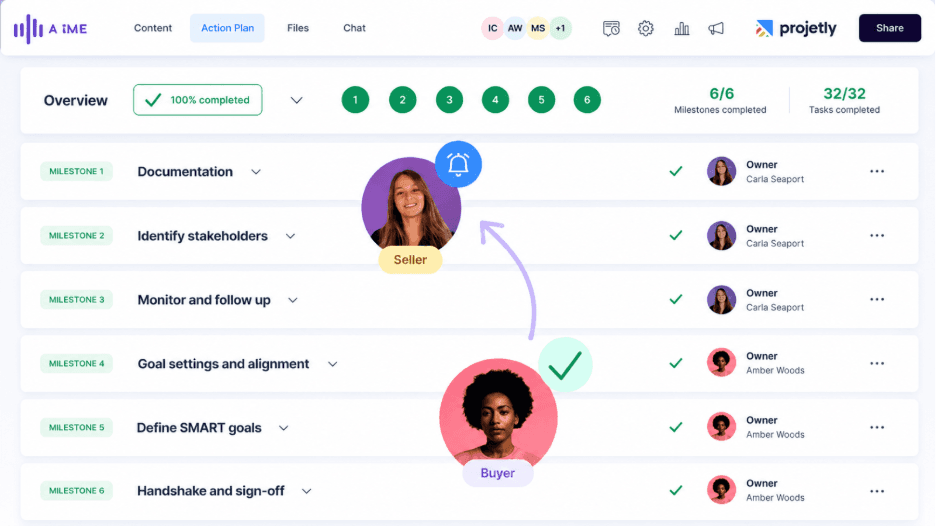
Accord centers on operationalizing repeatable go-to-market motions. Customizable playbooks can be tailored by segment, vertical, or product, so teams can templatize best practices across sales, onboarding, and account management, with integrated mutual action plans, stakeholder mapping, and bidirectional CRM sync.
AI is embedded throughout account research, executive summaries, and seller behavior scoring against methodology adherence.
Benefits:
Standardized playbooks across the customer lifecycle
AI-powered account & stakeholder insights
Leadership visibility into rep execution
Consistent sales process adherence
Improved pipeline governance
Limitations:
Process and governance-focused approach
Less buyer-experience-first
Best for teams with defined sales methodologies
Maximizes value through standardized execution
Ideal for scaling structured sales processes
Ideal company size:
Best for teams with under 1,000 users
Moderate setup complexity
Enforces structured sales playbooks
More than a traditional deal room
Ideal for process-driven revenue teams
Verified G2 Review: 4.9/5
"Accord is great for sales tracking, keeping deal resources organized, and generating AI-powered client summaries. Some buyers find the interface and 'Next Steps' section a bit confusing, adding slight friction to the sales process."
Best for: Sales organizations standardizing execution across segments or verticals.
Pricing: Flat annual fee for larger customers; per-user monthly pricing for smaller teams.
3. Aligned: Good for AI-Driven Collaborative Deal Workspaces
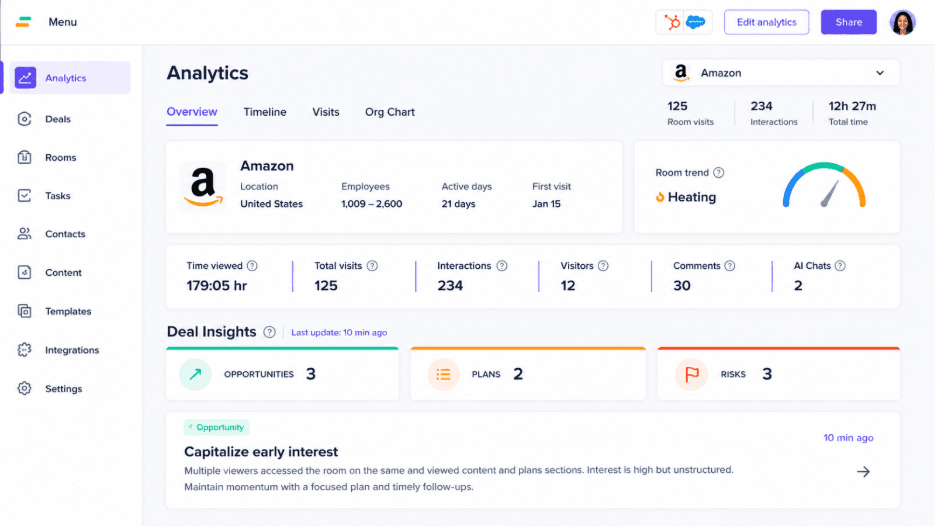
Aligned is built for buyer-centric, interactive deal management rather than static content sharing. AI agents offer next-step recommendations, generate rooms and tailored content such as business cases and proposals, and assist buyers directly.
Rich collaboration features include contextual commenting, tagging, and granular permissions, with deep bidirectional integration into Salesforce and HubSpot.
Benefits:
AI-generated content & next-best-action suggestions
Section- and user-level engagement analytics
Deep bi-directional CRM sync
Automated deal room creation
Advanced CRM reporting
Limitations:
AI-assisted sales structure
Focuses on guided deal execution
Less emphasis on onboarding continuity
Optimized for pre-sales workflows
Stronger sales execution than post-sale handoff
Ideal company size:
Best for teams with under 1,000 users
Easy-to-moderate setup
AI-first digital sales room
Proactive next-step recommendations
Strong fit for AI-driven sales teams
Verified G2 Review: 4.6/5
"Aligned makes it easy to create client-specific deal rooms and share content from multiple sources in one place. However, updating branding across multiple rooms is time-consuming, and more centralised brand management would make it even better."
Best for: Sales teams that want an AI co-pilot embedded directly in the deal workspace.
Pricing: Aligned offers four plans: Starter (Free), Basic ($35/seat/month), Pro ($60/seat/month), and Enterprise (custom pricing). Each tier adds more Digital Sales Room features, AI capabilities, integrations, CRM sync, and enterprise-grade security.
See our full Aligned vs. Projetly comparison: A DSR Built for the Deals That Matter
4. Allego: Good for Rich Multimedia Buyer Experiences at Scale
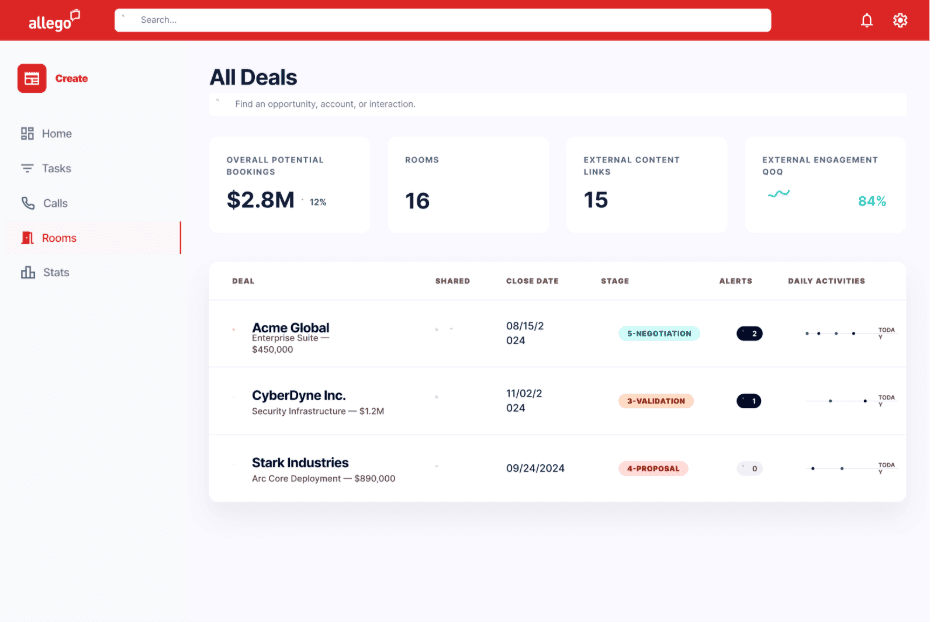
Allego pairs DSRs with interactive, embeddable elements, AI search answers, mutual action plans, ROI calculators, and other dynamic page elements, inside a broader enablement platform. Mutual action plans are editable by both seller and customer, with usage analytics and AI-driven deal alerts based on cross-channel history.
Benefits:
Rich multimedia & interactive content
Two-way editable mutual action plans
AI-powered deal health alerts
Engagement-based risk detection
Collaborative buyer experience
Limitations:
CRM room creation requires additional setup
Content needs meta-tagging for searchability
Setup effort increases with CRM integration
Search works best with structured content
Ideal company size:
Best for teams under 1,000 users
Supports large enterprise deployments
Moderate-to-complex setup
Highly interactive buyer experience
Requires more upfront configuration
Verified G2 Review: 4.6/5
"Allego helps sales teams improve execution through training, coaching, content management, and peer learning, leading to better productivity and customer conversations. The main drawback is that it takes time for teams to fully adopt and maximize all of their features."
Best for: Enterprise teams that want highly interactive, multimedia-rich buyer experiences.
Pricing: Per-user, per-month, priced by module; AI features included.
5. ClientPoint: Good for Sales-to-Post-Sale Portal Continuity
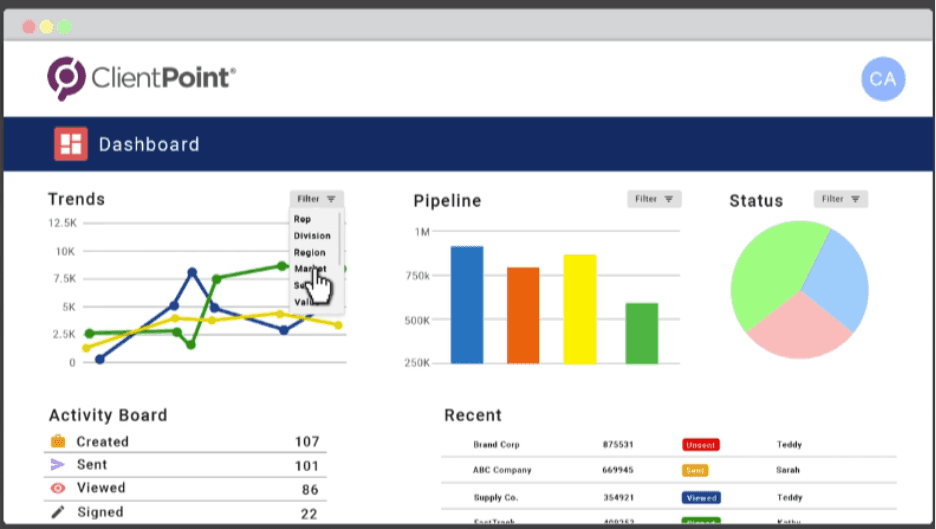
ClientPoint focuses on reducing manual setup by importing data directly from major CRMs, and it supports transitioning a completed deal room into a customer portal after close, extending the same workspace into the post-sale relationship. Its native AI assistant uses retrieval over the document repository to answer questions and draft follow-ups.
Benefits:
Direct CRM import for faster room creation
Native AI assistant for buyer Q&A
AI-powered engagement nudges
Deal room converts into a customer portal
Seamless sales-to-post-sales transition
Limitations:
Digital commerce integration not demonstrated
Stronger adoption in mid-market organizations
Less proven for large-scale deployments
Enterprise capabilities still evolving
Ideal company size:
50–500 Customer Users
Moderate Setup Complexity
Continuity-First Buyer Workspace
Evolving AI Execution
Buyer Continuity Focused
Verified G2 Review: 4.5/5
"ClientPoint is easy to use, reliable, and provides a positive overall experience."
Best for: Teams wanting a single workspace that persists from sale through the ongoing customer relationship.
Pricing: ClientPoint offers Free, Sales Accelerator, Enterprise Essentials, and Enterprise Solutions plans, scaling from core proposal tools to enterprise automation and integrations.
6. Dock: Good for Sales-to-Onboarding Continuity
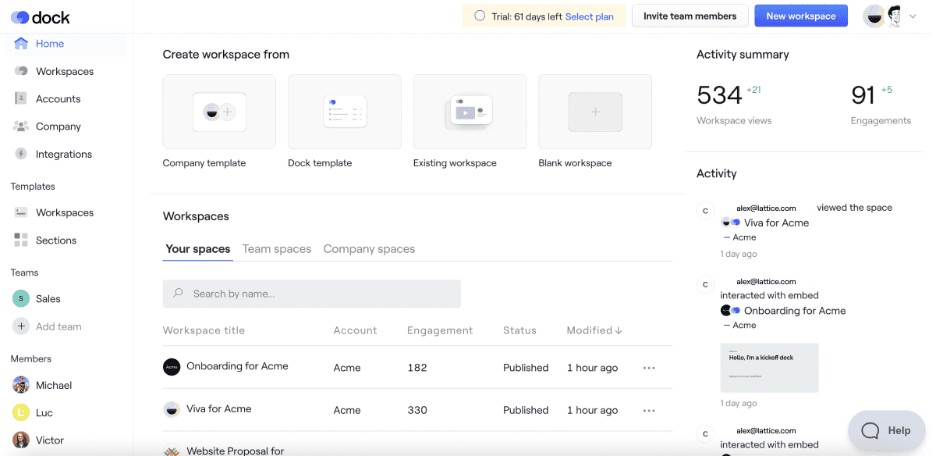
Dock focuses on sales-to-onboarding continuity by carrying the deal room into onboarding through a single workspace. It offers native Salesforce and HubSpot integrations, plus proposal and video support. While strong on workspace continuity, it has lighter CPQ and commerce capabilities, and its AI features are still in beta and primarily designed for internal sales teams.
Benefits:
Single workspace across the deal lifecycle
Strong native CRM integration
Configurable end-to-end workflows
Expanding AI capabilities (beta)
Built for sales continuity
Limitations:
No native digital commerce integration
No embedded CPQ capabilities
AI agent features still rolling out
AI functionality is evolving
Ideal company size:
Most customers run 50–500 users.
Setup complexity: Moderate.
Verified G2 Review: 4.6/5
Dock provides a centralised workspace for onboarding and implementation, improving customer collaboration, structure, and visibility. The reviewer noted that building workspace templates takes time initially, but the long-term efficiency makes the upfront effort worthwhile.
Best for: B2B SaaS teams where post-sale onboarding is a defined, measurable process.
Pricing: Dock uses flat platform fees, not per-seat pricing: Free ($0 forever), Standard ($350/month), and Premium ($1,000/month, billed annually). Enterprise is custom, via annual contract.
See our full Dock.us vs. Projetly DSR comparison: Which Deal Room Platform Is Right for You?
7. Flowla: Good for AI-Generated, Workflow-Driven Rooms
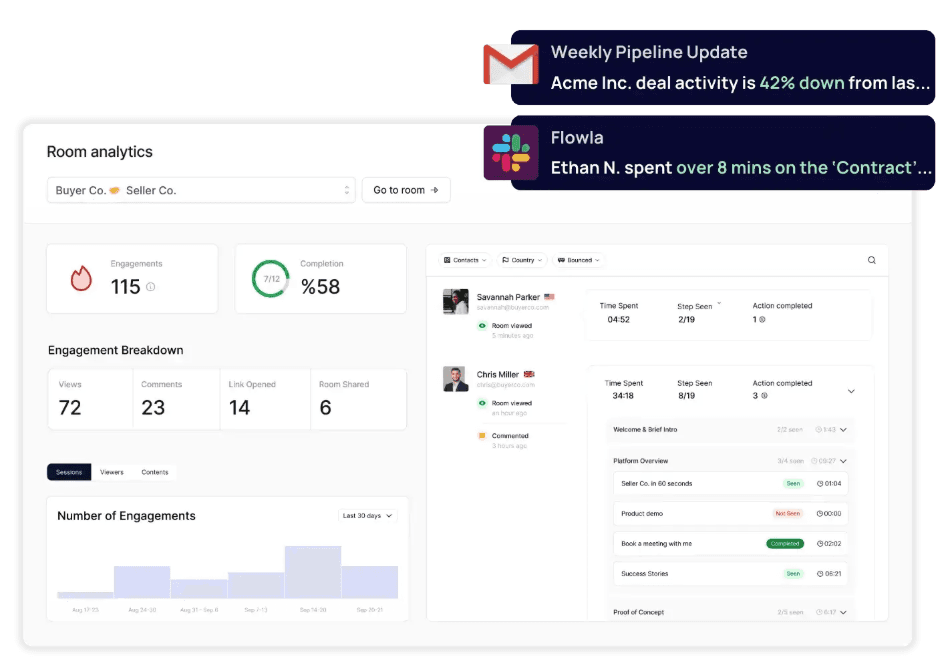
Flowla structures each deal as a step-by-step journey, with AutoPilot building trigger-based workflows that handle routine follow-up and content tasks. Mutual action plans render task lists, boards, or Gantt charts, and an AI agent library lets teams build custom agents with a human-approval queue for AI-drafted actions.
Benefits:
Trigger-based workflow automation
Reduces manual follow-ups
Flexible mutual action plans
Customizable AI agents
Human-in-the-loop AI review
Limitations:
Best proven for smaller deployments
Enterprise-scale adoption less established
E-signature integration not confirmed
Better suited for growing teams
Ideal company size:
Best for teams with under 100 users
Easy setup and fast deployment
Built for lean, growing teams
Automation with minimal admin effort
Quick time to value
Verified G2 Review: 4.9/5
"Flowla centralizes the enterprise sales process with automation and stakeholder engagement tracking, making deal management much easier. While powerful, some advanced customization features have a learning curve for first-time users."
Best for: Teams that want AI to handle room creation and routine follow-up automatically.
Pricing: Flowla offers four plans: Starter (Free), Pro ($49/seat/month), Team ($79/seat/month), and Enterprise (custom pricing). Higher tiers add unlimited rooms, analytics, AI agents, workflow automation, integrations, SSO, custom branding, and dedicated enterprise support.
8. GetAccept: Good for CRM-Heavy Proposal Workflows
GetAccept combines no-code deal room templates, e-signatures, live in-document chat, and video messaging with deep two-way CRM integrations across Salesforce, HubSpot, Microsoft Dynamics, Pipedrive, and Upsales. Its AI features focus on personalized content generation and meeting-transcript analysis.
Benefits:
AI-personalized content & business cases
Automated meeting summaries
AI-powered transcript insights
Broad CRM integration support
Works beyond Salesforce & HubSpot
Limitations:
Focused on proposals & content workflows
Less emphasis on buyer intelligence
Optimized for content-driven sales
Strong document collaboration capabilities
Limited buyer analytics depth
Ideal company size:
Best for teams with under 500 users
Moderate setup complexity
Excels at proposal-to-signature workflows
AI-driven content personalization
Strong fit for proposal-heavy sales teams
Verified G2 Review: 4.6/5
"GetAccept offers flexible document customization, seamless integrations, and excellent visibility into customer interactions. The reviewer noted only minor customization limitations that don't impact the overall experience."
Best for: Large sales teams with high proposal volume and multi-CRM environments.
Pricing: GetAccept offers three plans: eSign ($25/user/month), Professional ($49/user/month, minimum 5 users), and Enterprise (custom pricing). Higher tiers unlock AI-powered Digital Sales Rooms, CRM and sales intelligence integrations, mutual action plans, advanced stakeholder engagement, and enterprise features.
9. Highspot: Good for Enterprise Enablement with DSR Built In

Highspot's DSR is one module inside its broader revenue enablement platform. Rooms can be created and edited from Outlook, Gmail, the CRM, or Highspot itself, with content watermarking, locked branded templates, and translation into 26 languages. A Deal Agent can generate a room automatically from a content item.
Benefits:
Deep sales enablement integration
Strong governance & admin controls
Broad multilingual support
Automated room creation with Deal Agent
Enterprise-ready workflows
Limitations:
Seller-only mutual action plans
No buyer co-editing on action plans
Digital commerce integration not confirmed
More seller-centric collaboration model
Ideal company size:
Best for teams with 500–1,000 users
Complex enterprise deployment
Part of the broader Highspot platform
Ideal for Highspot customers
Built for enterprise-scale enablement
Verified G2 Review: 4.7/5
"Highspot centralizes sales enablement with intelligent search, content recommendations, training, strong content governance, and seamless CRM integrations. The reviewer noted that administrative setup can be complex initially and the dashboard could offer more customization."
Best for: Large enterprise sales organizations with existing Highspot deployments.
Pricing: Per-user/month platform licensing; DSR not sold standalone.
10. Mediafly: Good for Multimedia Hub with AI-Assembled Reviews
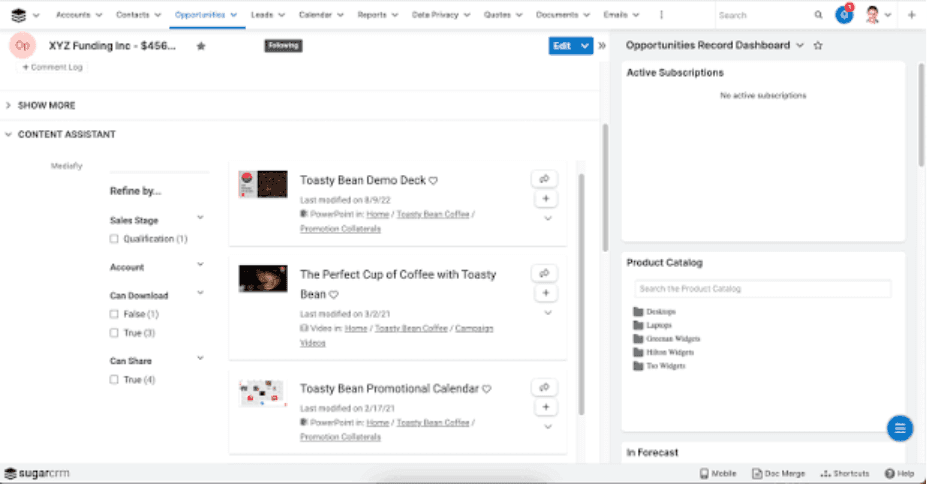
Mediafly's DSR acts as a central hub for content, task collaboration, and engagement tracking, with deep CRM integration and localization into 17 languages. Its AI roadmap focuses on auto-assembling discovery decks and business reviews from CRM data, engagement metrics, and external sources.
Benefits:
Strong multilingual & localization support
AI-generated review documents
Reduces manual meeting prep
Shared action plans for buyers & sellers
Collaborative stakeholder management
Limitations:
No confirmed CPQ integration
No confirmed digital commerce integration
Focused on collaboration over commerce
Sales workflow, not commerce-first
Ideal company size:
Best for teams with under 5,000 users
Moderate setup complexity
Ideal for global, multilingual teams
AI-assembled review documents
Strong enterprise collaboration
Verified G2 Review: 4.4/5
"Mediafly makes it easy to share content with clients and provides visibility into when shared documents are opened. The reviewer noted that navigating the interface, especially for finding uploaded content, could be more intuitive."
Best for: Enterprise teams running frequent QBRs or EBRs that want them auto-assembled.
Pricing: Seat-based, per-user/month, included in Mediafly's broader engagement offering.
11. Mindtickle: Good for Visual Room Building in a Revenue Enablement Suite
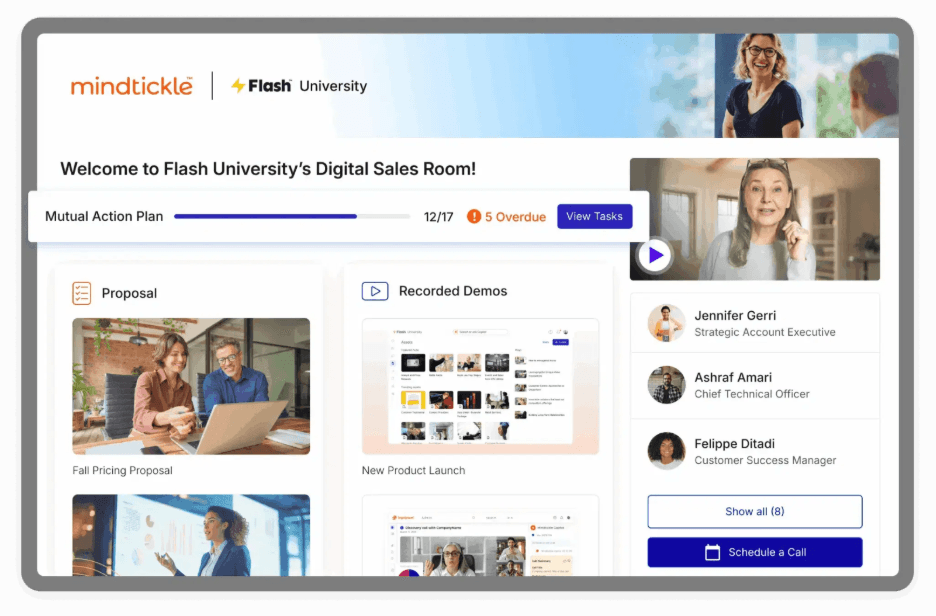
Mindtickle offers a visual, template-driven room builder with cloning and autocreation, plus comprehensive page- and slide-level analytics. Mutual action plans support subtasks and due-date notifications, editable by both sellers and buyers, with CRM-triggered room autocreation based on deal stage.
Benefits:
Fast room creation with templates
Room cloning for quick reuse
Session- & slide-level analytics
CRM-triggered room creation
Minimal manual setup
Limitations:
General buyer comments supported
No asset-level commenting
Limited document collaboration
Feedback is room-level only
Ideal company size:
Supports mid-market to enterprise teams
Moderate setup complexity
Deep buyer engagement analytics
Best with the Mindtickle platform
Ideal for enablement-driven organizations.
Verified G2 Review: 4.7/5
"Mindtickle delivers a fast, easy-to-use learning experience with AI-powered translations that make training more effective. The reviewer’s main concern was the inability to download presentation content for offline access."
Best for: Enterprise teams wanting granular, slide-level engagement data.
Pricing: Per-user/month; available standalone or bundled with Mindtickle's broader platform.
12. Pitcher: Good for an AI-Driven Full Sales-Cycle Workspace
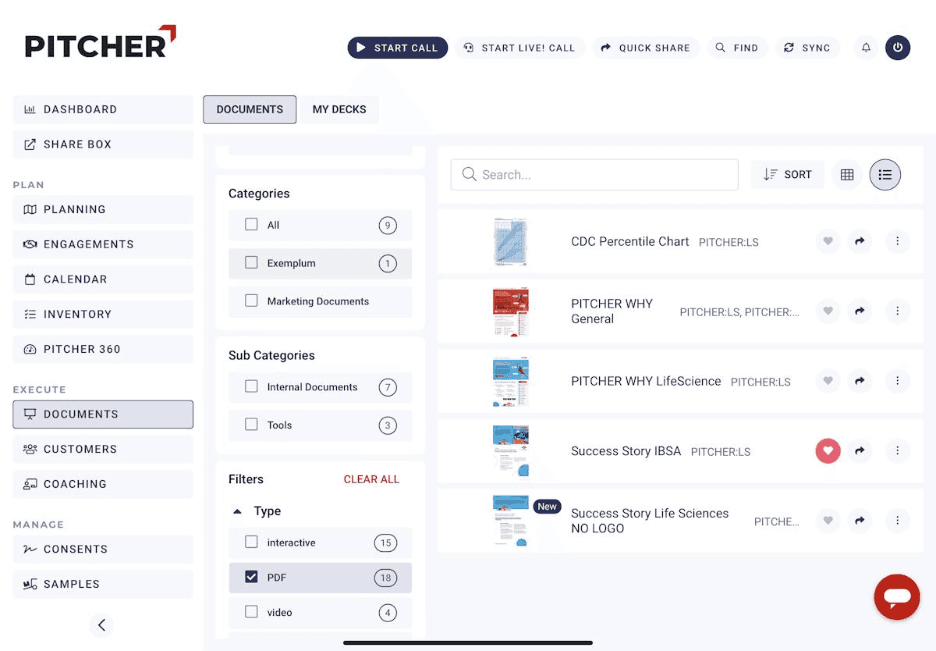
Pitcher centers on an AI agent, Pitcher Intelligent Agent, that powers search, content recommendations, and meeting preparation across the sales cycle. The platform supports in-meeting collaboration (annotation, live polling) and automates CRM updates and task management after each call.
Benefits:
AI-powered meeting prep & agendas
Real-time meeting collaboration
Automated CRM updates
AI-generated task tracking
End-to-end meeting automation
Limitations:
Best proven for smaller deployments
Large enterprise adoption is limited
Enterprise-scale rollouts less common
Strong fit for SMB and mid-market teams
Ideal company size:
Best for teams with under 500 users
Moderate setup complexity
AI integrated into live meetings
Real-time meeting intelligence
Ideal for meeting-centric sales teams
Verified G2 Review: 4.4/5
"Pitcher empowers field sales teams with seamless mobile access to customer information and sales workflows. The reviewer noted that its broad feature set creates a steep learning curve and may be more complex than necessary for smaller teams."
Best for: Sales teams that run frequent live buyer meetings and want AI support in the moment.
Pricing: Monthly seat-based pricing.
13. SalesHood: Good for Combining Enablement, Coaching, and Deal Rooms
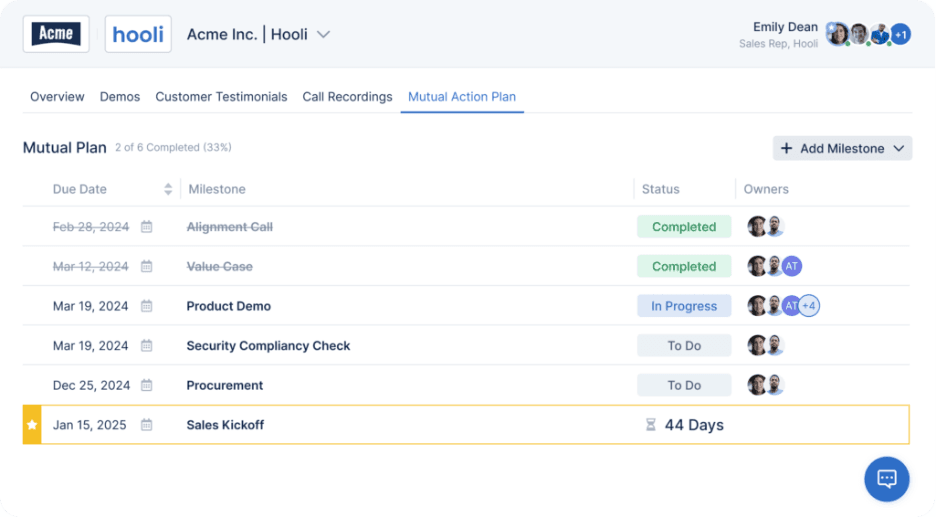
SalesHood bundles deal rooms with sales training, content activation, and coaching in one platform, usable across prospecting, active deals, and customer success. Mutual action plans are editable by both sellers and buyers, and a buyer-facing conversational AI experience helps buyers navigate shared content independently.
Benefits:
Deal rooms linked to coaching & training
Buyer-facing conversational AI
AI-guided content navigation
Mobile-responsive experience
Sales enablement–focused workflows
Limitations:
Room-level comments only
No asset-level buyer comments
Sold as part of a broader platform
Not available as a standalone product
Ideal company size:
Typical customer size: 50–500 users
Setup complexity: Moderate
Best for: Teams that want sales coaching and enablement bundled with the deal room
Not ideal for: Organizations that only need a standalone digital sales room
Verified G2 Review: 4.6/5
"SalesHood centralizes sales content, playbooks, and real-time guidance, making it easier for customer-facing teams to access and share the right materials during sales conversations."
Best for: Revenue teams that want deal rooms integrated with rep coaching and training.
Pricing: Per-user/month, available only as part of the SalesHood Pro plan.
14. Seismic: Good for Enterprise Content and DSR at Scale
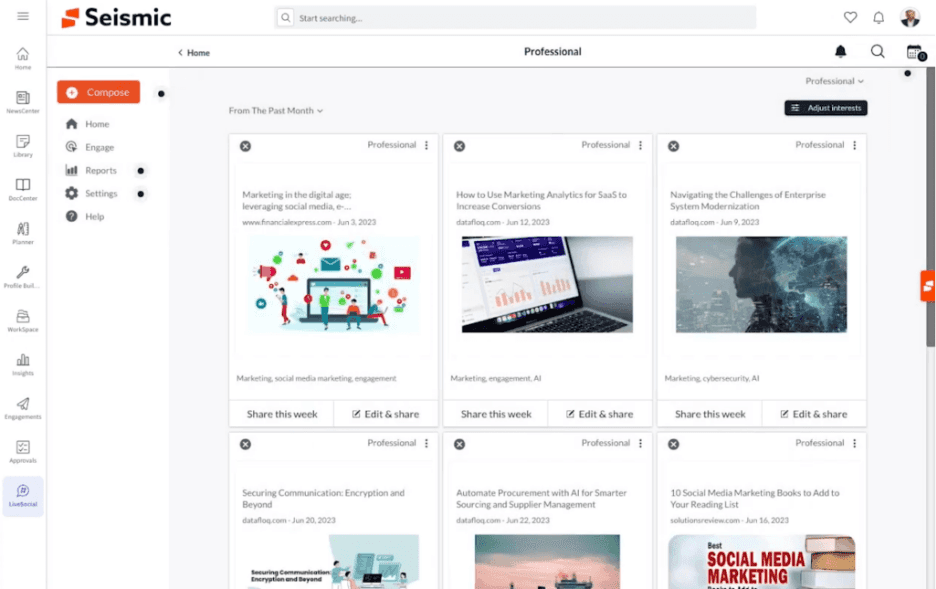
Seismic's DSR ties directly into its enablement content suite, integrating with Salesforce, Oracle, and Microsoft Dynamics, plus meetings, digital commerce, and CPQ. The platform prompts sellers with recommended content based on conversation and deal context, and supports detailed governance for regulated industries.
Benefits:
Broad CRM & commerce integrations
Strong governance & compliance
AI-driven content recommendations
Context-aware sales content
Enterprise-ready platform
Limitations:
Seller-only content uploads
Buyers cannot add content
Limited two-way collaboration
Seller-controlled room management
Ideal company size:
Best for teams with 500–5,000 users
Complex enterprise deployment
Strong governance & compliance
Broad CRM & commerce integrations
Ideal for enterprise-scale sales workflows
Verified G2 Review: 4.6./5
"Seismic makes it easy to customize customer-facing content and deliver tailored sales training that improves team readiness and customer engagement. The reviewer reported no significant drawbacks with the platform."
Best for: Large, regulated enterprises needing tight content governance alongside the deal room.
Pricing: Per-user/month, edition- and seat-type dependent; not sold standalone.
15. Showpad: Good for Shared Spaces Inside a Broader Enablement OS
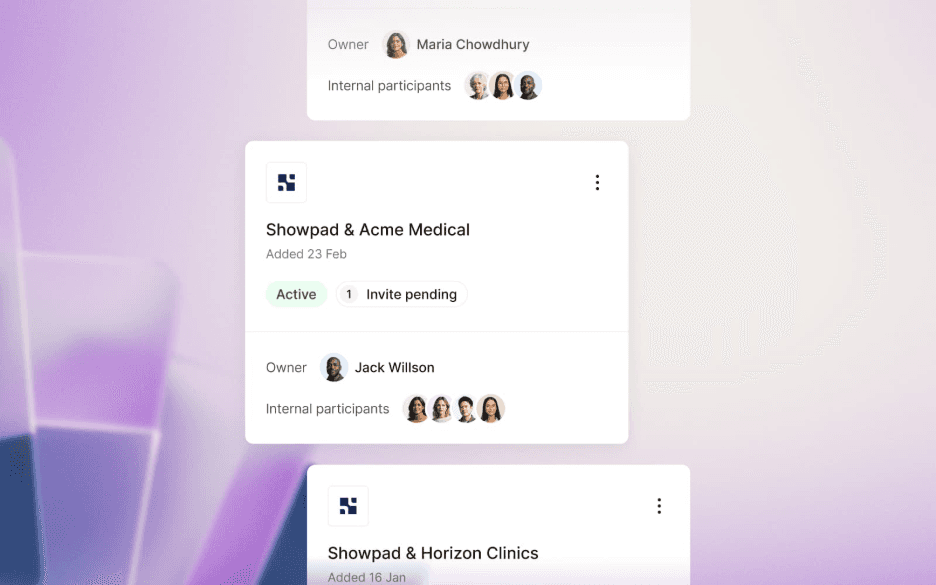
Showpad's DSR, called Shared Spaces, supports bidirectional buyer-seller collaboration, buyer file uploads, and real-time threaded notifications, with mobile access and video recording built in. An AI analytics feature lets users ask data questions in natural language.
Benefits:
True buyer–seller collaboration
Buyer file uploads supported
Mobile-native room access
Natural-language analytics
AI-powered reporting & insights
Limitations:
No confirmed digital commerce integration
Basic mutual action plans
Limited interactive planning
Focused on core collaboration features
Ideal company size:
Supports teams from under 50 to 10,000+ users
Moderate setup complexity
Buyer uploads supported
True two-way collaboration
Ideal for collaborative enablement teams
Verified G2 Review: 4.6/5
"Showpad streamlines sales workflows with AI-powered meeting summaries, CRM updates, personalized follow-up emails, and relevant content recommendations. The reviewer noted only occasional slow loading of large files on iOS, likely due to connectivity rather than the platform itself."
Best for: Teams wanting true two-way file collaboration inside the room.
Pricing: Per-user/month across multiple package tiers, plus AI add-ons.
16. SP_CE: Good for Direct and Partner/Channel Sales Rooms

SP_CE is distinctive in this list for supporting both direct sales and channel partner motions in one platform, including a partner portal and an embedded learning management system for partner and customer training. Partners can load content, complete training, and raise support tickets directly inside the room.
Benefits:
Built-in partner portal & LMS
Buyers and partners can upload content
Partner- & user-level analytics
True multi-party collaboration
Designed for partner enablement
Limitations:
No confirmed digital commerce integration
No confirmed CPQ integration
Language support not specified
Primarily focused on mid-market teams
Ideal company size:
Best for teams with under 500 users
Moderate setup complexity
Built for partner & channel sales
Ideal for partner enablement
Strong fit beyond direct sales
Verified G2 Review: 4.7/5s
"SP_CE makes it easy to build personalized customer experiences without complex setup, keeping all relevant content in one organized workspace. The reviewer highlighted easy implementation and flexibility, noting that the main challenge is organizational adoption rather than the platform itself."
Best for: Organizations selling through both direct and partner/channel motions.
Pricing: Tiered by admin and internal user count; free trial available; LMS and deal/ticket management cost extra.
17. Trumpet: Good for Brand-Forward, Highly Customizable Rooms
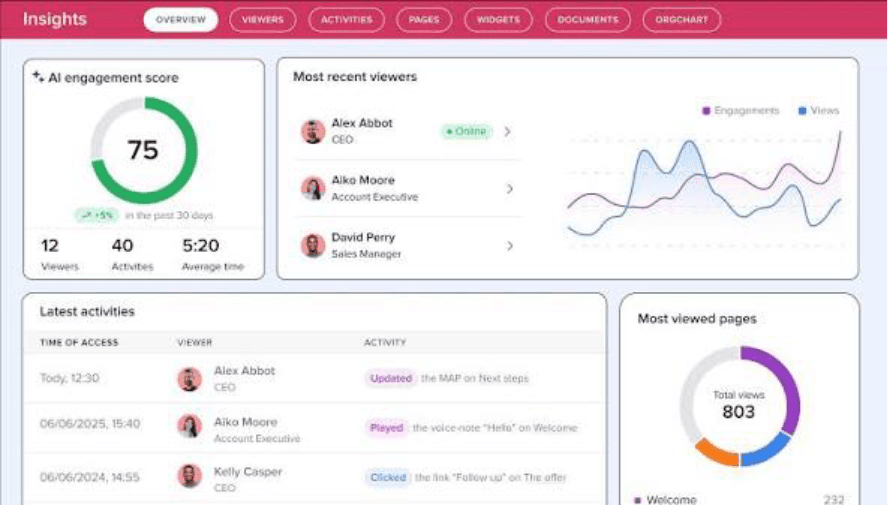
Trumpet's rooms, called Pods, are fully customizable down to navigation, headers, fonts, and content blocks, with deep two-way Salesforce and HubSpot integration. Its AI suite includes an engagement-scoring system that tracks deal health down to the individual stakeholder and flags at-risk deals early, plus tools that auto-brand a room and draft executive summaries from call transcripts.
Benefits:
Best-in-class branding & customization
Stakeholder-level engagement tracking
AI-powered deal health scoring
AI-generated executive summaries
AI-created business cases
Limitations:
No digital commerce integration
CPQ available via API
Native CPQ not demonstrated
API-based extensibility for CPQ
Ideal company size:
Best for teams with 100–2,000 users
Easy-to-moderate setup
Premium visual deal rooms
Stakeholder-level deal health insights
Ideal for presentation-driven enterprise sales
Verified G2 Review: 4.7/5
"Trumpet makes it easy to centralize sales content in a visually appealing, intuitive workspace that delivers a great buyer experience. The reviewer praised its simple setup, smooth navigation, and ease of use for sharing content with prospects."
Best for: Design-conscious sales teams that want granular, AI-driven visibility into stakeholder engagement.
Trumpet uses tiered per-user pricing: Free (10 sales rooms, unlimited users), Pro $45/user/month, Scale $100/user/month, and Elite $160/user/month (sales-assisted). Annual billing shown is $450/$1,000/$1,600 per user/year, respectively.
See our full Trumpet vs. Projetly comparison: Which Digital Sales Room Is Right for Your Sales Team?
Quick Comparison: Top Digital Sales Room Software (2026)
Software | AI Capability | CRM Sync | Buyer-Editable MAPs | Onboarding/Postsale Continuity | Best For |
Projetly | AI-assisted (NBA suggestions) | Bi-directional | Yes | Yes, same-platform (manual handoff) | Enterprise B2B |
Accord | AI research + scoring | Bi-directional | Yes | Onboarding playbooks | Standardized GTM |
Aligned | AI agent + content gen | Bi-directional | Yes | No | Collaborative deals |
Allego | AI deal alerts | Yes | Yes | No | Multimedia at scale |
ClientPoint | AI assistant (Meg) | Yes | Yes | Converts to customer portal | Sales-to-postsale portal |
Dock | AI agent (beta) | Yes | Yes | Yes, single workspace | Sales → CS |
Flowla | Custom AI agents | Yes | Yes | No | Workflow automation |
GetAccept | AI content + transcripts | Yes | Yes | No | Proposal-heavy sales |
Highspot | Deal Agent | Yes | No (seller-only) | No | Enterprise enablement |
Mediafly | AI review assembly | Yes | Yes | No | Multimedia hub |
Mindtickle | AI-assisted, analytics-heavy | Yes | Yes | No | Slide-level analytics |
Pitcher | AI meeting agent | Yes | Yes | No | Live-meeting AI |
SalesHood | Buyer-facing conversational AI | Yes | Yes | No | Enablement + coaching |
Seismic | AI content recs | Yes | No (seller-only) | No | Enterprise governance |
Showpad | NL analytics | Yes | Yes | No | Two-way file collaboration |
SP_CE | No | Yes | Yes | No | Direct + partner sales |
Trumpet | Deal-health scoring AI | Yes | Yes | No | Brand + stakeholder visibility |
[Related: Best Digital Sales Room Tools to Close Enterprise Deals Fast?]
Must-Have Features in Digital Sales Room Software
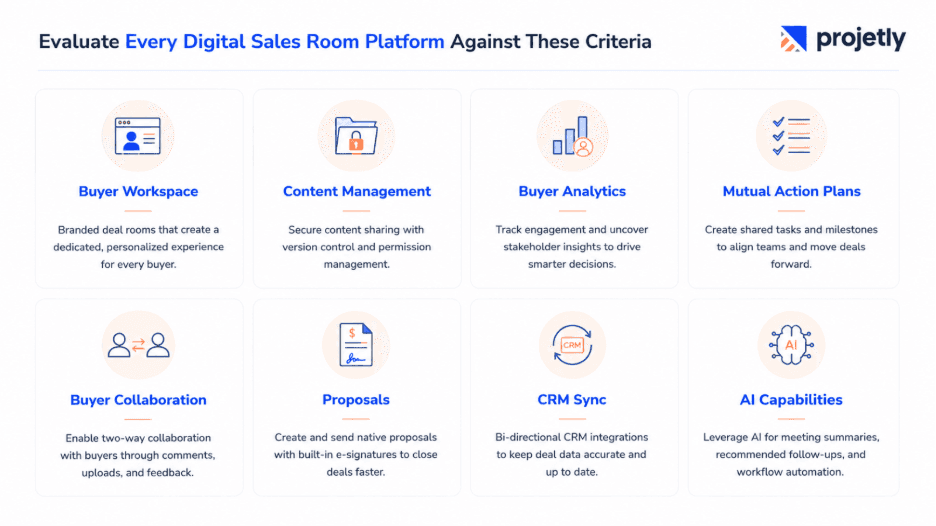
Buyer-facing workspace: A persistent, branded deal room accessible through a single shareable link, ideally with no login required.
Content management & governance: Stage-specific content, version control, and enterprise controls like watermarking, permissions, and access restrictions.
Buyer engagement analytics: Visibility into who viewed what, time spent, stakeholder participation, and section-level engagement, not just page views.
Collaborative mutual action plans: Verify whether action plans are truly collaborative. Some platforms support full buyer editing and ownership, while others are seller-managed with view-only access.
Bidirectional content sharing: Confirm buyers can upload, edit, and share content; not all platforms support true two-way collaboration.
Proposal & e-signature workflows: Native proposal creation, approvals, and e-signatures that keep the entire buying process inside the deal room.
Bi-directional CRM integration: Ensure the integration syncs data both ways and supports your CRM, not just Salesforce. Some platforms require additional work for other CRMs.
AI with practical value: Look for AI that solves real problems, such as room creation, meeting summaries, follow-up automation, and next-best-action recommendations, rather than AI added only as a feature checklist.
How to Get the Most from a Digital Sales Room
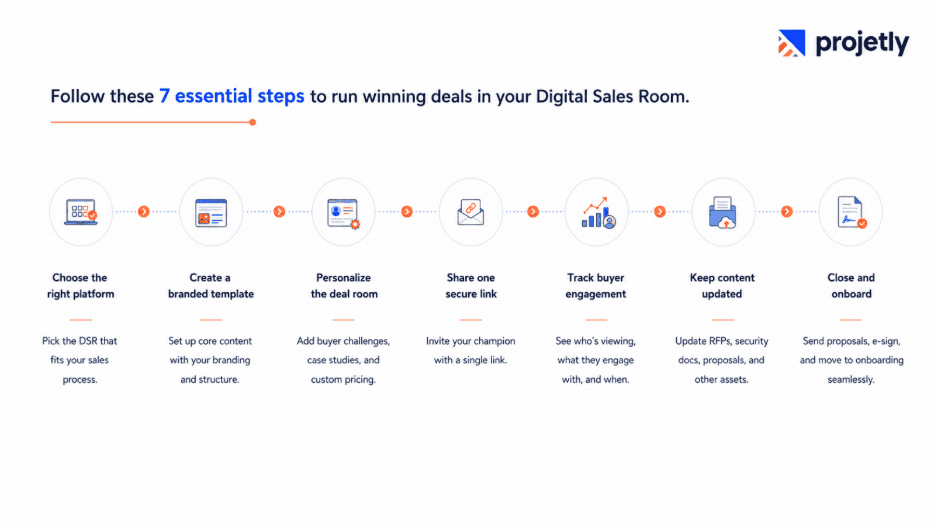
Choose the right platform for your sales process and deal complexity before scheduling vendor demos.
Create a reusable template with your branding, core content, and a standardized deal structure.
Tailor every deal room by adding the buyer's logo, business challenges, relevant case studies, and customized pricing.
Share the room with your buyer champion using a single link, ideally accompanied by a short personalized video.
Track buyer engagement to see who is viewing the room, which content gets attention, and when new stakeholders join.
Keep the room updated throughout the sales cycle with RFP responses, security documents, proposals, and other deal assets.
Close and transition seamlessly by sending the final proposal, collecting e-signatures, and moving directly into onboarding from the same workspace when supported.
Digital Sales Room vs. Alternatives
Tool Type | Primary Purpose | What It Lacks vs. a DSR | When to Use Instead |
Email + PDF | Send documents | No engagement tracking, no collaboration, no live updates | Rarely a good fit for complex, multi-stakeholder deals |
Shared Drive (Google Drive, Dropbox) | File storage | No buyer context, no chat, no analytics | Small, simple, single-call deals |
CRM (Salesforce, HubSpot) | Internal pipeline tracking | Not buyer-facing, no content delivery | Complement to a DSR, not a replacement |
Proposal Software | Generate proposals | No multi-content workspace, limited collaboration | Quote-only transactions |
Digital Sales Room | Full buyer-seller workspace | No | Any multi-stakeholder B2B deal |
Business Impact of Digital Sales Rooms
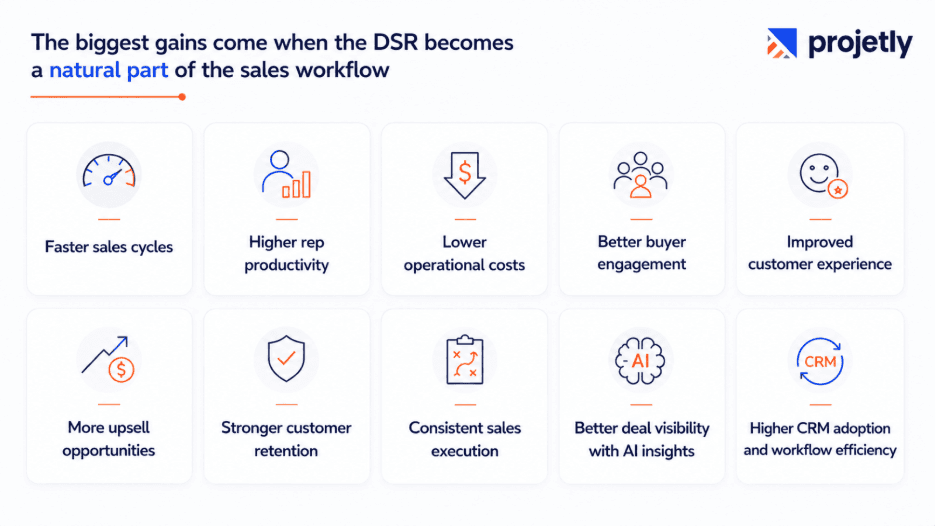
Shorter sales cycles by keeping all deal information, documents, and conversations in one place.
More deals managed simultaneously as sales reps spend less time on manual follow-ups and administrative work.
Lower operational overhead through centralized content, automated workflows, and reduced back-and-forth communication.
Higher automation and productivity with AI-powered meeting summaries, follow-up suggestions, task creation, and CRM synchronization.
Improved buyer engagement through personalized deal rooms, mutual action plans, and real-time collaboration.
Higher customer satisfaction by providing a smoother, more transparent buying experience.
More cross-sell and upsell opportunities by extending the deal room into onboarding and ongoing customer engagement.
Better customer retention through stronger post-sale collaboration and seamless sales-to-customer-success handoffs.
More consistent sales execution by standardizing playbooks, content, and deal processes across the entire sales organization.
Greater visibility into deal health with engagement analytics, stakeholder tracking, and AI-driven risk identification.
Higher seller adoption when the DSR integrates naturally with existing CRM and sales workflows, reducing friction instead of adding it.
Is Digital Sales Room Software Right for You?
Digital Sales Room software delivers the greatest value for organizations with complex, relationship-driven sales processes, but it isn't the right fit for every business.
Best fit for:
Enterprise B2B SaaS companies
IT services and consulting firms
Fintech organizations
Professional services businesses
Manufacturing companies
Healthcare and life sciences
Sales involving multiple stakeholders
Deal cycles longer than 30 days
High-value contracts (typically $20K+ ACV)
Team size considerations:
Small to mid-sized teams: Lightweight DSR platforms offer fast deployment and simple collaboration.
Mid-market and enterprise teams: Comprehensive platforms combine deal rooms with sales enablement, coaching, governance, and AI capabilities.
It may not be the right fit if
You sell low-ticket or transactional products.
Most deals close in a single call.
Your sales process is simple with few stakeholders.
The implementation effort outweighs the value of each deal.
When you'll see the strongest ROI:
Organizations typically achieve the highest return when buying committees are complex enough to benefit from a shared, collaborative workspace.
As a general guideline, Digital Sales Rooms provide the most value for deals around $20K+ ACV, where improved collaboration, buyer engagement, and streamlined execution can significantly impact win rates and sales efficiency.
Managing Multiple Stakeholders in a Digital Sales Room
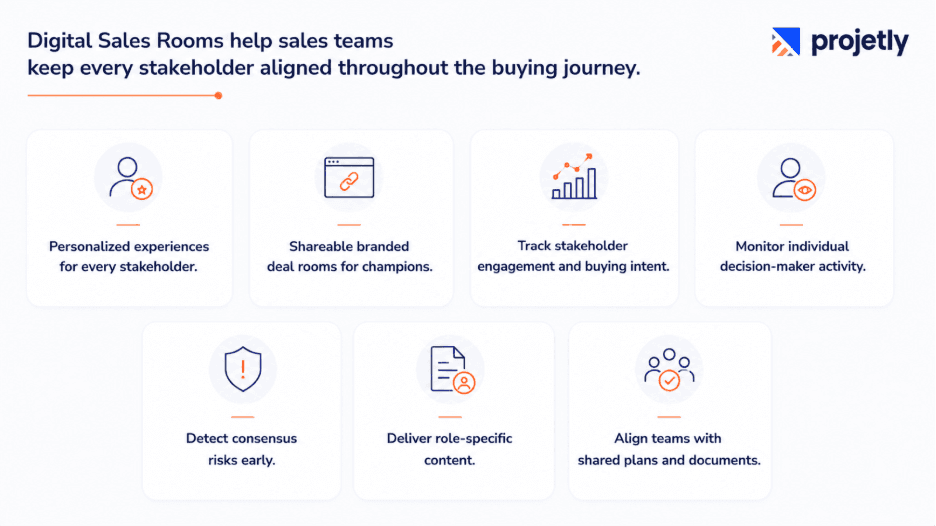
Multi-thread stakeholder engagement: Give each stakeholder, champions, economic buyers, technical evaluators, procurement, and legal- a personalized experience with relevant content instead of relying on long email threads.
Champion enablement: Equip your internal champion with a branded deal room they can easily share across their organization, extending your reach into conversations you aren't part of.
Visibility into buying behavior: Track which stakeholders engage with key content, such as pricing, security documents, or proposals, to identify buying intent and prioritize follow-ups.
Stakeholder-level engagement tracking: Monitor activity for individual decision-makers rather than just overall deal engagement to identify gaps before they impact the sale.
Early consensus risk detection: Spot declining engagement from critical stakeholders early, allowing sales teams to re-engage decision-makers before momentum is lost.
Personalized stakeholder journeys: Deliver role-specific content, resources, and next steps tailored to executives, technical teams, procurement, and other buying committee members.
Improved collaboration across the buying committee: Keep every stakeholder aligned with shared documents, timelines, mutual action plans, and a single source of truth throughout the sales cycle.
Ready to see how Projetly runs a six-month enterprise deal from first room to first renewal? Book a 30-minute walkthrough or start a free trial at projetly.ai.
For more on how Projetly approaches the full revenue lifecycle, see the Digital Sales Room overview and the customer onboarding platform page.
Frequently Asked Questions
How do digital sales rooms help close deals faster?
By replacing scattered emails and static PDFs with one persistent workspace, they cut the time buyers spend hunting for information, give reps real engagement signals to act on, and keep momentum going through mutual action plans and, increasingly, AI-driven follow-ups and next-best-action suggestions.
What is a mutual action plan in a digital sales room?
A mutual action plan is a shared list of tasks, owners, and deadlines visible to both buyer and seller. The degree of buyer control varies significantly by platform; some are seller-only plans the buyer can view, others let buyers edit, delegate, and take ownership of tasks directly.
Can digital sales rooms integrate with Salesforce or HubSpot?
Yes, this is close to universal in the category. Most platforms on this list support both, though depth of integration varies, and support for CRMs beyond Salesforce and HubSpot is less consistent.
Which digital sales room software is best for small teams?
Lightweight, fast-to-launch options like Aligned, Trumpet, or Flowla tend to suit smaller teams best; heavier platforms bundled with enablement, coaching, or CPQ are built for larger, more complex organizations.
How much does digital sales room software cost?
Pricing varies widely, from free or low-cost tiers on point solutions to enterprise, quote-based pricing on full platforms like Seismic or Highspot. Most vendors offer a free trial or demo.
What's the difference between a digital sales room and a proposal tool?
A proposal tool generates and sends a single document. A digital sales room is a persistent, multi-content workspace, proposals, pricing, case studies, recordings, and e-signatures, that stays live and trackable for the length of the deal and, in some platforms, beyond it.
How does a digital sales room work?
A rep builds a room and sends the buyer one link, typically no login required. The buyer reviews content, chats with the seller, and signs documents inside the room, while the rep sees engagement data on who viewed what and for how long.
What is a digital sales room?
A DSR is a persistent, shared workspace that connects buying and selling teams across the customer journey, housing content, planning tools, and commerce functions in one link. Unlike a proposal tool, it keeps working after you hit send, and in the strongest platforms, after the deal closes too.
You may also like

A Guide to Project Management Professional Certification

Laugh Your Way to Productivity: 50 Workplace Quotes

50 Funny Workplace Memes That’ll Brighten Your Workday.
What Does a Customer-First Mindset Mean? Explained in 2025

What It Takes to be a Great Customer Success Manager in 2025