Digital Sales Room

By
Avaran
How to Reduce Enterprise Sales Cycle Length with a Digital Sales Room
Enterprise deals move slowly by design, multiple stakeholders, lengthy approvals, and growing buying committees all add friction. But in 2026, the teams shortening their cycles fastest aren't working harder. They're working in a fundamentally different environment: the Digital Sales Room.
This guide covers exactly what a Digital Sales Room (DSR) is, why enterprise sales cycles drag, and the specific, proven ways DSRs compress cycle length, with real numbers, tactical playbooks, and the questions you need to answer before choosing a platform.
Book a Demo and see how Digital Sales Rooms can accelerate your enterprise deals.
What is the Average Enterprise Sales Cycle Length?
Before you can fix something, you need to know what normal looks like. And in enterprise B2B, normal is slow.
Typical B2B sales cycles run 60–120 days, while enterprise deals often stretch to 6–12 months due to procurement, legal, IT security, and multiple business units involved. Even mid-market deals ($50K–$100K) now take around 9 months to close.
The main reason: larger buying committees. Today’s B2B deals often involve 9–11 stakeholders, sometimes as many as 16 across multiple functions. Each additional stakeholder adds approvals, objections, and internal discussions that happen without the seller.
As a result, 58% of B2B professionals report longer sales cycles, even though pipeline activity is increasing, a trend some call the Pipeline Paradox.
Smaller deals (under $10K) may close in weeks, but larger deal sizes almost always mean longer cycles, driven by the complexity of the buying committee.
Why Enterprise Sales Cycles Are So Long (And Where the Waste Hides)
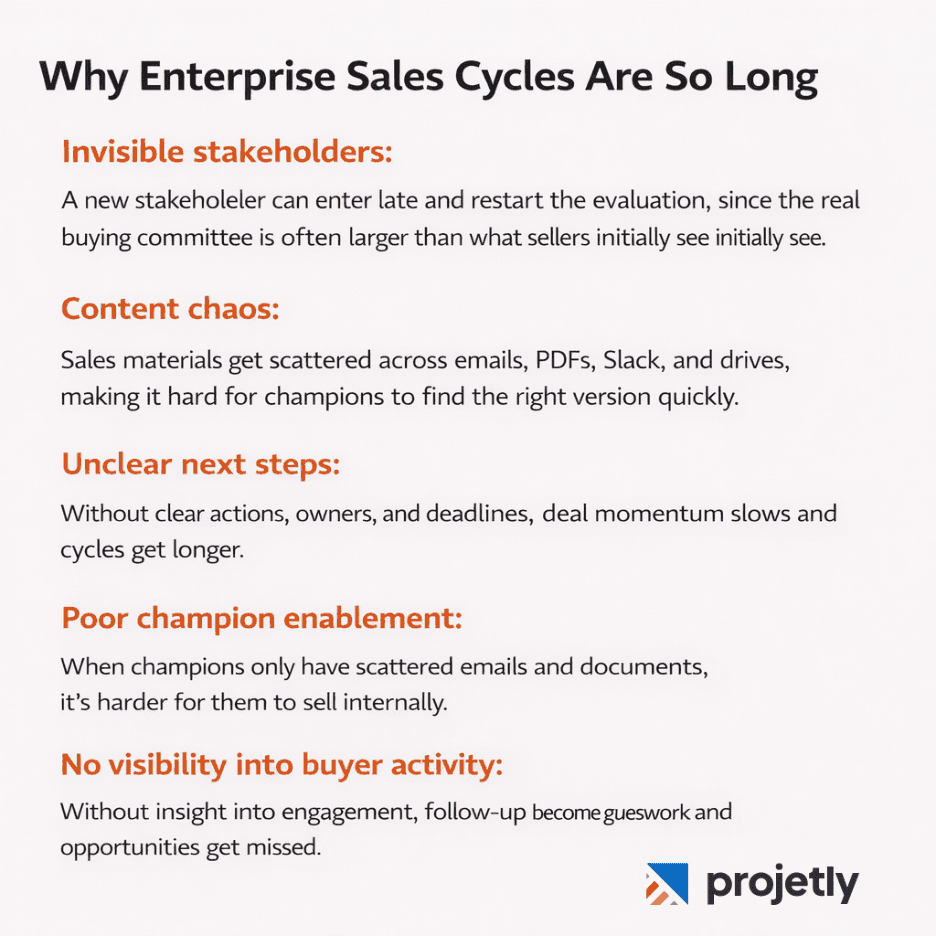
When enterprise deals stall, it's rare because the buyer doesn't want your product. It's almost always a process problem. Here are the most common culprits.
Invisible stakeholders: You may spend weeks aligned with your champion, only for a new stakeholder (like a VP of IT or finance) to enter late and restart the evaluation. In enterprise deals, the real buying committee is usually much larger than what the seller initially sees, with internal discussions happening out of view.
Content chaos: Sales materials get scattered across email threads, PDFs, Slack messages, and shared drives. When leadership asks for the business case or proposal, the champion often must search for the right version. This small friction can easily turn into weeks of delay.
Unclear next steps: Phrases like “I’ll get back to you next week” are where deals begin to lose momentum. Without clear next actions, defined owners, and real deadlines, deals start drifting, and cycles get longer.
Poor champion enablement: Your champion is doing most of the internal selling for you. If they only have scattered emails and static documents, it becomes harder for them to explain the value and align stakeholders internally.
No visibility into buyer activity; When sellers can’t see who is reviewing content or engaging internally, follow-ups become guesswork. This often leads to chasing inactive deals while missing opportunities that are quietly progressing.
Start Your Free Trial and Close Deals Faster
What is a Digital Sales Room?
A Digital Sales Room (DSR) is a shared online workspace, typically a branded microsite accessible via a single link, where B2B sellers and buyers collaborate throughout the entire sales cycle, from qualified opportunity to signed contract.
It replaces the chaos of scattered emails, static PDFs, and version-control nightmares with a single hub that centralizes all deal content, tracks stakeholder engagement in real time, and gives both sides a shared view of where things stand.
Inside a well-built Digital Sales Room (DSR), buyers can access meeting notes, demos, proposals, case studies, security documents, and a Mutual Action Plan, all in one place, with an e-signature for closing.
For sellers, a dashboard shows who opened the room, what content they viewed, and where engagement drops.
With vendors competing on buyer experience, Digital Sales Rooms are quickly becoming a standard way to manage complex B2B deals.
Want to see how it works for your team? Contact us and let’s talk.
How Sales Deal Rooms Reduce Enterprise Sales Cycle Length: 7 Mechanisms
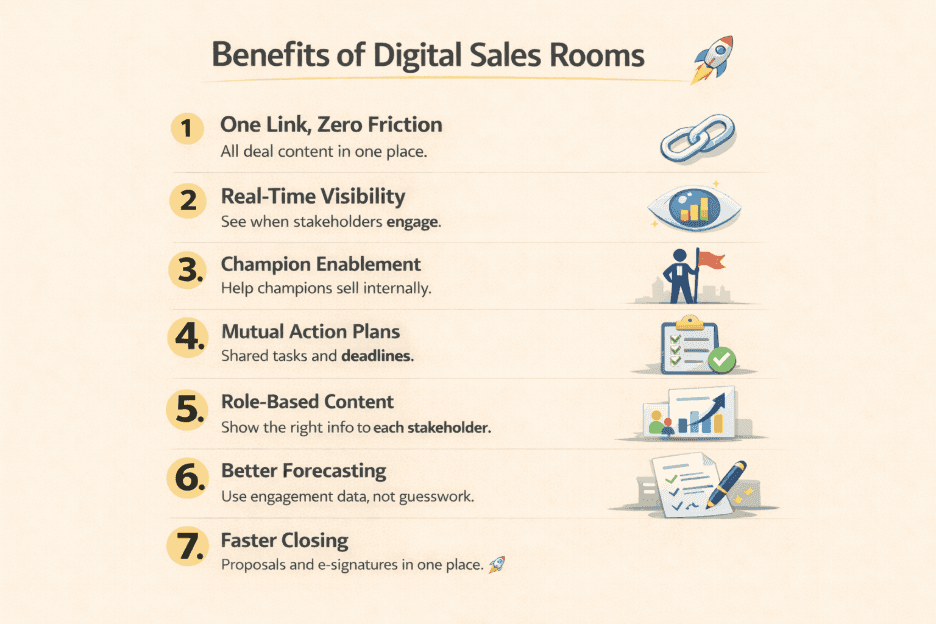
DSRs don't shorten cycles through a single feature. The cycle compression happens across multiple compounding mechanisms.
1. One Link, Zero Friction
A Digital Sales Room (DSR) removes the friction of content sharing. Buyers access everything through one link instead of searching emails for decks, pricing sheets, or updates.
It sounds simple, but the impact is significant; each email back-and-forth can delay deals by days, adding up to weeks in long enterprise sales cycles.
2. Real-Time Stakeholder Visibility
Enterprise sales reps are often blind to most buyer-side activity. When a champion forwards an email, sellers rarely know who viewed it or what questions came up.
A Digital Sales Room (DSR) changes that by showing when stakeholders access content, like when a CFO opens the business case, or IT reviews security docs.
This visibility helps teams act early, identify real buying signals, and prevent deals from stalling.
3. Champion Enablement at Scale
Your champion is effectively your internal salesperson, presenting your solution to stakeholders when you’re not in the room.
A Digital Sales Room (DSR) helps them do this better by giving them a single, well-organized workspace with all the key content and a clear action plan, so they can present your solution confidently instead of searching through emails.
4. Mutual Action Plans That Create Shared Accountability
A Mutual Action Plan (MAP) is a shared roadmap inside a Digital Sales Room that outlines the steps from discovery to signed contract, with tasks, owners, and deadlines for both sides.
When buyers co-create the plan, commitment increases, and potential risks like legal or procurement reviews surface earlier instead of causing surprise delays.
Research shows that deals with Mutual Action Plans close more often because both sides have clear accountability and next steps.
5. Stakeholder-Specific Content Personalisation
Enterprise buying committees have different priorities: finance focuses on ROI, IT on security and integration, legal on risk, and end users on adoption.
In email-based sales, everyone often receives the same content, much of which isn’t relevant to them.
Digital Sales Rooms (DSRs) solve this by targeting content, so each stakeholder sees the information most relevant to their role, helping teams align and make decisions faster.
6. Engagement-Based Forecasting That Replaces Guesswork
One overlooked benefit of Digital Sales Rooms (DSRs) is better forecast accuracy. Without visibility into buyer engagement, reps often rely on optimism and deals unexpectedly slip.
DSRs provide real engagement signals, like those who viewed pricing, downloaded documents, or stopped interacting, helping sales teams identify real opportunities and focus on deals that are actually progressing.
7. Removing the Last-Mile Friction of Closing
Many enterprise deals lose days between verbal agreement and contract signing due to lost links, version confusion, and scattered email threads.
With a Digital Sales Room (DSR), the proposal and e-signature live in the same workspace where the deal was managed, making it easier for buyers to review and sign without delays.
Book a Demo to see how Digital Sales Rooms can accelerate your deals.
The DSR Playbook: A Step-by-Step Framework for Enterprise Deals
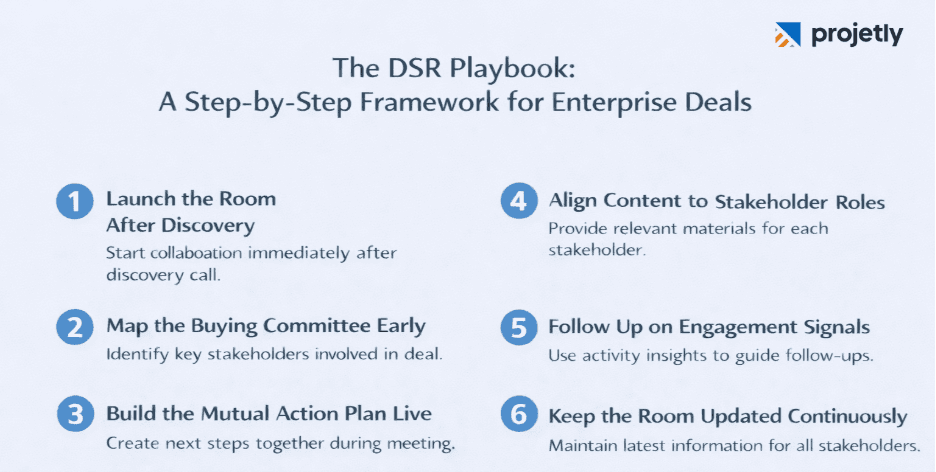
Having a DSR platform is not the same as using it effectively. Here's the workflow that consistently produces shorter cycles in complex enterprise deals.
Step 1: Launch the Room After Discovery, Not After Demo
Most teams create their DSR too late, after the demo, when the deal is already weeks in. The better move is to launch the room immediately after your discovery call. Drop in your discovery summary, the agreed-upon next steps, and a draft mutual action plan. This positions you as organized, committed, and already invested in their success before a competitor even sends their intro deck.
Step 2: Map the Buying Committee Proactively
Use the DSR's stakeholder tracking to identify who your champion is sharing materials with. Gate decision-critical assets, detailed pricing, security documentation, architecture diagrams, behind a simple email form. When your champion forwards the room internally, new stakeholders identify themselves to access these materials. You learn who's actually involved before they become a late-stage surprise.
Step 3: Build the MAP Together, On the Call
Don't send a pre-built mutual action plan and ask them to fill it out. Build it live, during your next call, as a collaborative exercise. Assign them real tasks, the internal CFO presentation, the IT security questionnaire, the reference call scheduling, and demonstrate commitment to the process. A buyer who's already done work in the deal is far less likely to ghost.
Step 4: Anchor Content to Stakeholder Roles
As new stakeholders appear, curate their section of the room immediately. Don't wait for them to ask for what they need. If you see procurement just joined, make sure the commercial terms, vendor evaluation template, and MSA are front and centre when they open the room. Anticipating needs eliminates the back-and-forth that typically costs one to two weeks per stakeholder.
Step 5: Use Engagement Signals for Precision Follow-Up
Replace calendar-based follow-up ("I'll check in on Friday") with signal-based follow-up. If a new senior stakeholder opens the room and spends 12 minutes on the pricing section, that's your cue to reach out now, not in three days. If your champion hasn't engaged in five days, that's a warning signal. Treat the engagement data as your deal's vital signs and respond accordingly.
Step 6: Keep the Room Updated as the Deal Evolves
A DSR that goes stale loses its value quickly. Every meeting should produce an updated summary in the room. Every new piece of content, a competitive comparison, an updated pricing proposal, a reference video, goes in immediately. The room should always reflect the current state of the deal, so any stakeholder who opens it gets an accurate picture without having to ask you for context.
What to Look for in a Digital Sales Room Platform
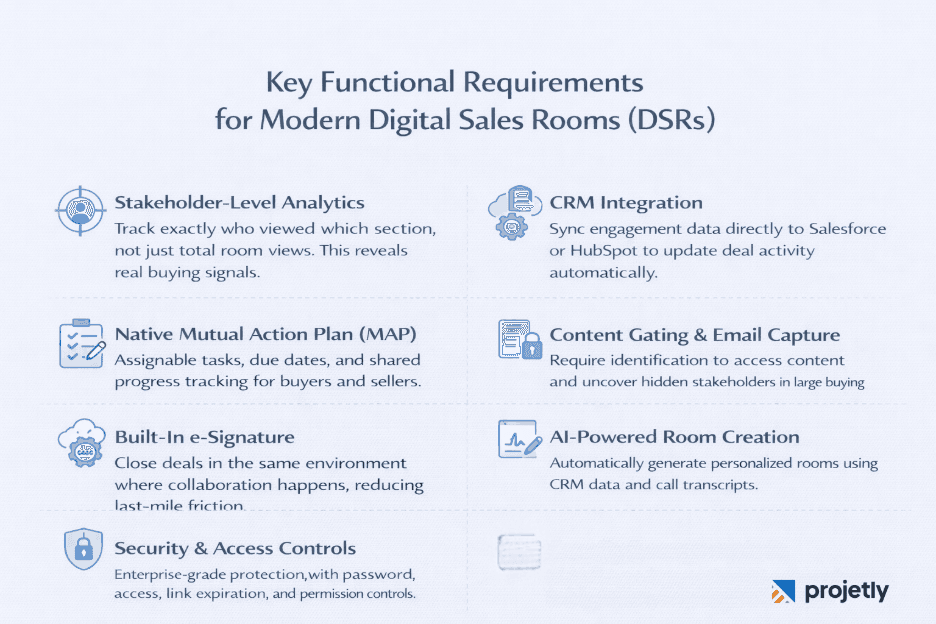
Not all DSR platforms are built for enterprise complexity. When evaluating options for long-cycle, multi-stakeholder deals, prioritize these capabilities.
Stakeholder-level analytics.: You need to see which specific person viewed which specific section, not just aggregate room views. Stakeholder tracking is what makes signal-based selling possible.
Native Mutual Action Plan functionality: Look for assignable tasks, due dates, and a progress tracker that's visible to both buyers and sellers in the same view. A separate document that lives outside the room won't get used.
CRM integration: The DSR should push engagement data directly into Salesforce or HubSpot, updating deal stages and activity logs without requiring manual entry. If reps have to maintain two systems, adoption will be inconsistent.
Content gating and email capture: The ability to require identification to access premium content is what surfaces hidden stakeholders in large buying committees.
E-signature in the same environment: Closing in the room where the deal was managed eliminates last-mile friction and creates a clean audit trail.
AI-powered room generation: Leading platforms now auto-generate personalized rooms from CRM data and call transcripts, eliminating the manual setup that causes reps to skip the tool on busy weeks.
Security and access controls.: Password protection, link expiration, and permission controls are baseline requirements for enterprise deals involving sensitive commercial and technical information.
Common Mistakes That Undermine DSR Effectiveness
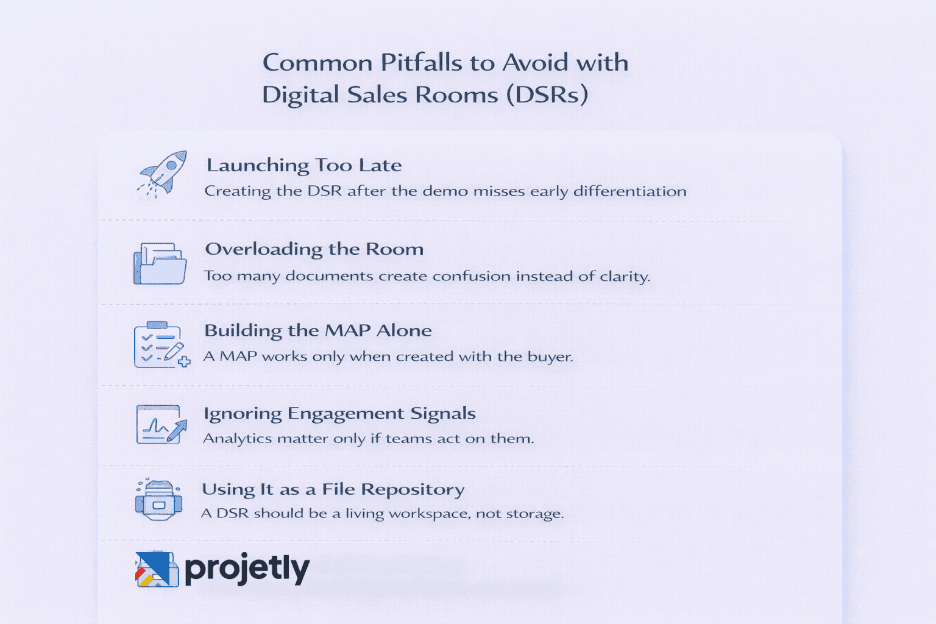
Digital sales rooms are not magic. Teams that adopt the technology without changing their process often see limited results.
Launching too late: Creating the DSR after the demo means you miss the early relationship-building period where a structured, professional workspace differentiates you most clearly from competitors.
Overwhelming the room: A DSR with 40 documents and no clear structure creates cognitive overload, not clarity. Curate ruthlessly. Put the right content in front of the right stakeholder at the right time.
Building the MAP without the buyer: A mutual action plan that you complete and send is just a close plan with a fancier name. Accountability comes from co-creation. Build it together, or it won't be followed.
Ignoring engagement signals: DSR analytics are only valuable if someone acts on them. Build a process for rep notification when key stakeholders engage, and train reps to treat those signals as triggers for immediate outreach.
Treating it as a document repository. The best DSRs are active, living spaces. If yours looks the same in week eight as it did in week two, you're not using it right.
Frequently Asked Questions
How much can a Digital Sales Room reduce sales cycles?
Results vary depending on deal complexity and how well teams use the tool. Some companies report dramatic improvements; Dealfront saw cycles drop from 150 days to 50 days (a 67% reduction). Across broader studies, teams using DSRs commonly report about 28% shorter sales cycles. The gains come from faster content access, better stakeholder visibility, and clearer next steps.When should I introduce a Digital Sales Room?
The best time is right after discovery and before the demo. Launching the room with a meeting summary, next steps, and a draft mutual action plan shows organization early in the process. Many teams wait until later in the deal, missing a chance to stand out during evaluation.Will buyers actually use a Digital Sales Room?
Only if it’s useful. Research shows many deal rooms see little engagement when they’re just link dumps. Buyers engage far more when the room is well-organized, role-relevant, and actively maintained with clear next steps.How does a Digital Sales Room improve forecast accuracy?
DSRs provide real engagement signals. Sales teams can see which stakeholders are active and which deals have gone quiet. This helps separate real opportunities from stalled deals, improving forecasting and resource allocation.What’s the difference between a Digital Sales Room and a Mutual Action Plan?
A Digital Sales Room is the shared workspace where the deal happens.
A Mutual Action Plan is a structured roadmap within that workspace, outlining tasks, owners, and deadlines for both sides. Together, they keep deals organized and moving forward.
Key Takeaways
Enterprise sales cycles are long because buying committees are large, content is scattered, and deal progress lacks visibility. Digital Sales Rooms (DSRs) solve this by centralizing content, revealing stakeholder engagement, and aligning both buyer and seller in one shared space.
The average enterprise deal takes 6–12 months and involves 9–11 stakeholders. Sales reps only influence about 5% of the buying journey; the rest happens through internal evaluation that’s normally invisible without a DSR.
DSRs shorten sales cycles by centralizing content, enabling champions, increasing stakeholder visibility, and reducing last-mile closing friction. Teams using DSRs see ~28% faster sales cycles, with even better results when combined with Mutual Action Plans and structured stakeholder engagement.
When choosing a platform, prioritize stakeholder analytics, native MAP functionality, CRM integration, and AI-powered room creation.
The key risk isn’t the toolkit’s process. DSRs amplify good sales practices; they don’t replace them.
You may also like

A Guide to Project Management Professional Certification

Laugh Your Way to Productivity: 50 Workplace Quotes

50 Funny Workplace Memes That’ll Brighten Your Workday.
What Does a Customer-First Mindset Mean? Explained in 2025

What It Takes to be a Great Customer Success Manager in 2025