PSA Software

By
Anuj
PSA Tool vs Project Management Software: What Growing Firms Should Really Choose in 2026
As professional services firms scale, the software they choose is no longer a back-office decision; it directly shapes project profitability, delivery quality, and how fast the business can grow. And right now, more firms than ever are asking the same question: do we need a PSA tool, a project management tool, or both?
The honest answer depends on what problem you're actually trying to solve. A project management tool helps your teams stay organized and hit deadlines. A PSA (Professional Services Automation) platform helps your business make money doing it.
This guide breaks down the real differences between PSA software and project management software in 2026, including where each one excels, which scenarios call for which, and how to make the right call for your firm's stage of growth.
Book a Live Demo → See how your team can deliver projects faster with AI-powered workflows.
What is Project Management Software?
Project management software is built around one core idea: helping teams coordinate work, hit deadlines, and track progress from start to finish.
At its best, a good PM tool gives project managers a clear view of who's doing what and when. It handles task assignments, deadline tracking, team communication, and project status reporting. Whether it's a Gantt chart, a Kanban board, or a timeline view, the goal is the same: visibility into project execution.
Most modern project management platforms include:
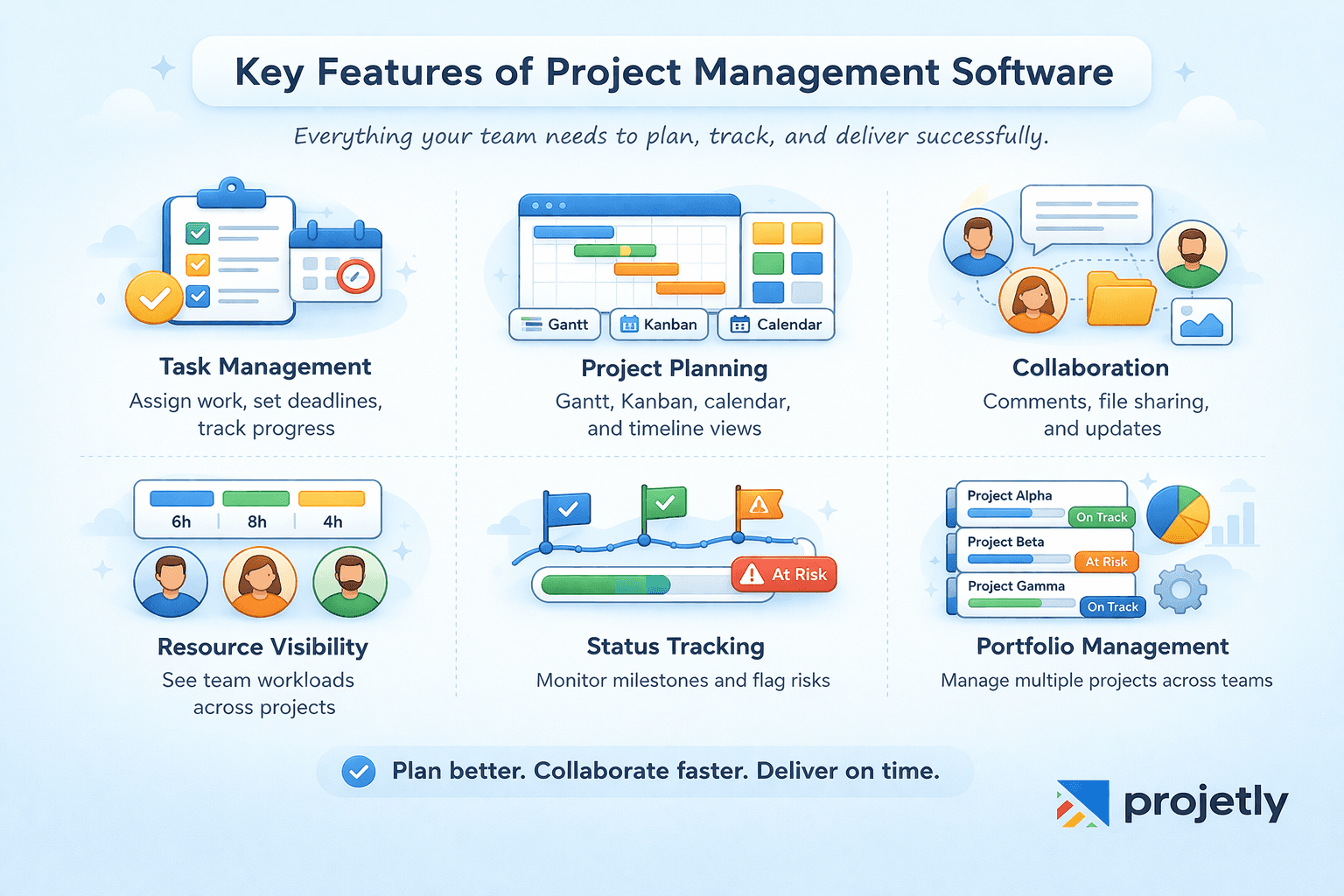
Task and workflow management: create tasks, assign owners, set due dates, track completion
Visual project planning: Gantt charts, Kanban boards, calendar views, and timeline tracking
Team collaboration: Comments, file sharing, status updates, and notifications
Basic resource views: See who's assigned to what across active projects
Project status dashboards: Track milestones and flag blockers early
Portfolio management: Manage multiple projects across teams or departments
Where Project Management tools genuinely shine, they are in internal execution. For product teams, marketing departments, engineering squads, or operations groups coordinating internal work, project management software is often more than enough.
But here's the limitation: PM tools stop at project execution. They don't tell you whether a project is profitable. They don't track billable versus non-billable hours. They don't automate invoicing, manage client contracts, or forecast resource utilization.
For teams that need to manage the business side of project delivery, revenue, margins, staffing costs, and billing, a PM tool alone creates serious blind spots.
What is PSA Software?
Professional Services Automation software is designed specifically for organizations that sell services to clients and need to manage the full lifecycle of that work, from winning the deal to getting paid.
PSA software integrates project execution with financial management, resource planning, time tracking, billing, and client data on a single platform.
Instead of juggling three or four separate tools and stitching together reports in spreadsheets, firms using PSA software get one connected system where project delivery and financial performance live side by side.
Core capabilities of a PSA platform typically include:
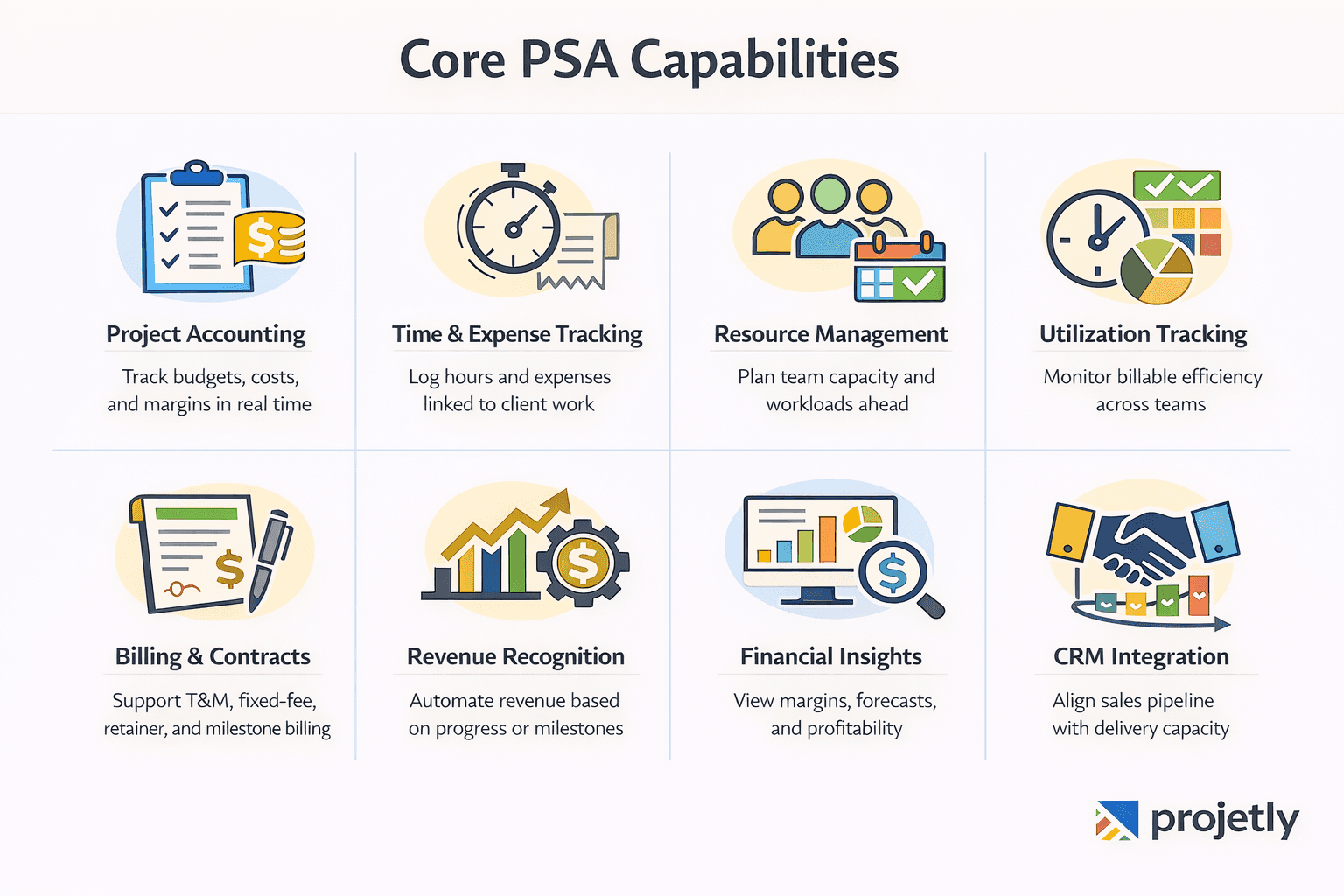
Project accounting: Track budgets, costs, and margins in real time against active projects
Time and expense tracking: Log billable and non-billable hours, capture expenses, and tie them directly to client work.
Resource management and forecasting: See who's available, who's overloaded, and plan staffing weeks or months ahead
Utilization tracking: Monitor billable utilization across individuals, teams, and the whole firm
Contract and billing management: Support for time-and-materials, fixed-fee, retainer, and milestone-based billing models
Revenue recognition: Automate revenue rules based on project completion or billing milestones
Financial dashboards; Margin forecasting, budget variance analysis, and profitability by client, project, or service line.
CRM integration: Connect pipeline data with capacity planning so you're not over-promising on delivery
PSA software exists because project delivery and financial performance are inseparable for service businesses. A project delivered on time but over budget is still a problem.
A high-revenue client relationship with poor utilization data leads to understaffed projects and burned-out teams. PSA platforms are built to prevent exactly these situations by making the financial layer of project work visible and manageable.
PSA vs Project Management: The Core Differences
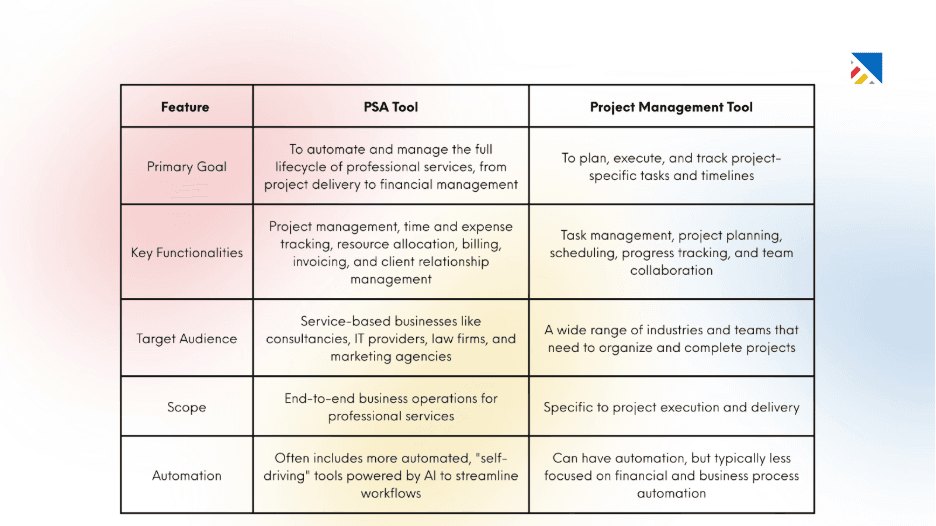
Here's where things get specific. The distinction between PSA software and project management software isn't about features on a checklist; it's about what decisions each tool helps you make.
1. Scope: Execution vs. Operations
Project management software manages the delivery of work. PSA software manages the business of delivering work. That's a meaningful difference. A PM tool answers "Are we on track?" A PSA platform answers "Are we profitable, and can we sustain this?"
2. Financial Visibility
This is the biggest dividing line. PM tools are not built for financial management. They can track a project budget in a basic sense, but they can't do project accounting, margin forecasting, or automated billing reconciliation. PSA platforms are purpose-built for firms where revenue depends on service delivery; every hour logged, every expense incurred, and every milestone hit has a financial implication that needs to be tracked.
3. Resource Management Depth
Basic PM tools show you who's assigned to tasks. PSA platforms show you whether your people are optimally deployed, who's under-utilized and available for new work, who's at capacity or approaching burnout, and how to staff an incoming project without disrupting existing ones. That level of resource intelligence is critical for firms managing 20, 50, or 500 billable people.
4. Billing and Contract Management
Project management software doesn't handle billing. PSA software automates invoicing based on time logged, milestones completed, or contract terms, across multiple billing models and multiple clients simultaneously. For firms with complex client contracts, this alone saves significant administrative overhead.
5. Integration Footprint
A PM tool typically needs to be connected to a separate accounting system, a CRM, an HR platform, and a time-tracking tool to give leadership a complete picture. PSA software consolidates those functions (or integrates tightly with them), reducing the number of systems you manage and the risk of data inconsistencies across them.
6. Reporting and Decision-Making
PM tools report on project status. PSA platforms report on project performance, including revenue, cost, margin, and utilization, so leadership can make informed decisions about pricing, hiring, resource allocation, and which clients or service lines are driving value.
Where Each Tool Actually Excels
Where Each Tool Excels | Project Management Software | PSA Software |
|---|---|---|
Primary Use Case | Internal work and team coordination | Client-facing service delivery |
Revenue & Billing | Not required (handled elsewhere) | Built-in billing, contracts, and revenue tracking |
Core Focus | Task execution and collaboration | Profitability, utilization, and delivery |
Financial Management | Managed in separate tools | Integrated with project workflows |
Planning Tools | Strong visual planning (Gantt, Kanban, timelines) | Planning + financial impact of plans |
Best For Teams | Product, marketing, internal ops | Agencies, consultancies, SaaS services teams |
Resource Management | Basic workload visibility | Advanced utilization and capacity planning |
Decision Making | Based on project progress | Based on delivery + financial metrics |
Billing Models | Not supported | Supports T&M, fixed-fee, retainers, milestones |
Forecasting | Limited or none | Revenue and staffing forecasts |
Real-World Scenarios Where PSA Software Pays Off
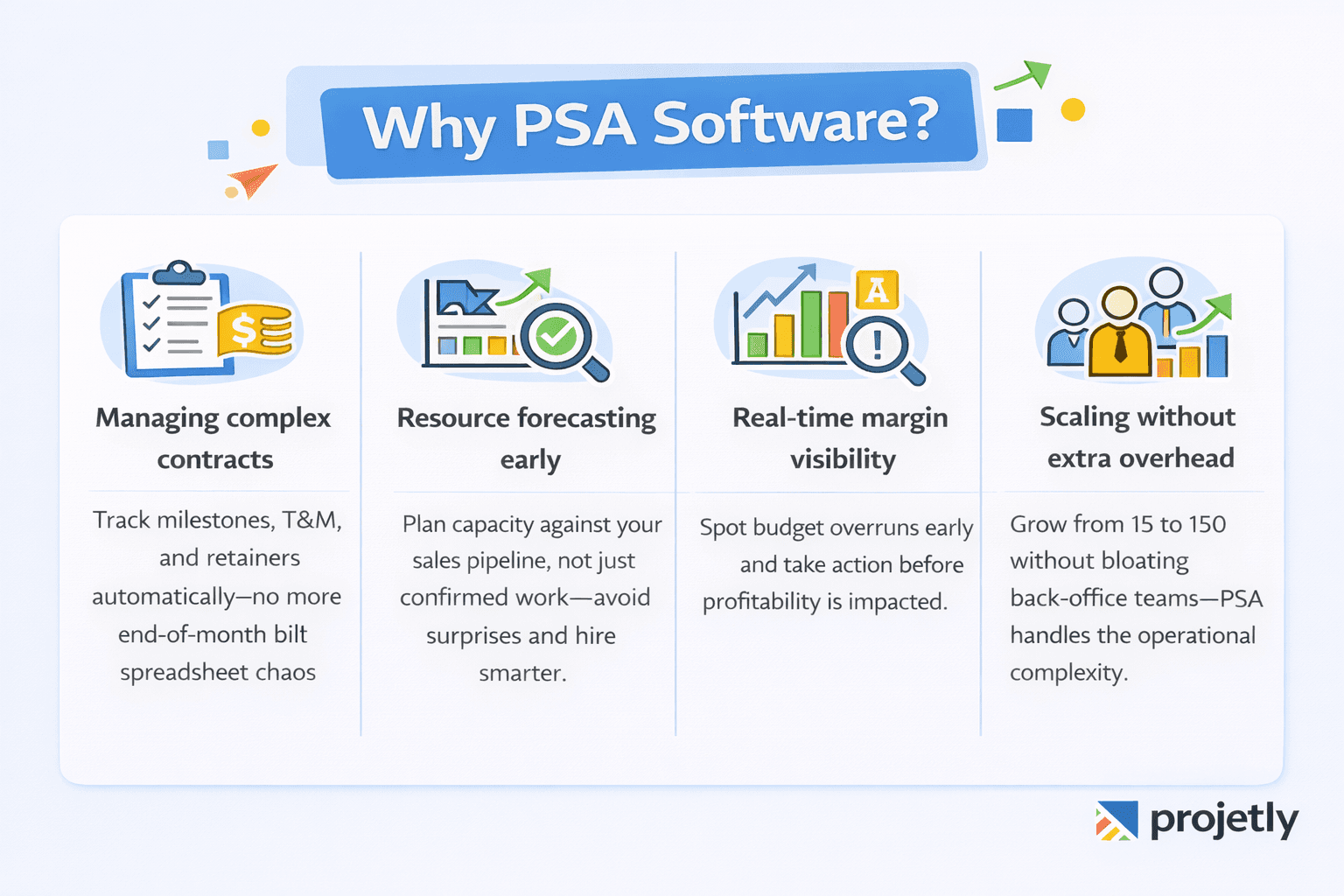
Managing complex client contracts: When a client engagement spans six months, involves multiple billing milestones, time-and-materials charges, and a fixed retainer, PSA software tracks it all automatically. Without it, finance teams are reconciling spreadsheets at month-end instead of managing the business.
Resource forecasting before you're fully sold: PSA platforms let you model resource requirements against your sales pipeline, not just confirmed projects. That means you can see capacity constraints coming before they become missed deadlines, and make smarter hiring or subcontracting decisions.
Margin management at the project level: PSA software shows you project profitability in real time. If a project is trending over budget in week three of a twelve-week engagement, you know early enough to act, not when the invoice goes out.
Scaling without adding headcount: As a firm grows from 15 to 50 to 150 people, the administrative complexity of managing utilization, billing, and resource scheduling grows faster than revenue. PSA software is what lets firms scale operations without proportionally scaling the size of their back-office teams.
Top Project Management Tools in 2026
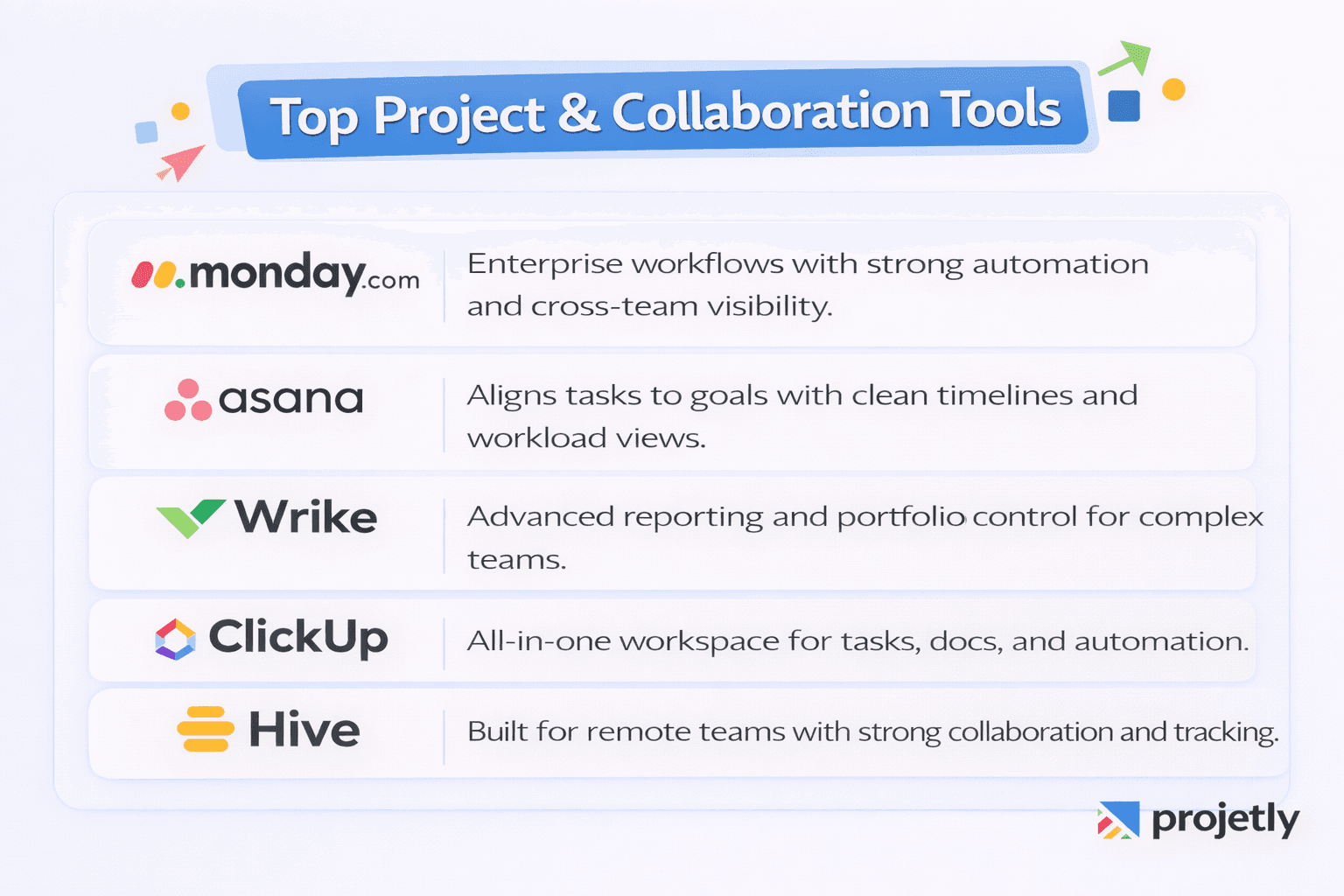
Monday.com continues to lead in enterprise workflow management, offering extensive automation, cross-team dashboards, and broad integrations. Ideal for organizations that need flexible, visual task management across departments.
Asana is a strong choice for teams prioritizing strategic alignment, connecting individual tasks to broader organizational goals with clean timelines and workload views.
Wrike provides deep reporting and portfolio governance for complex enterprise environments, including advanced intake workflows and real-time collaboration across large teams.
ClickUp positions itself as an all-in-one workspace, consolidating docs, dashboards, tasks, and automation into a single interface, useful for teams that want to consolidate tools without moving to a full PSA platform.
Hive is particularly well-suited for distributed and remote-first teams, with strong collaboration features, time tracking, and project dashboards built for asynchronous work.
Top PSA Software Platforms in 2026
1) Projetly
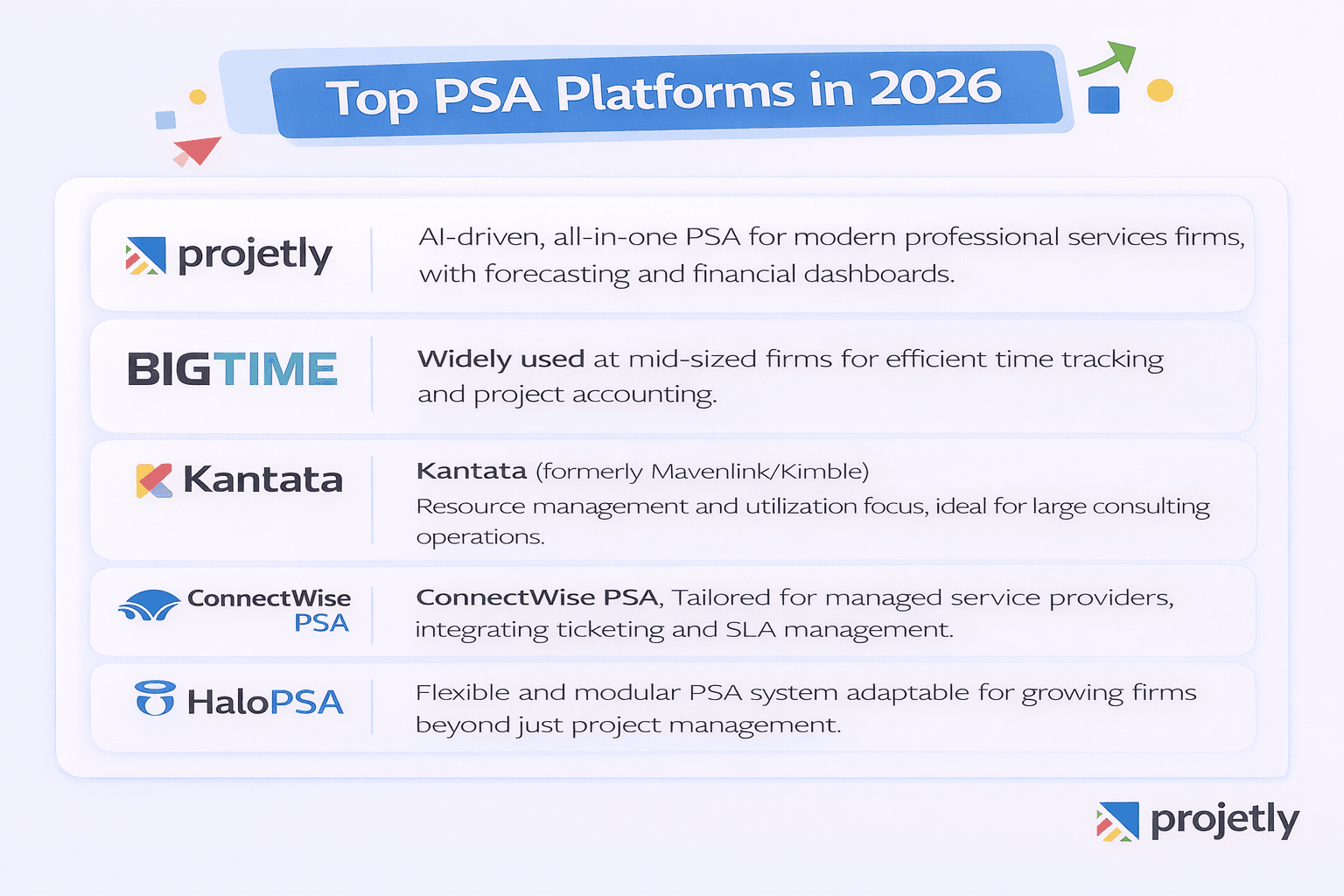
Projetly is a cloud-based Professional Services Automation (PSA) platform built by a professional services team with expertise in project delivery. It's positioned as a single source of truth for managing service business operations.
What PSA Software Does (The Foundation)
PSA software is a robust platform that empowers service-based businesses to automate and manage critical processes involved in delivering services to clients.
Core capabilities typically include project management, resource allocation, time tracking, project accounting, financial management (invoicing and billing), document management, collaboration tools, and business intelligence analytics.
What Projetly Specifically Offers
Projetly's PSA system provides a comprehensive suite of features for service delivery teams, including:
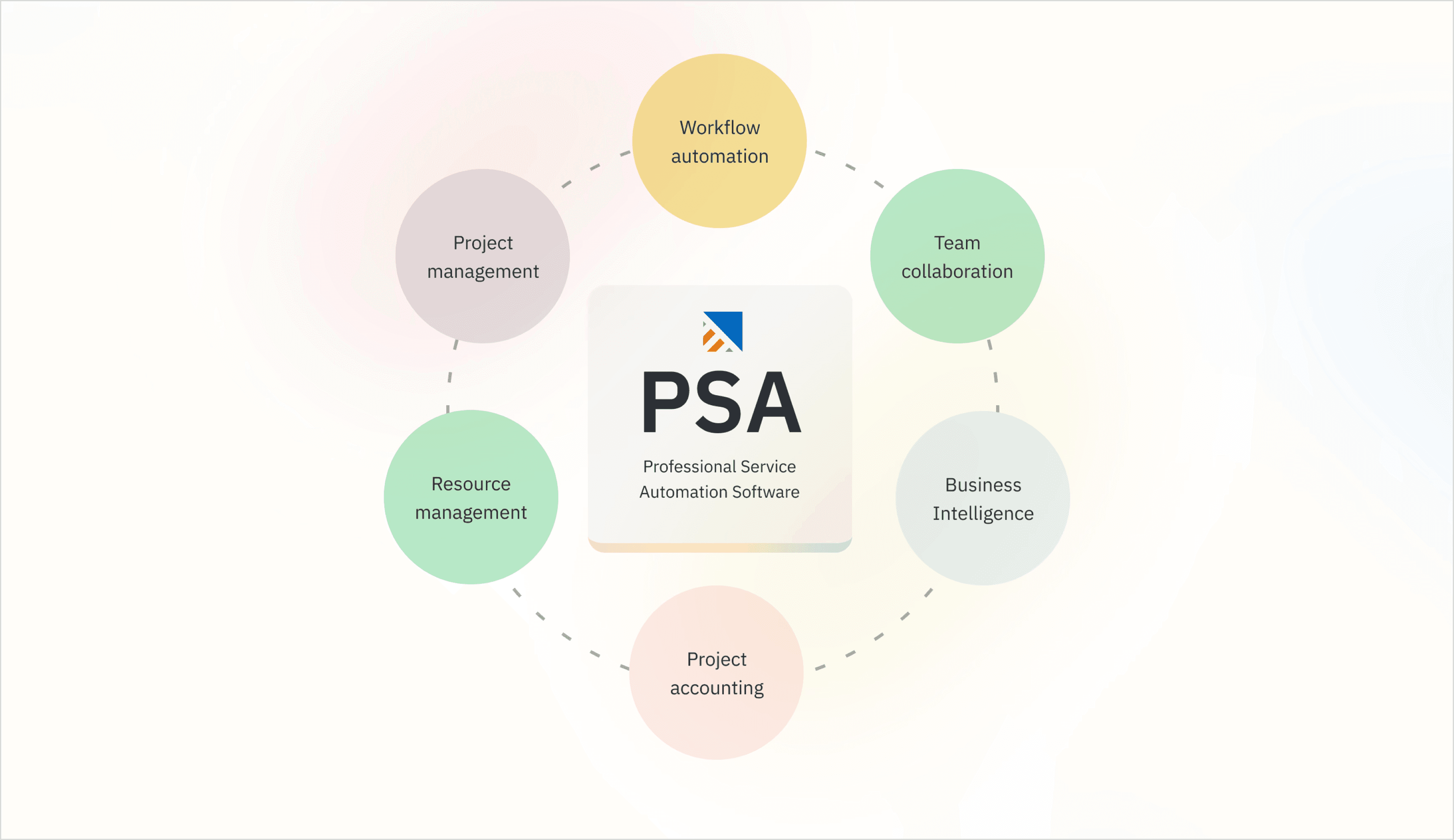
AI-Powered Project Management: Streamlined planning, scheduling, task allocation, and progress tracking, with AI-assisted text enhancement for descriptions and tasks
AI-Driven Risk Management: Proactive identification and handling of project risks
AI-Driven Workflow Automation: Automating repetitive processes across the delivery lifecycle
Resource Optimization and Time Tracking: Matching skills to project needs and tracking billable hours
Collaborative Work Management: Shared workspaces for teams, clients, and stakeholders
Document and Training Management: Centralized handling of project documents and onboarding materials.
Projetly positions itself as an all-in-one, AI-augmented PSA platform, one system covering the full delivery lifecycle from project creation through resource management, time tracking, client collaboration, and financial oversight. It's aimed at professional services firms that want to reduce tool sprawl and improve profitability visibility.
You can explore it further or start a trial at projetly.ai.
2) BigTime
BigTime is widely used across mid-sized professional services firms for time and expense tracking, project accounting, and margin governance. Solid, well-established, and particularly strong for finance-led organizations.
3) Kantata
Kantata (formerly Mavenlink/Kimble) focuses on predictive resource management and utilization intelligence, making it a strong fit for large consulting and professional services operations.
4) Connectwise PSA
ConnectWise PSA is built specifically for managed service providers, integrating ticketing, SLA management, contract billing, and project delivery into one operational platform for IT services firms.
5) HaloPSA
HaloPSA offers a flexible, modular approach to PSA that suits growing firms expanding beyond basic project management, covering ticketing, billing, resource allocation, and project tracking in a customizable system.
How to Choose: A Practical Decision Framework
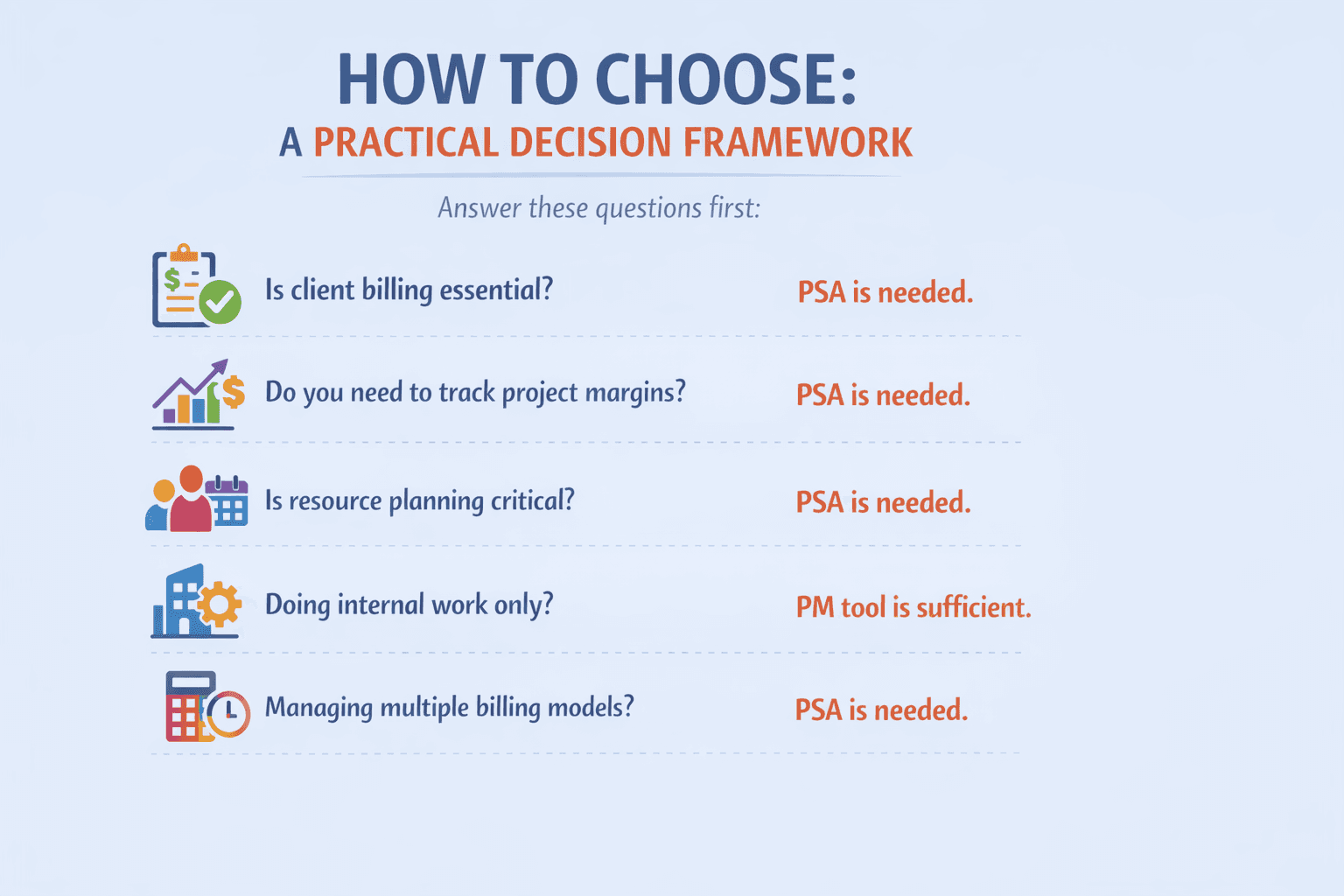
Before evaluating specific tools, answer these questions honestly:
1. Is client billing a core part of how your team operates? If yes, you need PSA. Project management tools don't handle billing.
2. Do your leaders need visibility into project margins, not just project status? If yes, you need PSA. PM tools report on delivery; PSA platforms report on financial performance.
3. Are resource utilization and capacity forecasting active concerns? If yes, you need PSA. Basic PM tools don't provide the staffing intelligence growing firms require.
4. Is your team primarily doing internal work with no client-facing financial obligations? If yes, a PM tool is likely sufficient, and adding PSA would be overkill.
5. Are you managing more than one billing model across multiple client engagements? If yes, PSA software automates what would otherwise become a manual, error-prone finance process.
For most professional services firms past the early startup stage, consulting firms, IT service providers, marketing agencies, architecture practices, staffing companies, the answer is PSA software.
Not because project management features don't matter (they do, and good PSA platforms include them), but because the financial and operational layer of running a service business requires tools built specifically for that complexity.
Get in Touch with Experts, Contact us Today
Frequently Asked Questions
What is the main difference between PSA software and project management software?
Project management software handles task coordination and delivery timelines. PSA software manages the full project and business lifecycle, including billing, resource planning, project accounting, and profitability analysis.
Can PSA software replace a project management tool?
For most professional services firms, yes. Modern PSA platforms include robust project execution features alongside their financial capabilities. Some teams still pair PSA with specialized PM tools for particular workflows, but PSA is typically the primary system of record.
Do I need PSA software if I'm a small firm?
If you're billing clients for your time and managing multiple engagements simultaneously, PSA software will pay for itself quickly in reduced admin overhead and better billing accuracy. The threshold is lower than most firms expect.
How does PSA software improve project profitability?
By tracking costs, utilization, billing, and margins in real time at the project level, you can identify margin erosion early, price future projects more accurately, and make smarter resourcing decisions.
What is the difference between PSA and ERP?
PSA is purpose-built for professional services, project delivery, billing, and resource management. ERP covers company-wide operations, including inventory, supply chain, HR, and finance. Some enterprises use both, but most service businesses don't need ERP-level complexity.
What is the difference between PSA and RMM?
PSA manages the business side of service delivery: projects, billing, contracts, time tracking, and resource management. RMM (Remote Monitoring and Management) handles the technical side: monitoring devices, automating patches, and maintaining IT infrastructure health. Both are commonly used by MSPs but serve entirely different functions.
The Bottom Line
Choosing between PSA software and project management software isn't a matter of preferenceit's a matter of what your business actually needs to operate well at its current stage and where it's heading.
If your team coordinates internal work and needs better task visibility, a project management tool delivers exactly that. If your business runs on client projects, billable hours, and contract-based revenue, PSA software is the system that brings your project delivery and financial performance into one coherent picture.
The firms that scale efficiently aren't the ones that add more tools; they're the ones that choose the right tool for the job early enough to build good habits around it.
You may also like

A Guide to Project Management Professional Certification

Laugh Your Way to Productivity: 50 Workplace Quotes

50 Funny Workplace Memes That’ll Brighten Your Workday.
What Does a Customer-First Mindset Mean? Explained in 2025

What It Takes to be a Great Customer Success Manager in 2025