Digital Sales Room

By
Anuj
Digital Sales Room vs Traditional Sales Process: What's Better in 2026?
For most B2B sales teams in 2026, Digital Sales Rooms (DSRs) are the better choice. They create a centralized, collaborative buying experience that shortens sales cycles, improves stakeholder alignment, and gives sales teams better visibility into buyer engagement.
Traditional sales processes still work for simple transactions, but they often fall short when managing today's complex, multi-stakeholder deals.
The way B2B deals get done has changed. Buyers now complete much of their research before speaking with a sales rep, buying committees are larger than ever, and expectations for a seamless purchasing experience continue to grow.
A Digital Sales Room brings proposals, demos, case studies, contracts, mutual action plans, and buyer collaboration into one secure workspace. In contrast, the traditional sales process relies on scattered email threads, static attachments, and manual follow-ups, making it harder to keep every stakeholder aligned.
This guide compares Digital Sales Rooms with the traditional sales process, explains where each approach works best, and shows why DSRs have become the preferred choice for modern B2B sales teams in 2026.
Turn Prospects into Buyers, Start Free
What is a Digital Sales Room?
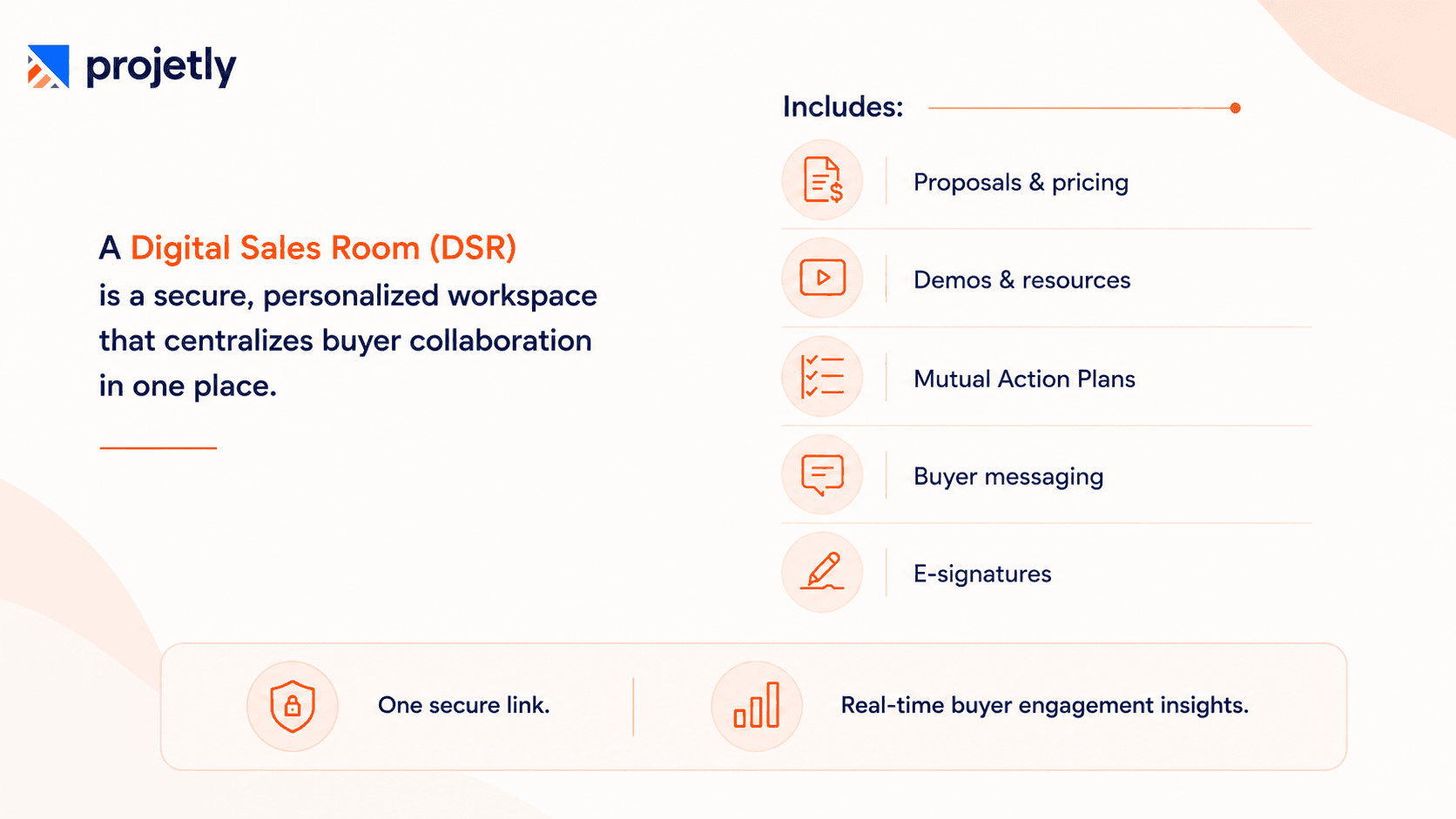
Digital Sales Room software is a personalized, web-based workspace created by a seller for a specific buyer or deal. Think of it as a private portal that replaces the endless chain of follow-up emails.
Inside a DSR, a seller can embed:
Proposals and pricing documents
Recorded product demos and explainer videos
Case studies, ROI calculators, and competitive battle cards
Mutual action plans with shared timelines and milestones
A direct messaging thread, no inbox required
E-signature capabilities for contracts
The buyer accesses everything via a single secure link, on their schedule, and can easily share the room with other stakeholders. The seller, meanwhile, gets a live analytics dashboard showing exactly who has engaged with each asset and for how long.
What Does a Traditional Sales Process Look Like?

The traditional B2B sales process relies on emails, calls, spreadsheets, and shared documents to move deals forward. It is familiar, easy to adopt, and works well for smaller or less complex sales. However, as buying committees grow and deals become more collaborative, keeping everyone aligned becomes increasingly difficult.
Common challenges include:
Scattered emails and documents
Multiple file versions
No buyer engagement visibility
Manual CRM updates
Slower stakeholder alignment
Missed follow-ups and deal delays
According to recent reports, 77% of B2B buyers report frustration with scattered email threads and inconsistent document versions during the sales process.
Side-by-Side Comparison: Digital Sales Room vs Traditional Process
Feature | Traditional Sales Process | Digital Sales Room (DSR) |
Communication | Scattered email threads and phone tag; content lives across inboxes | Single, centraliZed hub, all assets, messages, and updates in one secure link |
Buyer Control | Seller-led; buyers wait for responses and rely on scheduled meetings | Buyer-led; 24/7 self-service access so prospects research at their own pace |
Seller Visibility | Flying blind, no way to know if materials were opened or shared | Real-time analytics on who viewed what, when, and for how long |
Personalization | Generic decks and one-size-fits-all proposals difficult to customize | Branded microsites tailored to each account, built from templates in under 60 seconds |
Stakeholder Mgmt | Champion must manually forward emails and re-explain context each time | One link shared internally, entire buying committee sees the same, latest version |
CRM Integration | Manual data entry; prone to gaps, errors, and outdated pipeline info | Automated syncing and integrated mutual action plans reduce admin overhead |
Sales Cycle Length | Slower; follow-ups rely on manual nudges and re-sending documents | Up to 67% shorter cycles through on-demand access and buyer engagement triggers |
Comparing Digital Sales Room software?
See how the top DSR platforms stack up before making a decision. Read Now
Key Advantages of Digital Sales Rooms
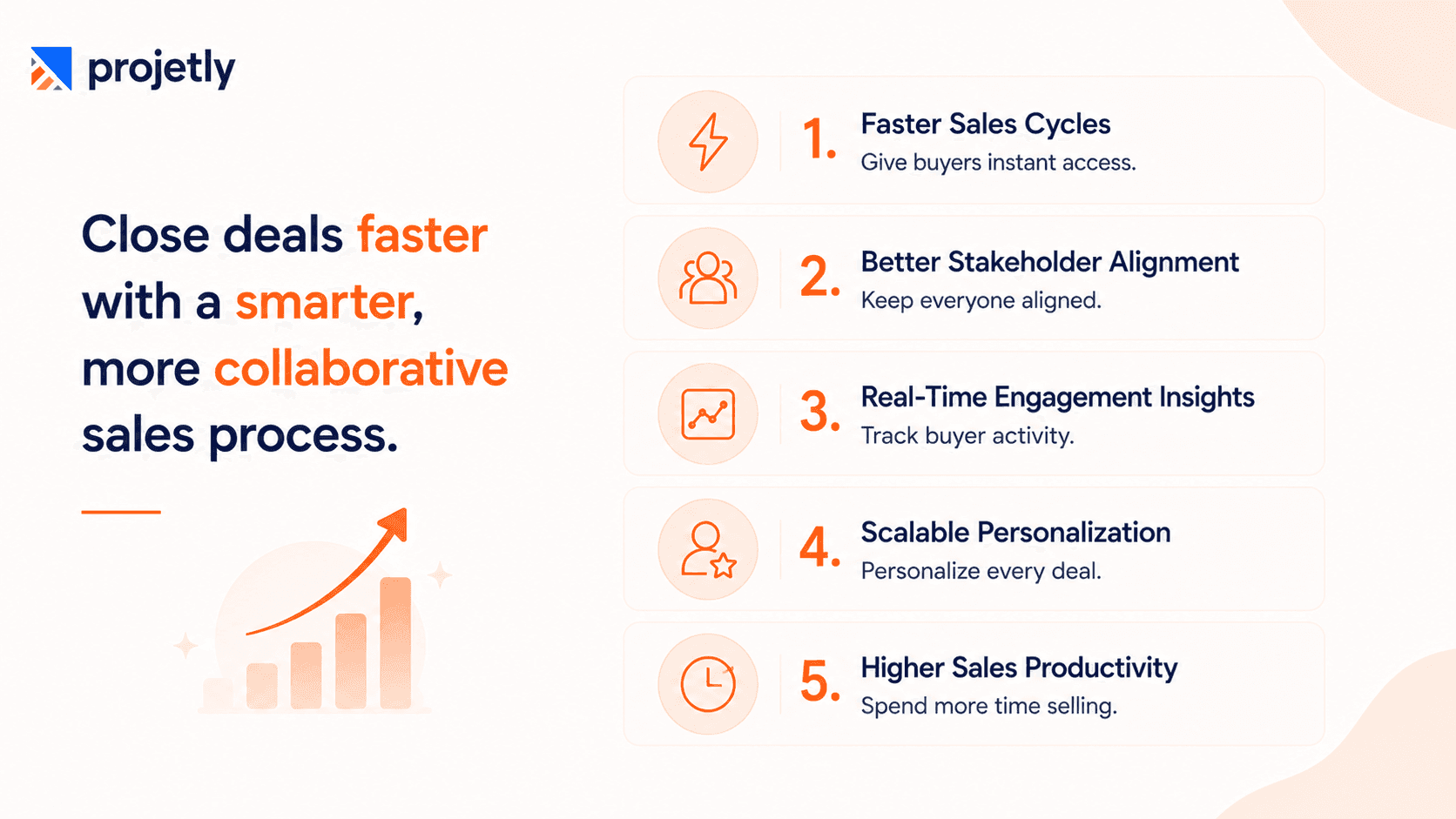
1. Faster Sales Cycles
One of the biggest advantages of Digital Sales Rooms (DSRs) is speed. By centralizing all buyer resources in one place, DSRs eliminate delays caused by email exchanges and help sales teams move deals forward faster.
Research consistently shows DSRs can reduce average sales cycle length by up to 67%, primarily by eliminating the back-and-forth that stalls traditional processes.
How DSRs speed up deals:
Buyers access all sales materials from one secure workspace.
No waiting for updated proposals or email responses.
Supporting documents are available instantly.
Content stays updated in real time.
Less back-and-forth leads to faster deal progression.
2. Stakeholder Alignment Across Buying Committees
Digital Sales Rooms make it easier to align every stakeholder throughout the buying journey. Instead of managing multiple email threads and document versions, everyone accesses the latest information from one shared workspace.
How DSRs improve stakeholder alignment:
One shared link for the entire buying committee
Everyone sees the latest content and updates
No version control issues
Easy for champions to share internally
Better collaboration across stakeholders
3. Real-Time Engagement Intelligence
Unlike traditional sales, Digital Sales Rooms give sellers real-time visibility into buyer engagement. Instead of guessing what buyers have viewed, sales teams can track activity and personalize every follow-up.
How DSRs improve buyer engagement:
Track buyer activity in real time
See which content gets the most attention
Identify new stakeholders instantly
Personalize follow-ups with engagement insights
Replace guesswork with data-driven conversations
According to a 2025 Gartner report, 75% of B2B buyers prefer a seller-free research experience. DSRs are the only way to provide that experience while keeping sellers informed and in control.
4. Scalable Personalization
Digital Sales Rooms help teams create personalized buyer experiences without adding extra work. Branded workspaces and tailored content make every interaction more relevant and engaging.
How DSRs personalize the buyer experience:
Branded rooms with the buyer's logo
Tailored content for every deal
Custom welcome messages
Set up in under 60 seconds with templates
Enterprise-grade experience at scale
5. Productivity Gains That Add Up
Digital Sales Rooms reduce manual work by automating repetitive sales tasks. With CRM integrations and workflow automation, sales teams spend more time selling and less time on admin.
How DSRs improve productivity:
Automate CRM updates
Sync buyer activity in real time
Update Mutual Action Plans automatically
Reduce manual follow-ups
Increase sales productivity by 25–30%
Wondering why buyers stop engaging after the demo?
Discover the common mistakes and practical ways to keep your DSR active.
Read Now
When the Traditional Approach Still Makes Sense
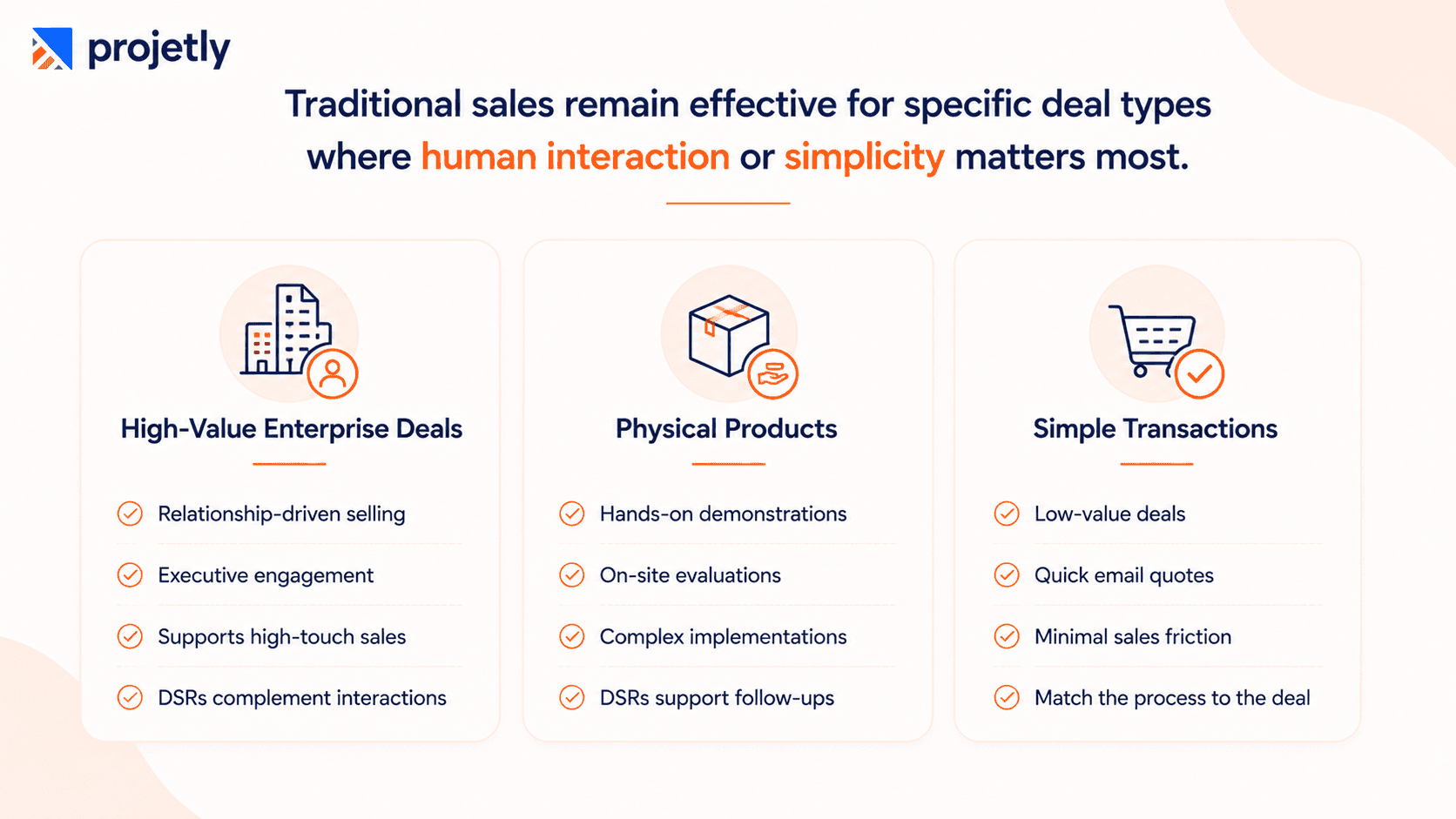
A) High-Value Enterprise Relationship Building
Best suited for strategic, multi-year enterprise deals.
Supports relationship-driven selling without replacing it.
Complements face-to-face meetings and executive conversations.
Keeps buyers aligned between high-touch interactions.
Enhances the sales experience while preserving the human touch.
B) Physical or Tactile Products
Ideal for products requiring hands-on demonstrations.
Essential for on-site installations and field evaluations.
Supports complex equipment and service-based sales.
DSRs simplify documentation and follow-ups.
Site visits remain critical for buyer confidence.
C) Simple, Transactional Sales
Best for simple, low-value deals.
Quick email quotes are often enough.
Avoid adding unnecessary sales friction.
Use the simplest buying experience.
Match the process to the deal complexity.
What are the Common Myths About Digital Sales Rooms?
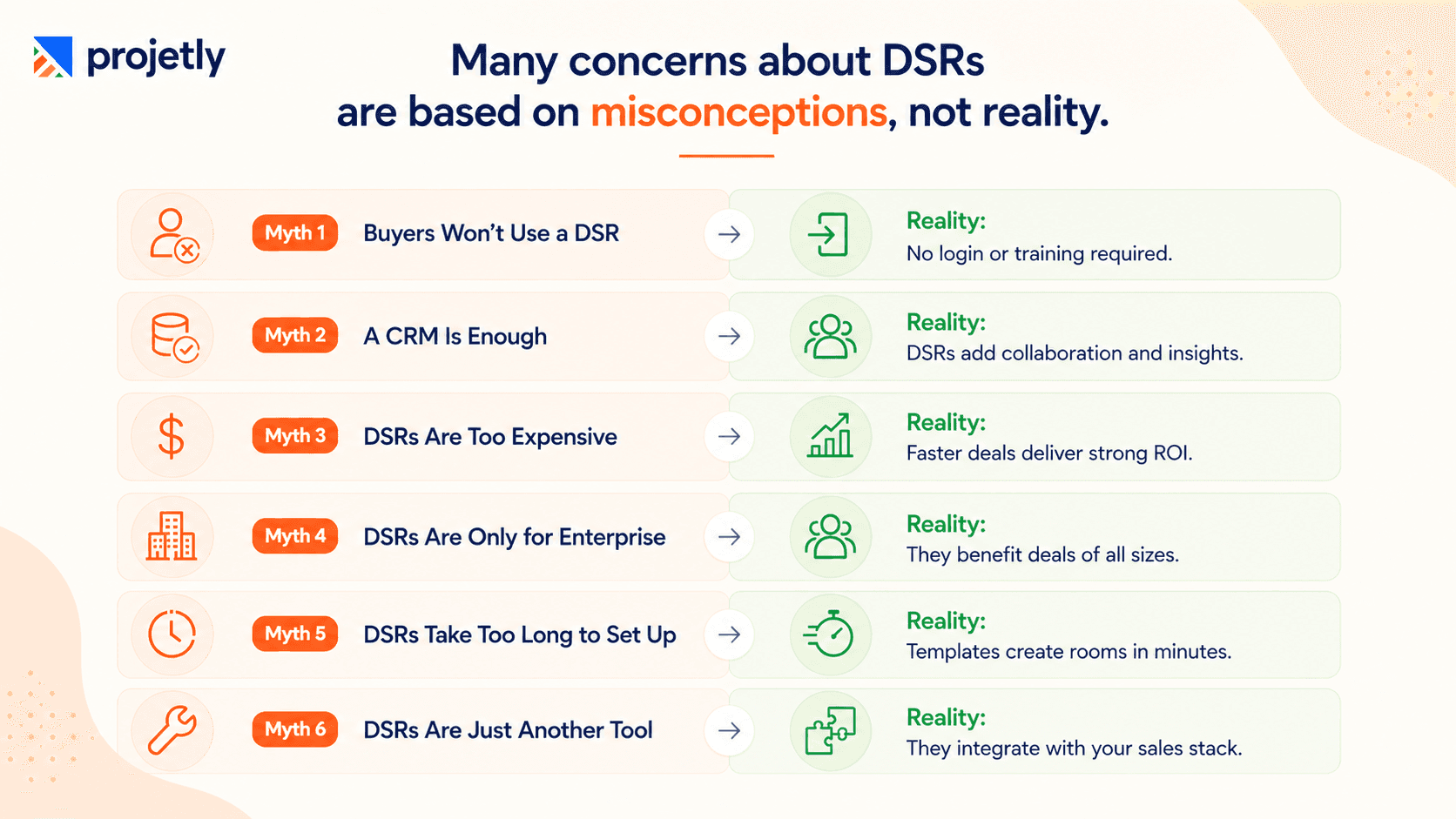
Myth 1: Buyers Won't Use a Digital Sales Room
Modern Digital Sales Rooms are designed for simplicity. Buyers do not need to create an account or complete any training. A single secure link provides instant access to proposals, documents, videos, and other deal resources, making adoption quick and friction-free.
Myth 2: A CRM and Proposal Tool Are Enough
A CRM manages customer data, and proposal tools generate documents, but neither provides a collaborative buyer experience. A DSR complements existing sales tools by centralizing content, tracking buyer engagement, and keeping every stakeholder aligned throughout the sales cycle.
Myth 3: Digital Sales Rooms Are Too Expensive
Modern DSR platforms are competitively priced and often deliver measurable ROI. Faster sales cycles, improved buyer engagement, and reduced manual work can quickly outweigh the cost of implementation.
Myth 4: Digital Sales Rooms Are Only for Complex Deals
While DSRs are especially valuable for enterprise sales, they also improve smaller deals by organizing proposals, simplifying follow-ups, and creating a more professional buying experience. The level of complexity can be tailored to the deal.
Myth 5: Setting Up a Digital Sales Room Takes Too Much Time
Most DSR platforms include templates and automation that allow personalized deal rooms to be created in just a few minutes. Sales teams can reuse proven structures instead of building every room from scratch.
Myth 6: A Digital Sales Room Is Just Another Sales Tool
A DSR is not a standalone application that replaces existing systems. It integrates with CRM, email, and other sales platforms to streamline collaboration, reduce administrative work, and provide visibility into buyer engagement throughout the deal lifecycle.
What Does It Cost?
DSR pricing varies by vendor, but most platforms fall into one of three models:
Per-seat licensing: priced per active sales rep per month, typically scaling with the size of your sales org
Per-room or usage-based pricing: priced by the number of active deal rooms, which can suit teams with fewer, larger deals
Tiered platform pricing: a base fee unlocking a set feature tier (analytics depth, integrations, branding), with enterprise tiers adding advanced security and support
Rather than comparing sticker price alone, weigh cost against deal size and cycle length. A platform that shaves even a few weeks off a six-figure enterprise deal, or lifts win rates on multi-stakeholder deals, tends to pay for itself quickly.
For smaller, transactional sales, the same platform may not justify the spend, which is part of why matching DSR investment to deal complexity (see the "Traditional Approach" section above) matters as much as the price tag itself.
What It Takes to Roll One Out
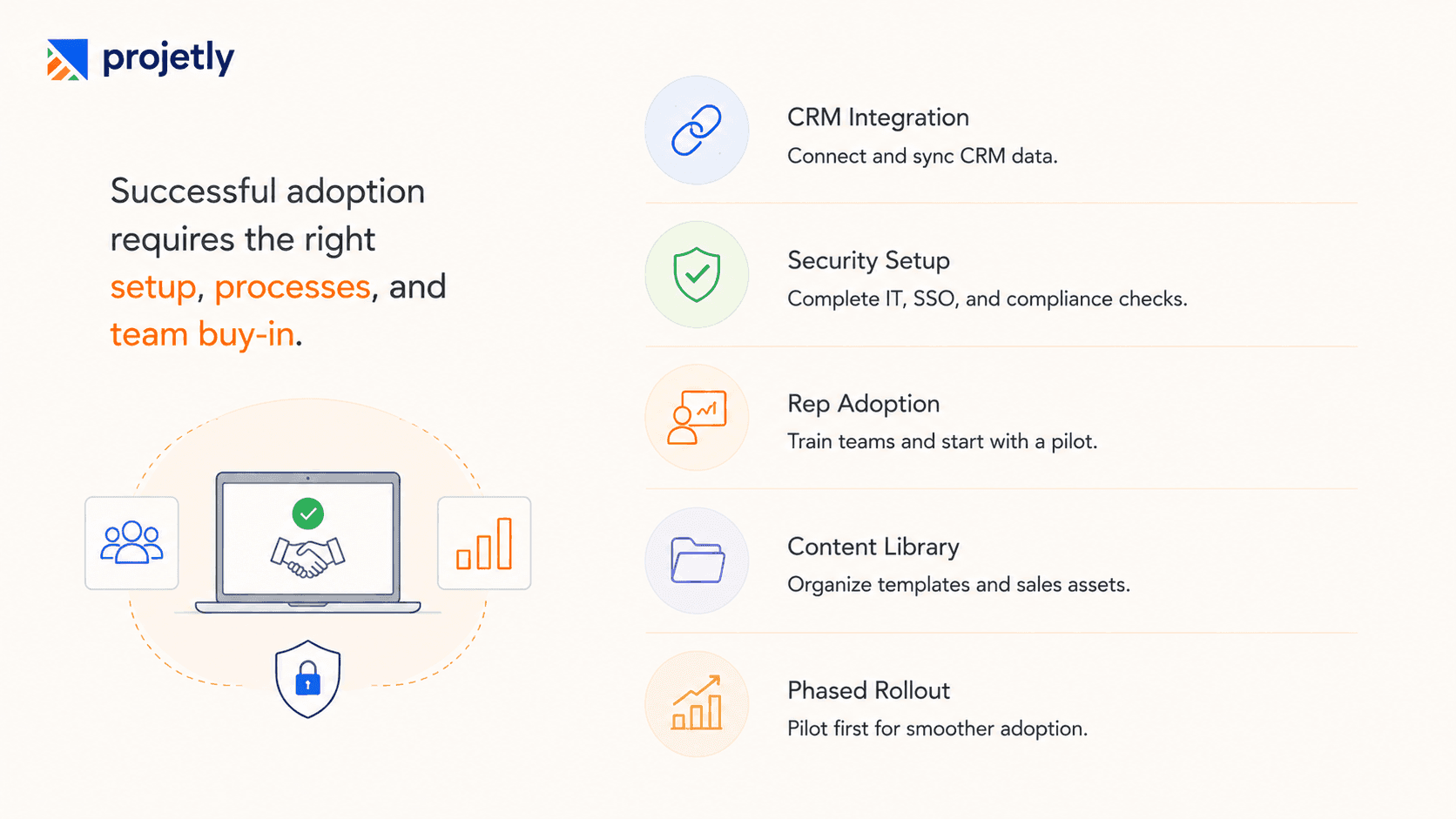
CRM and tooling setup: Connecting Salesforce/HubSpot, mapping fields, and testing that engagement data actually syncs both ways
IT and security review: Especially for enterprise sales orgs, expect a security questionnaire, SSO setup, and data residency checks before rollout
Rep training and adoption: Reps accustomed to email need a reason to change habits; a pilot with a few reps on live deals tends to build buy-in faster than a company-wide mandate
Content library build-out: Case studies, demo videos, and templates need to exist and be organized before rooms can be assembled quickly
Teams that treat rollout as a one-week IT task tend to see slower adoption. Budgeting a few weeks for setup and a pilot phase produces more durable results.
Common Pitfalls After Adoption
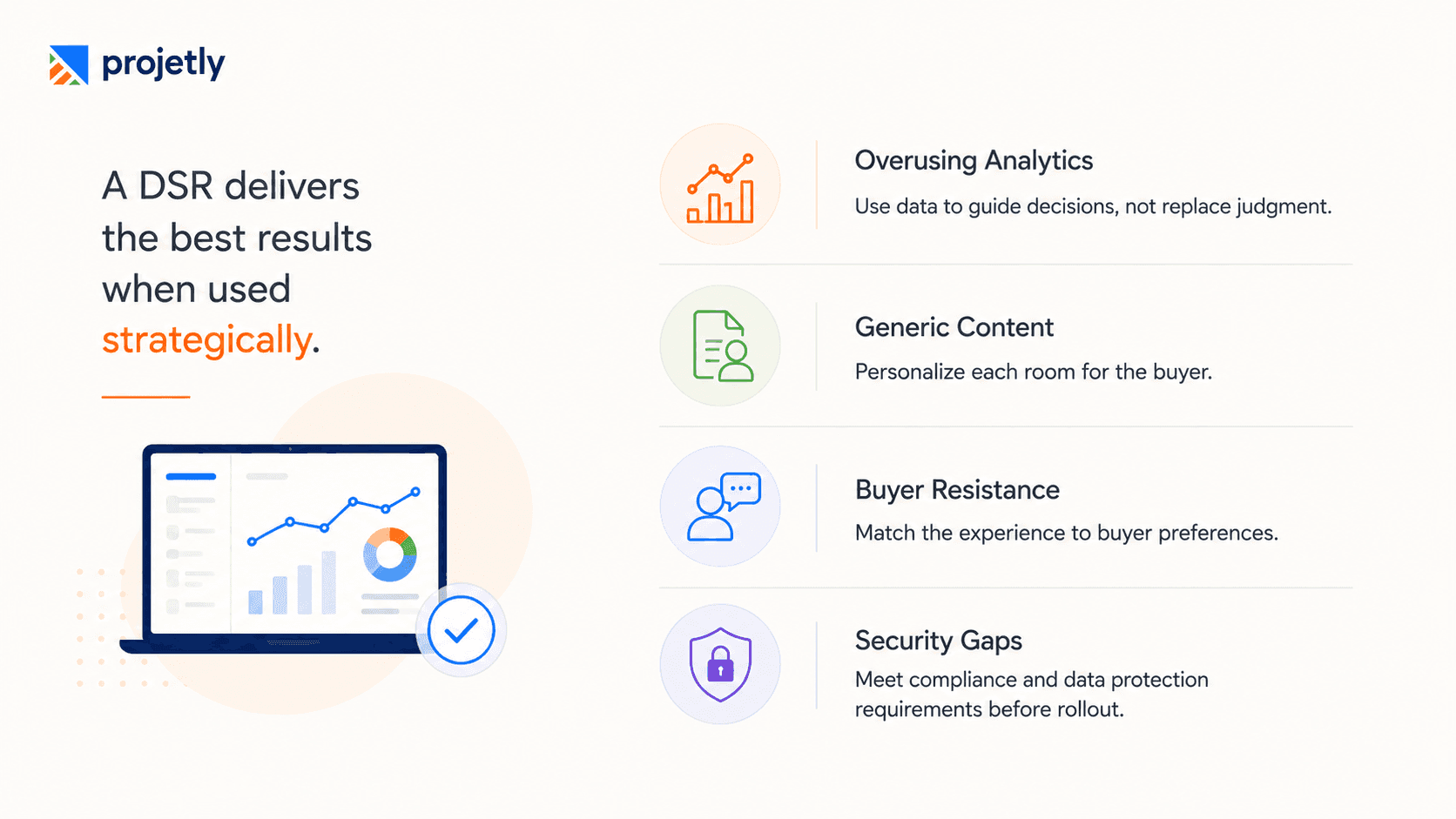
Over-reliance on analytics instead of judgment: Engagement data should inform outreach, not replace it. A quiet room doesn't always mean a dead deal; sometimes it means the buyer is discussing internally.
Rooms with irrelevant or generic content: A DSR built from a boilerplate template with no account-specific content offers little advantage over a PDF attachment.
Buyer hesitation around a branded portal: Some buyers, particularly in more conservative industries, may find a polished microsite feels more like marketing than a genuine working relationship. Reading the room (literally) still matters.
Security and compliance gaps: Enterprise and international buyers may require specific data handling standards (e.g., data residency, GDPR compliance). Confirm these before, not after, a deal depends on it.
Migrating from Email to a DSR
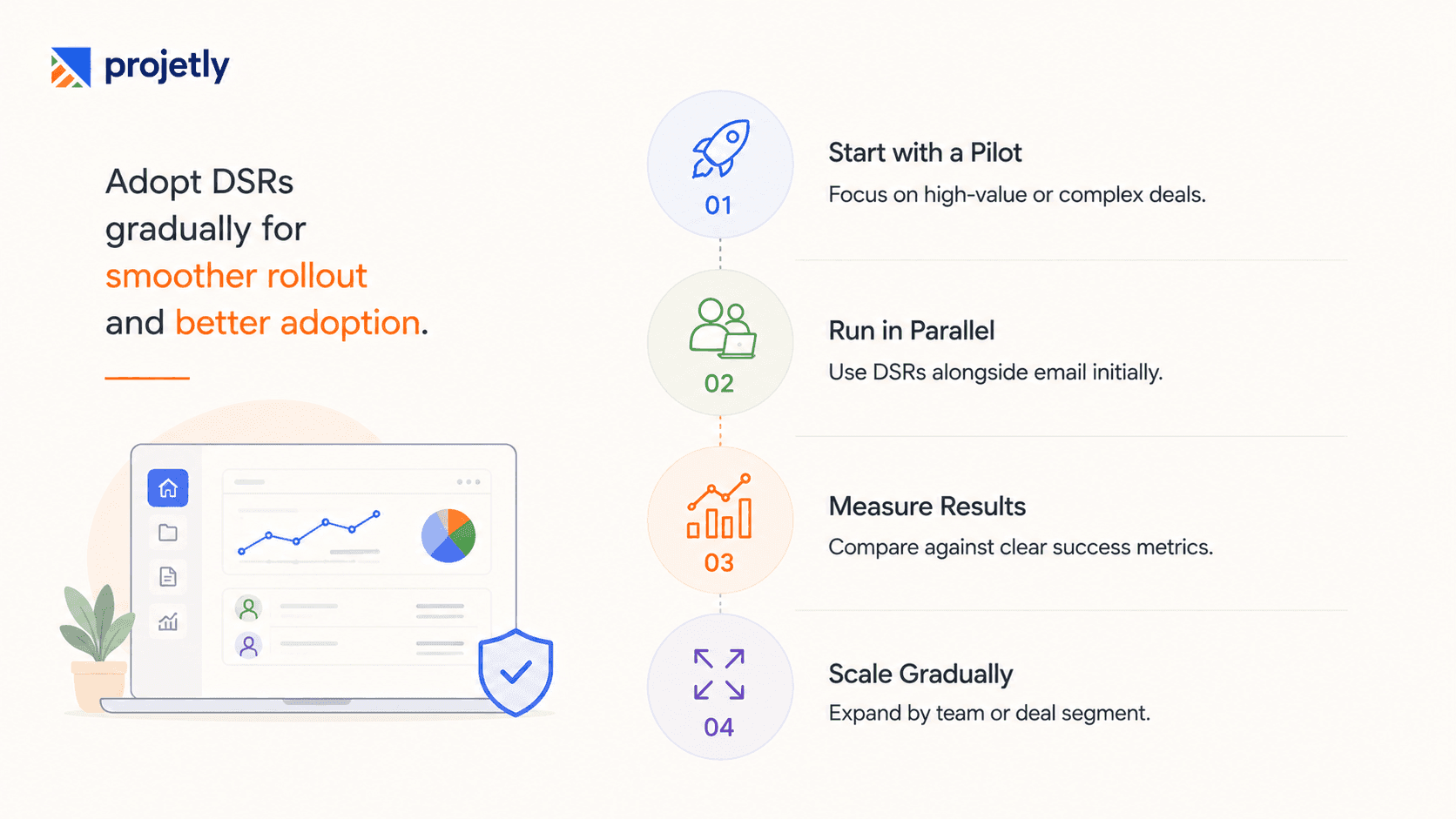
Most teams don't switch overnight, and trying to can backfire. A more common, lower-risk path:
Pilot with a subset of reps or deals often the team's largest or most complex active deals- where the collaboration gap is most painful
Run DSR and email in parallel during the pilot, rather than mandating a hard cutover
Measure the pilot against a clear baseline (see below) before expanding org-wide
Expand by segment, enterprise deals first, for example, before rolling out to the full team
Measuring ROI After Adoption
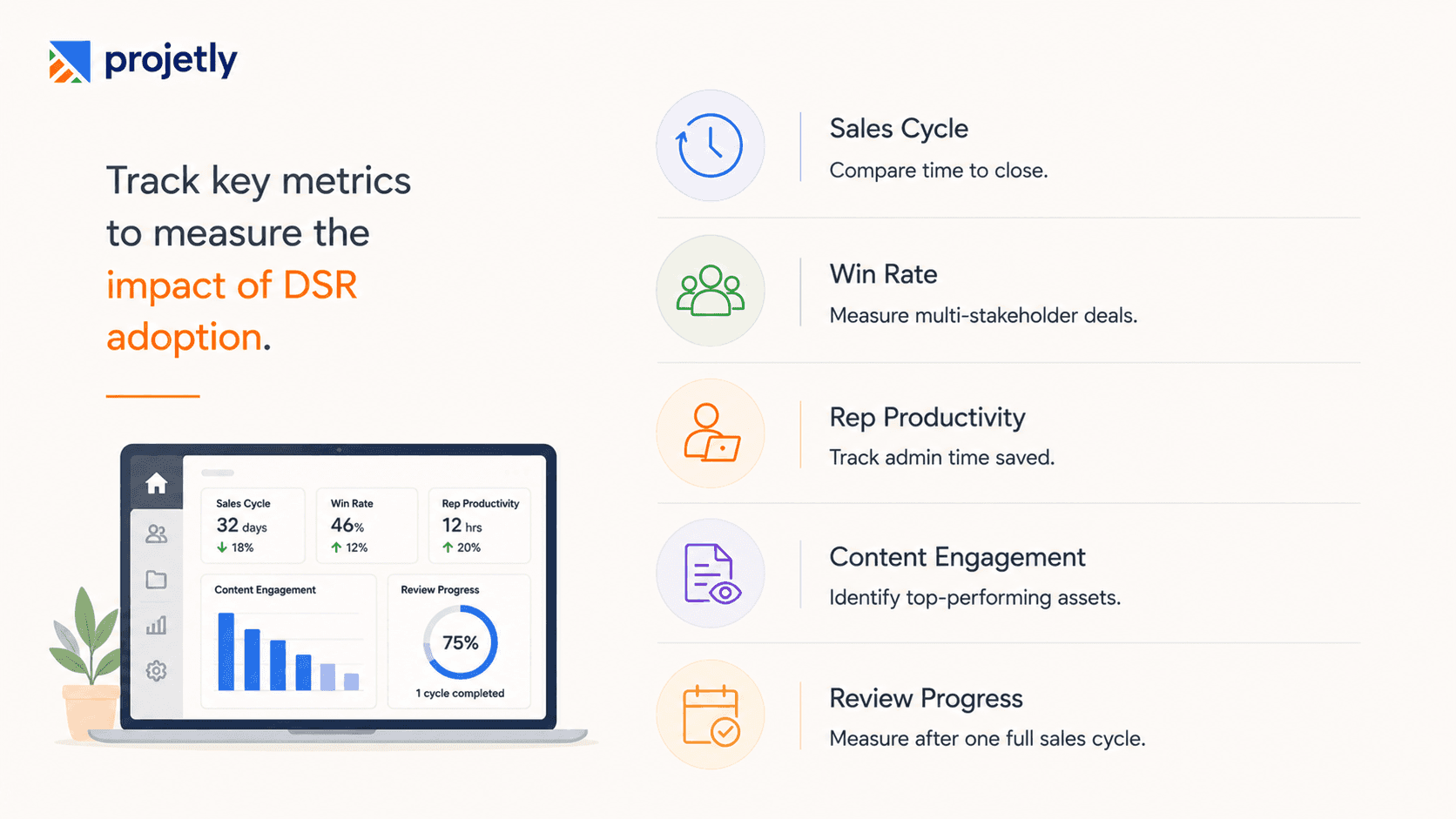
To know whether a DSR is actually working for your team, track a few metrics against your pre-DSR baseline:
Sales cycle length: Average days from opportunity creation to close, before and after adoption
Win rate on multi-stakeholder deals: Particularly for deals with several buying-committee members
Rep time spent on admin: Self-reported or CRM-logged time on manual follow-ups and status updates
Content engagement patterns: Which assets buyers actually spend time on, which can also improve future content strategy
Give any rollout at least one full sales cycle before concluding, since early data is often skewed by the pilot group's existing deal quality.
How to Choose the Right DSR Platform in 2026
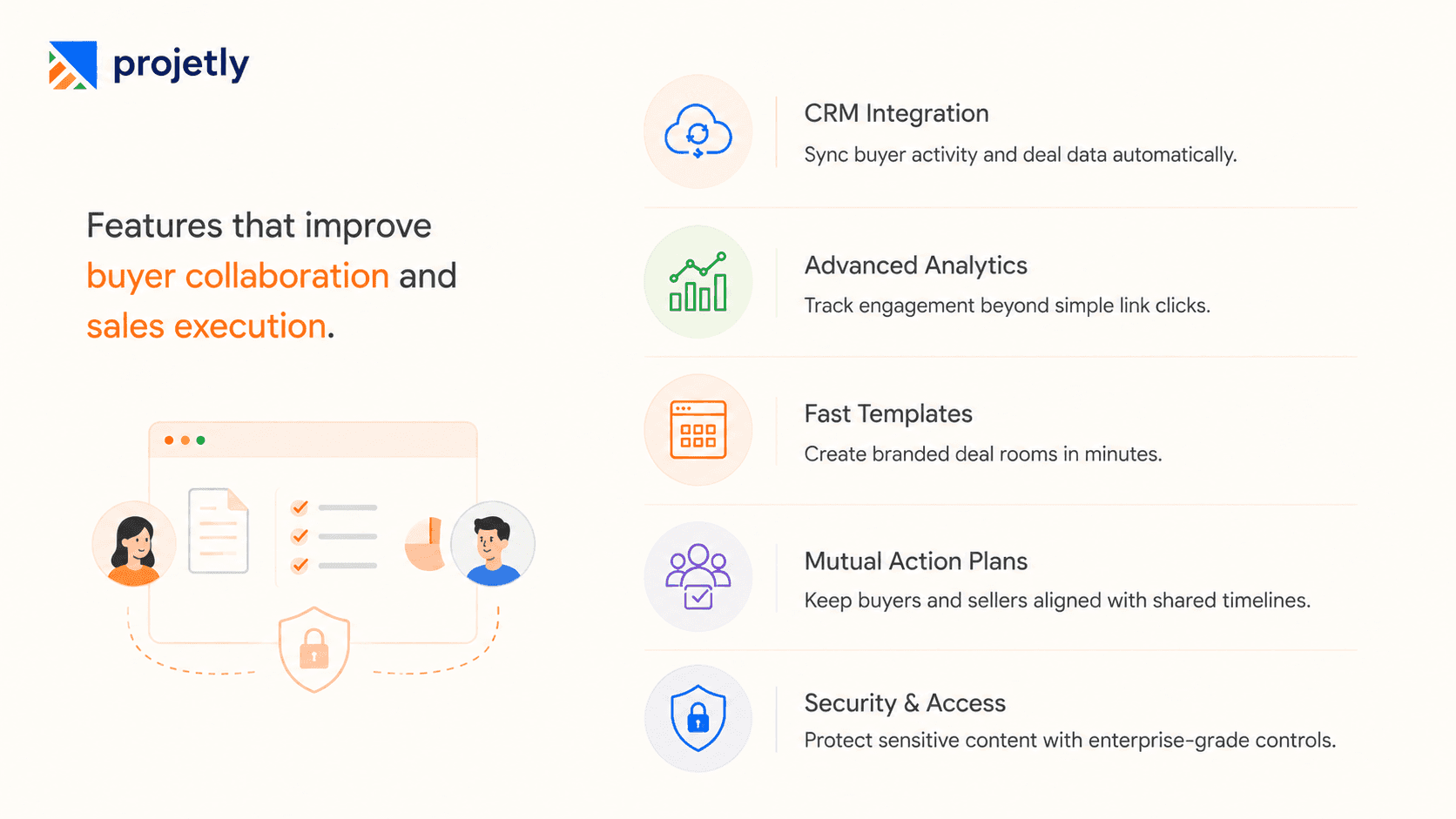
Not all Digital Sales Rooms are built the same, and the differences show up fast once you're managing real deals. When evaluating platforms, weigh these five criteria heavily:
CRM Integration: Native sync with Salesforce or HubSpot isn't a nice-to-have anymore; it's the baseline. Don't just confirm a connection exists; check whether engagement data flows both ways. A platform that only pushes data into your CRM but can't pull deal context back out will leave your reps doing manual work anyway.
Analytics Depth: "Link opened" is a vanity metric. Push for real depth: time spent per asset, identification of new stakeholders as they join the room, and engagement scoring tied to deal stage. This is what separates a room that informs your next call from one that just confirms someone clicked.
Template Speed: Adoption lives or dies on setup friction. If your reps can't spin up a branded room from a template in under two minutes, they'll quietly go back to email. Don't take a vendor's word for it; run the setup workflow yourself during the trial.
Mutual Action Plans: Look for shared, editable timelines that both buyer and seller can update together, not a static PDF roadmap. On complex, multi-stakeholder deals, this collaborative structure is often the single biggest lever for close rates.
Security and Access Control: Enterprise buyers will ask about password protection, access expiry, and audit logs before they'll trust a room with sensitive material. These should be standard features, not something you pay extra to unlock. If a vendor gates them behind a premium tier, treat that as a red flag.
The Verdict: Which Approach Wins?
For most B2B sales teams, particularly those selling into organisations with multiple stakeholders, deal values above mid-market thresholds, or longer sales cycles, Digital Sales Rooms have moved from a competitive advantage to a baseline expectation in 2026.
The traditional sales process is not obsolete. Relationship skills, domain expertise, and the ability to read a room remain irreplaceable. But the infrastructure around those skills- how you share information, manage stakeholders, and monitor deal engagement- has been genuinely transformed by DSR technology.
The teams still managing complex deals entirely over email are not just working harder than necessary. They are, in many cases, losing deals they would otherwise win to competitors who can give a buyer a cleaner, faster, more organized experience.
The question is no longer whether Digital Sales Rooms work. The question is how quickly your team adopts them, and how well you use the insights they surface.
Start Your Free Trial, Upgrade Your Sales Experience
Frequently Asked Questions
Can Digital Sales Rooms replace traditional sales methods?
No. Digital Sales Rooms enhance traditional selling by improving collaboration and visibility. Relationship-building, executive conversations, and in-person meetings remain essential for many enterprise deals.
What features should a Digital Sales Room include?
Look for CRM integration, buyer engagement analytics, Mutual Action Plans, branded workspaces, secure document sharing, collaboration tools, and enterprise-grade security controls.
Can a Digital Sales Room integrate with existing CRM platforms?
Yes. Most modern DSR platforms integrate with CRMs like Salesforce and HubSpot, allowing sales teams to sync buyer engagement, automate updates, and maintain accurate pipeline data.
How does a Digital Sales Room improve the buyer experience?
A DSR gives buyers one secure place to access proposals, documents, demos, timelines, and updates. This reduces email back-and-forth and makes the buying process faster and more organized.
What types of businesses benefit most from a Digital Sales Room?
Digital Sales Rooms are ideal for B2B companies with longer sales cycles, multiple stakeholders, and high-value deals. They are especially valuable for SaaS, professional services, technology, and enterprise sales teams.
You may also like

A Guide to Project Management Professional Certification

Laugh Your Way to Productivity: 50 Workplace Quotes

50 Funny Workplace Memes That’ll Brighten Your Workday.
What Does a Customer-First Mindset Mean? Explained in 2025

What It Takes to be a Great Customer Success Manager in 2025