Customer onboarding toolkit

By
Avaran
How to Automate Client Onboarding in 2026 (Without Losing the Human Touch)
Most B2B onboarding programs run 30–90 days. Teams that automate client onboarding the right way cut that window by 40% and reduce early churn by up to 50%. Here's exactly how.
Quick answer: To automate client onboarding effectively, start with intake forms, e-signature routing, and task assignment, the three steps that consume the most manual hours. Standard B2B onboarding targets 30–90 days from contract to full activation; those three automations alone are what separate teams hitting 30 days from teams stuck at 90.
What does "automated client onboarding" actually mean?
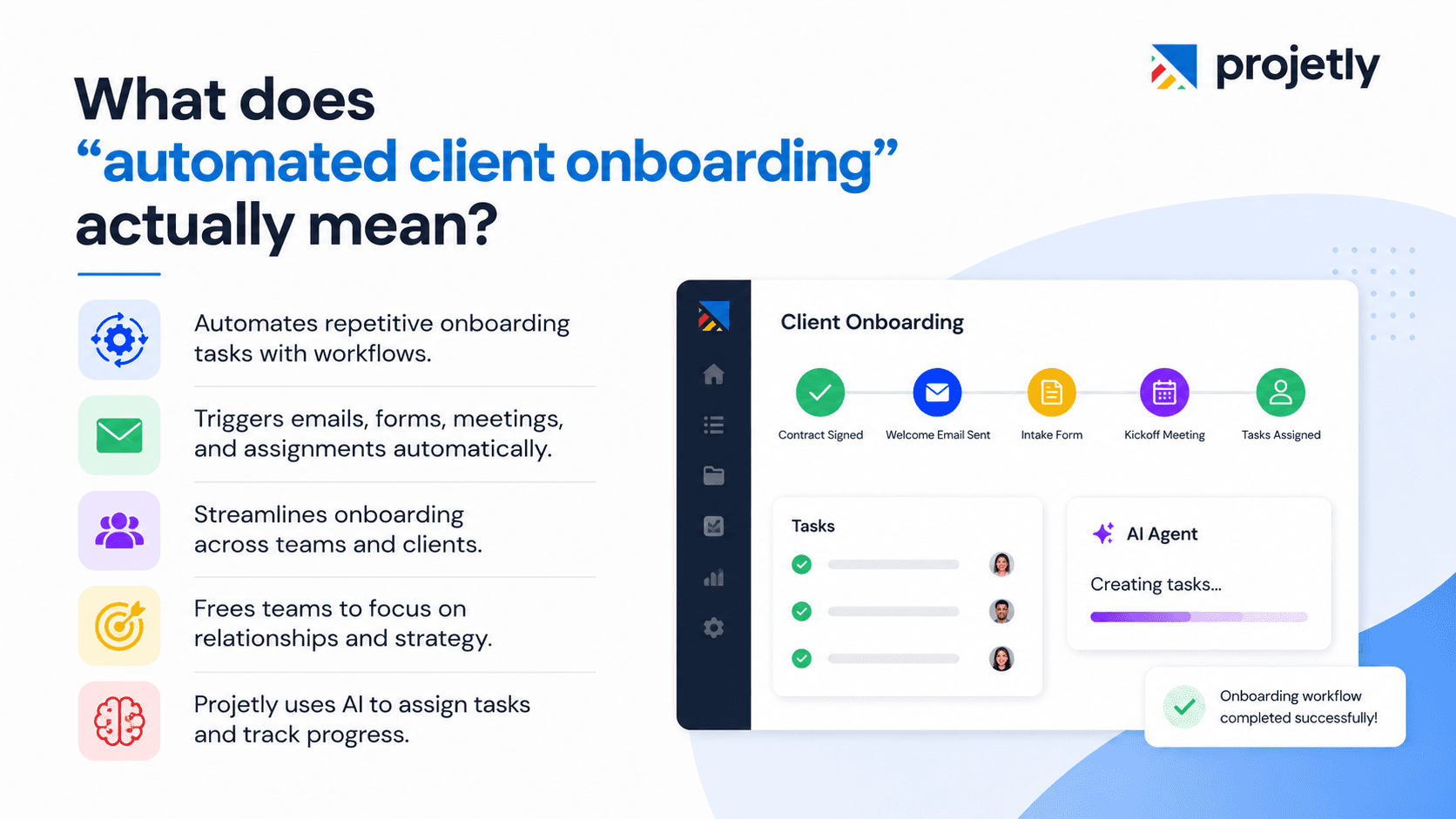
Automated client onboarding means using software triggers and workflows to handle the logistical, repeatable parts of welcoming new clients, without manual effort each time.
The moment a contract is signed, a welcome email is sent, an intake form fires, a kickoff call is scheduled, and task assignments are routed to the right internal owner. All without anyone remembering to do it.
For a SaaS company, this looks like personalized in-app checklists, drip content, and product tours triggered at signup. For a consulting firm or agency, it looks like proposal-to-kickoff automation, e-signature routing, and project management setup, all connected.
The goal isn't to remove humans from onboarding. It's to protect what humans are actually good at: discovery conversations, relationship-building, and strategic decisions that no workflow can replicate.
Projetly brings all of this into one workspace, AI agents create tasks, assign owners, and track deadlines automatically, while your team stays focused on the client relationship, not the coordination.
Which onboarding steps should you automate first?
Automate these six areas first
Step | What Automation Handles | Time Saved Per Client |
|---|---|---|
Intake forms | Dynamic data collection before kickoff | 2–3 hours |
Contract & e-signature routing | Auto-sends agreements, triggers next step on completion | 1–2 hours |
Task assignment & handoffs | Routes to account manager, implementation lead, and support automatically | 1 hour |
KYC & compliance | Verification, document review, audit trail | 1–2 hours |
Training & resource delivery | Content unlocks based on client behavior | Ongoing |
Progress nudges | Automated check-ins when milestones slip | 30 min/week |
Teams using automation across these six areas report saving 5–10 hours per new client on logistics alone, time that previously went to email follow-ups and manual coordination.
Which steps should always stay human?
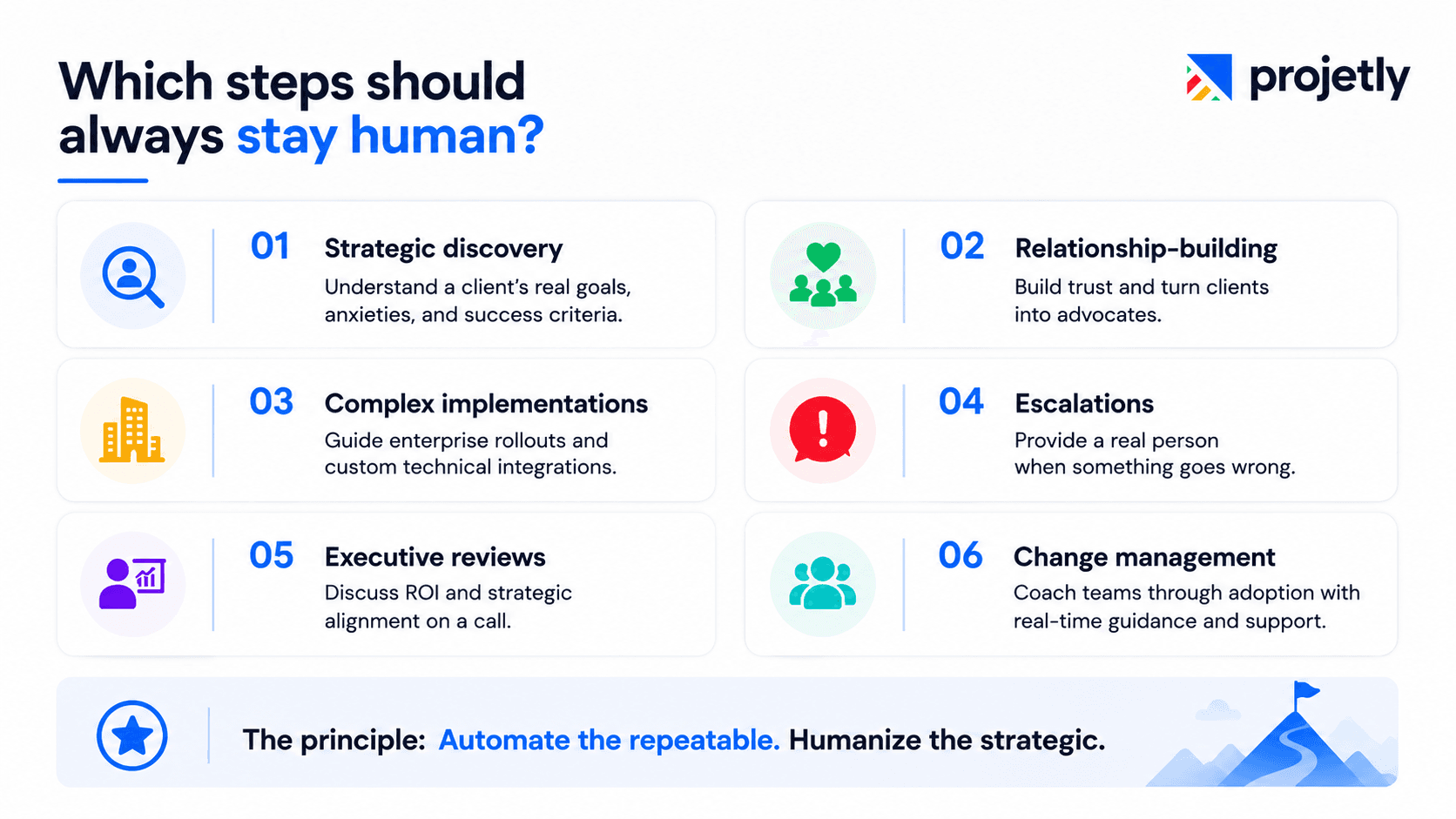
Automation amplifies whatever process you already have. It doesn't replace judgment. Keep these six touchpoints with a real person:
Strategic discovery: Understanding a client's real goals, anxieties, and success criteria requires active listening, not a form field.
Relationship-building: The conversations that turn a client into an advocate are irreducibly human. Automation handles the prep; people do the connecting.
Complex or enterprise implementations: Multi-stakeholder rollouts and custom technical integrations need experienced oversight.
Escalations: When something goes wrong, clients need a real person. Not a ticket queue.
Executive check-ins and strategic reviews: ROI conversations and roadmap alignment belong on a call, not in an automated email.
Change management: Guiding an organization through adopting a new tool requires coaching and real-time adjustment that no workflow can replicate.
The principle: automate the repeatable. Humanize the strategic.
What does a fully automated onboarding workflow look like, step by step?
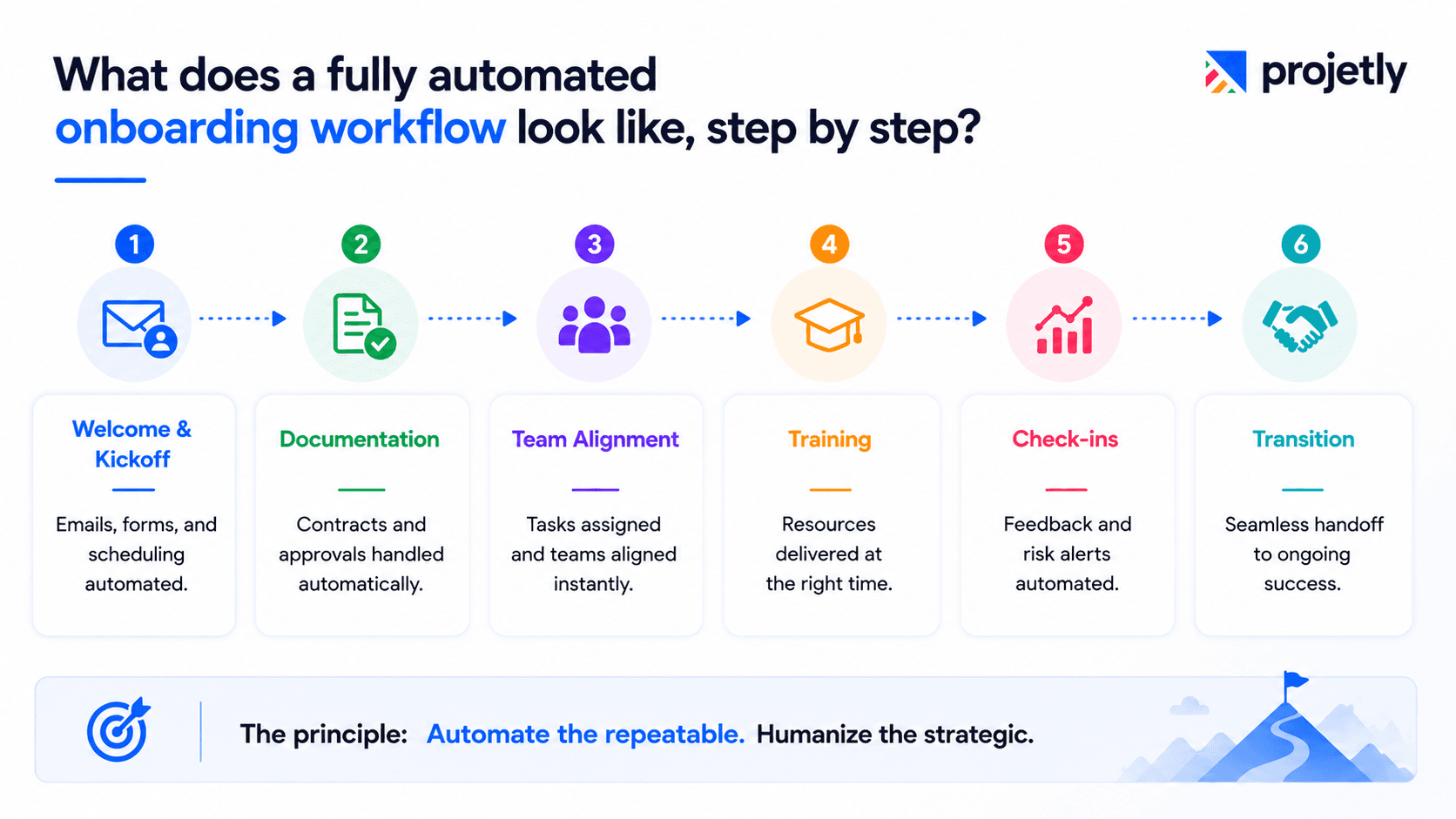
Step 1: Welcome and kickoff preparation
The moment a contract is signed, or a subscription activates, automation fires: branded welcome email with the client's dedicated contact, intake form attached, kickoff call auto-scheduled, and a drip sequence that primes the client with an agenda and FAQs.
By the time your team gets on the kickoff call, the client's goals, technical environment, and key contacts are already on file. The conversation starts with strategy, not setup.
Step 2: Documentation and compliance
E-signature tools handle contracts and NDAs automatically. Reminder sequences trigger if documents go unsigned past a defined window. Completion of each document triggers the next step, no human monitoring required.
Step 3: Team alignment and task routing
Once intake is complete, automation assigns internal roles and creates the project structure. Sales-to-success handoffs happen through the CRM with full context. No one manually coordinates the handoff.
Step 4: Training and resource delivery
Content unlocks progressively based on client behavior. Completed a product tour? The next module unlocks. Attended the first training session? A resource pack sends automatically. Drip-style delivery mirrors a guided experience without requiring a human to curate every touchpoint.
Step 5: Milestone check-ins and feedback loops
Timed NPS surveys go out at week one, month one, and after the first major deliverable. Automated summaries flag clients at risk based on engagement scores. Customer success managers only step in when a signal warrants it.
Step 6: Transition to ongoing success
As onboarding closes, automation triggers the handoff: introduction to the support team, account review scheduling, and expansion opportunity nudges based on product usage data.
How is AI changing client onboarding in 2026?

AI has moved from novelty to infrastructure this year. The most impactful use cases aren't flashy; they're quiet efficiency improvements that compound.
Predictive risk detection: AI models trained on engagement patterns flag clients likely to churn weeks before any human would notice. Early intervention at the right moment changes outcomes.
Custom workflow generation: AI drafts onboarding plans tailored to a client's industry, company size, and use case in seconds, reducing setup time from hours to minutes.
Intelligent document processing: AI-powered intake extracts, validates, and routes information from client-submitted documents without manual review.
24/7 contextual help: Conversational AI embedded in client portals answers product questions around the clock, reducing support ticket volume by 30–40% during onboarding.
One important caveat: AI accelerates execution, but it doesn't replace judgment. The teams seeing the best results use AI to do the groundwork and humans to do the relationship work.
Which tools are actually worth using?
Choosing the right tool depends on your team's size, technical sophistication, and the nature of your client relationships. Here's an honest look at the strongest options available today:
Projetly
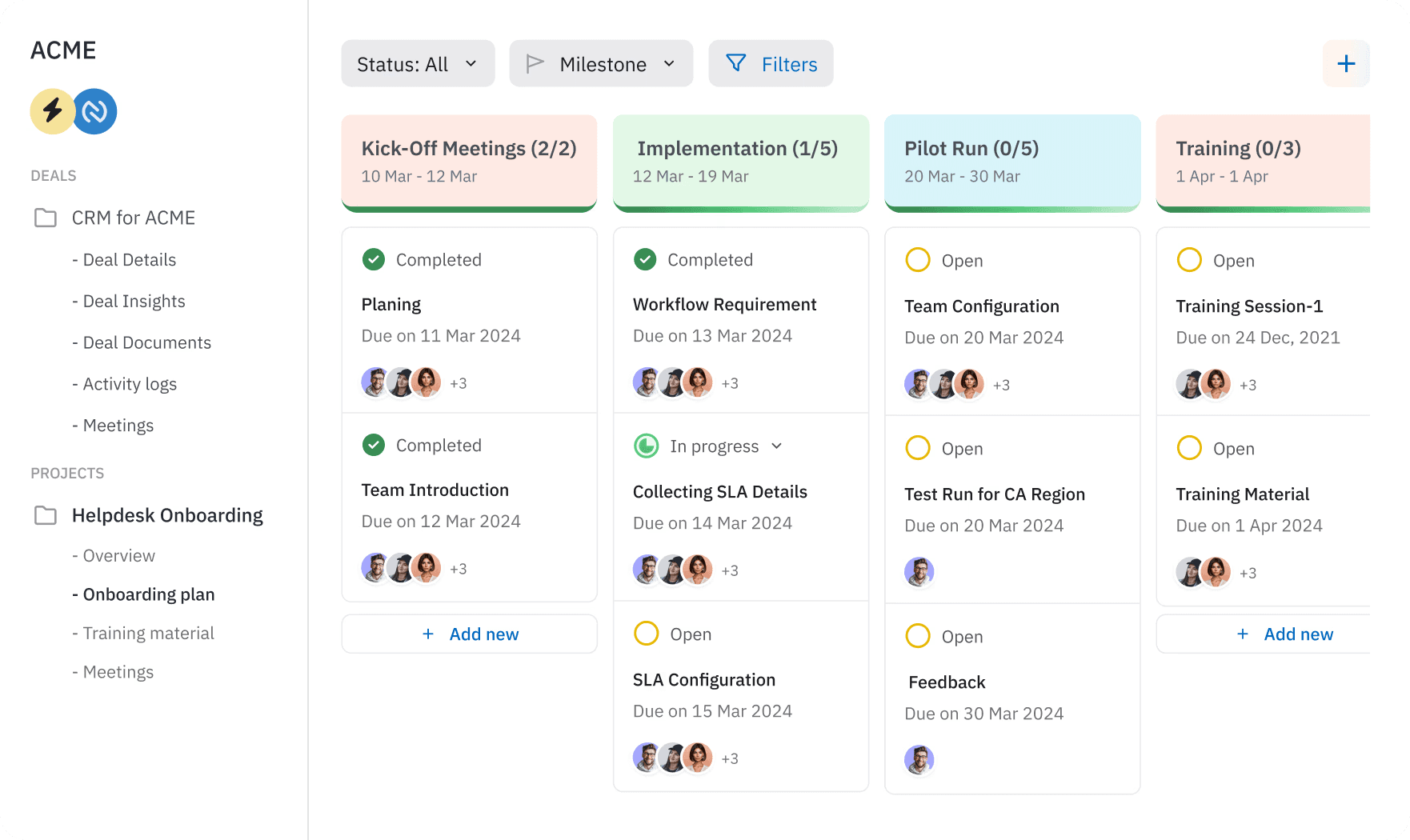
Projetly is purpose-built for modern B2B client onboarding, combining AI automation, collaboration, and delivery into one unified platform.
At its core, Projetly eliminates the chaos of emails, spreadsheets, and disconnected tools by bringing everything into a single, structured onboarding workspace, from kickoff to delivery.
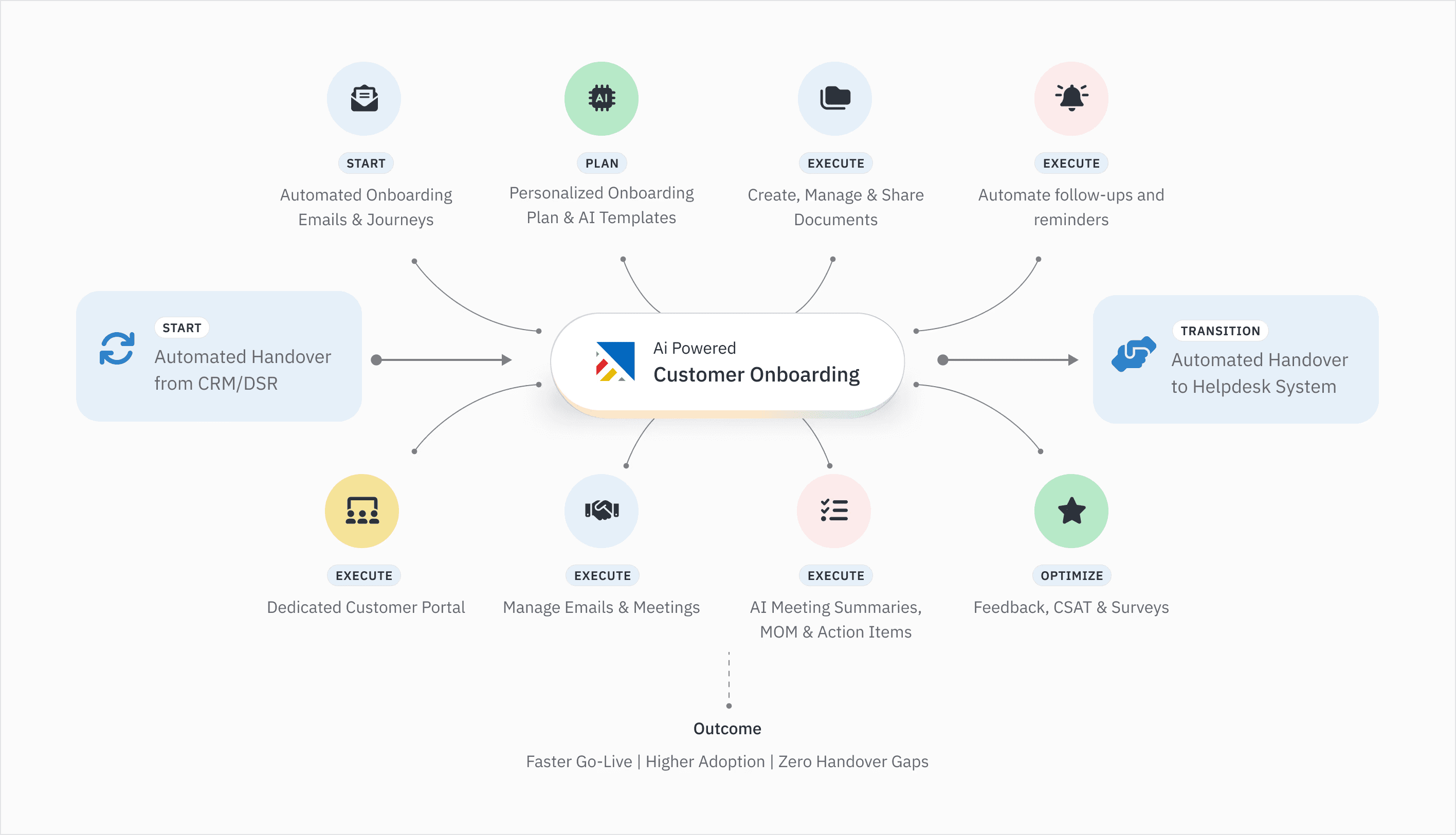
AI-powered onboarding execution: Projetly uses AI agents to automatically create tasks, assign owners, and track deadlines, keeping onboarding workflows running without manual follow-ups.
Client portal with real-time visibility/: A centralized, white-labeled client portal allows customers to track progress, access documents, and collaborate with your team in one place, reducing confusion and back-and-forth.
No-code + visual workflow builder: Build and customize onboarding workflows, templates, and checklists without engineering effort. This makes it easy for GTM and CS teams to launch and scale onboarding programs quickly.
Built-in e-signatures & compliance workflows: Handle contracts, NDAs, and approvals seamlessly within the onboarding flow, with automated reminders and step-based triggers.
Smart templates & repeatable processes: Pre-built onboarding templates and AI-generated tasks ensure consistency across every client, while still allowing customisation for different use cases.
End-to-end collaboration (Sales → Onboarding → Delivery): Projetly keeps all deal context, documents, and communication in one workspace, ensuring smooth handoffs and full visibility across teams.
HubSpot

HubSpot is a strong choice for SaaS companies already invested in the HubSpot ecosystem. It combines CRM data, email automation, and reporting to streamline customer onboarding and engagement.
While it supports onboarding workflows through sequences and integrations, its primary strength remains CRM management rather than dedicated onboarding automation.
Asana
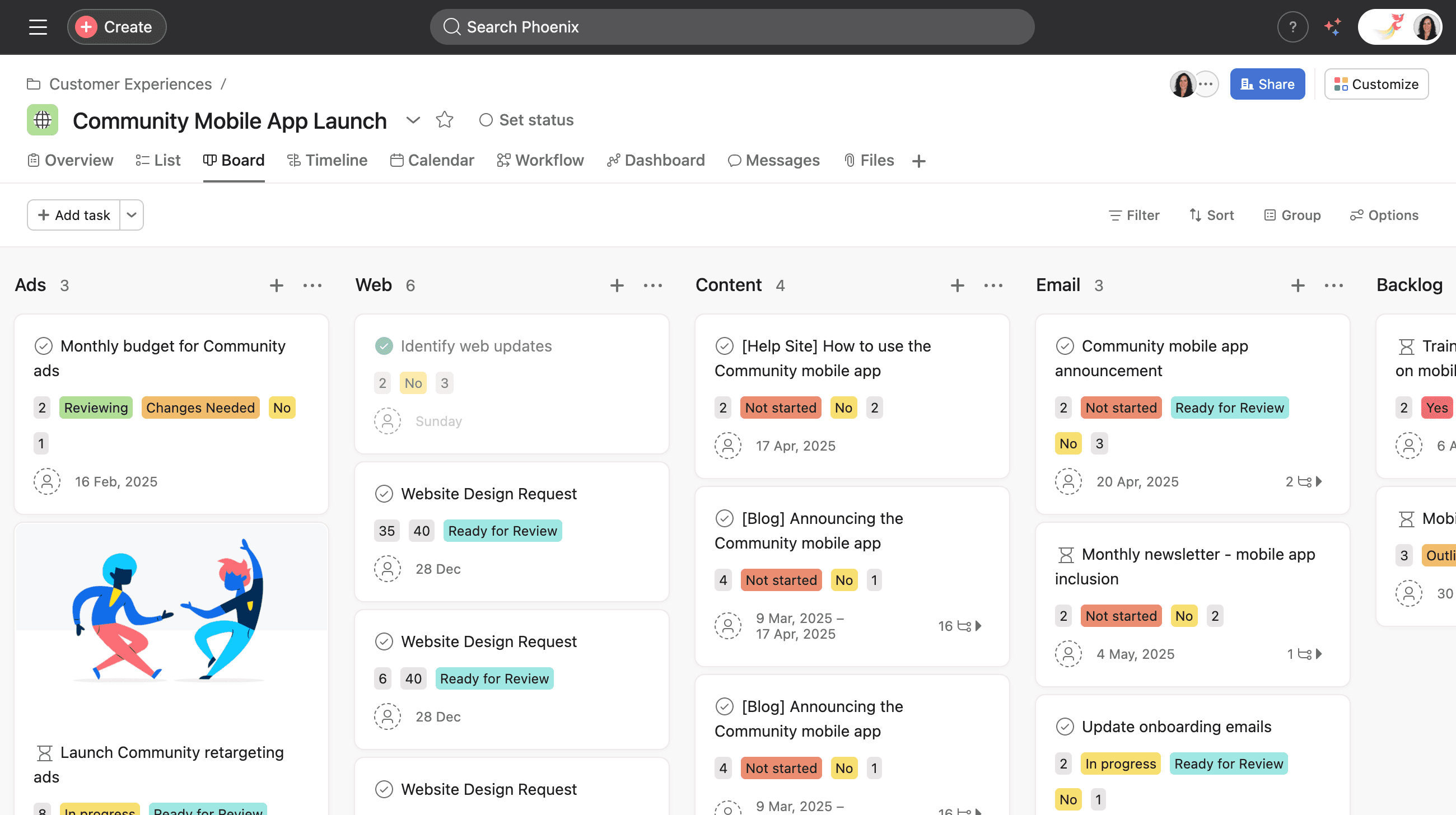
Asana is well-suited for agencies and service-based teams that rely on project execution. It offers templated task structures, client-facing dashboards, and clear project visibility, making it easy to standardize onboarding processes.
However, teams often need additional tools or integrations to automate triggers and cross-functional workflows.
ClickUp
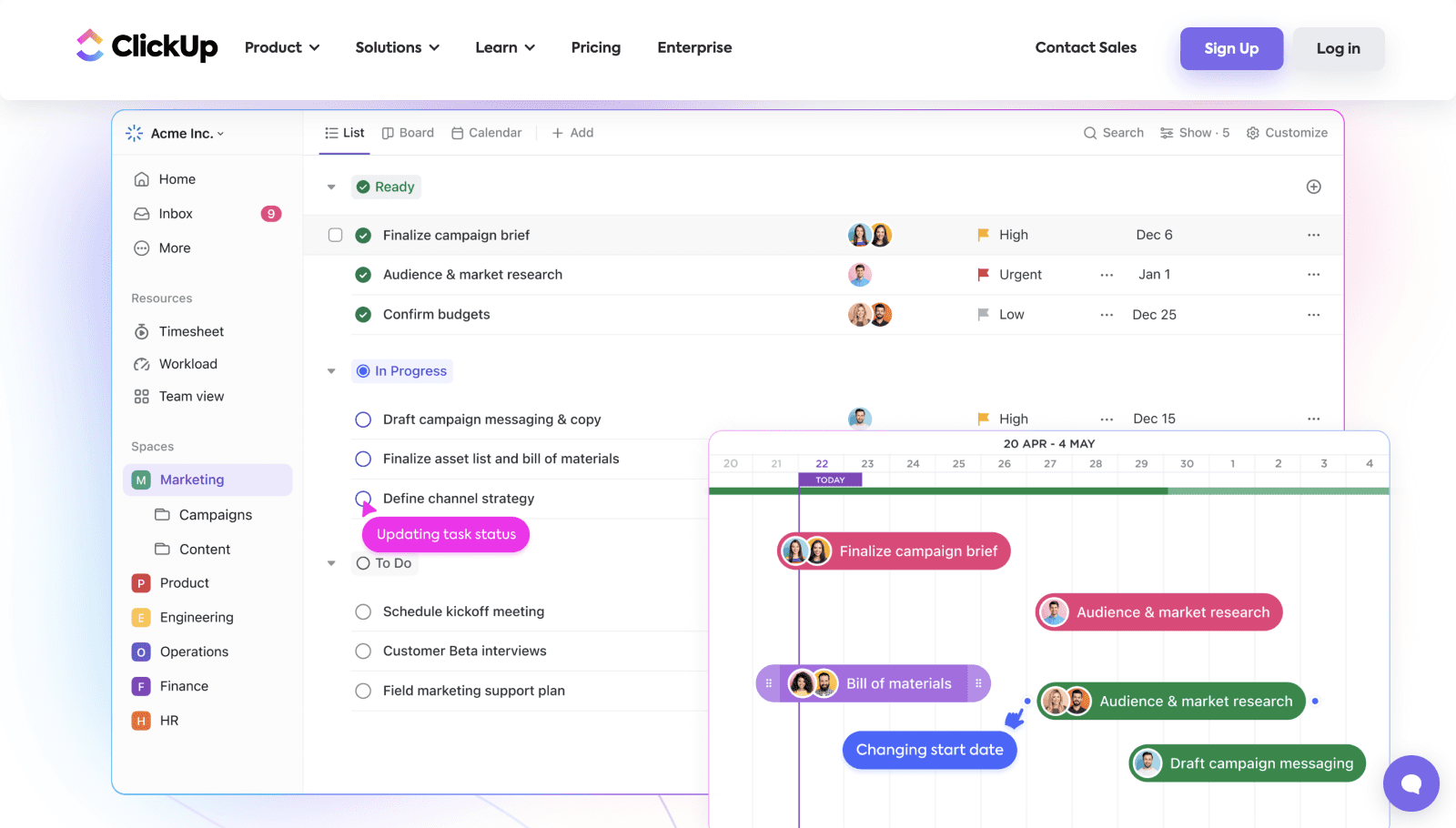
ClickUp works best for collaborative teams managing multiple client types and onboarding scenarios. Its extensive customization capabilities, templates, and AI-assisted setup allow businesses to tailor onboarding experiences to their needs.
The trade-off is that the initial configuration can be time-intensive, especially for complex processes.
Monday.com
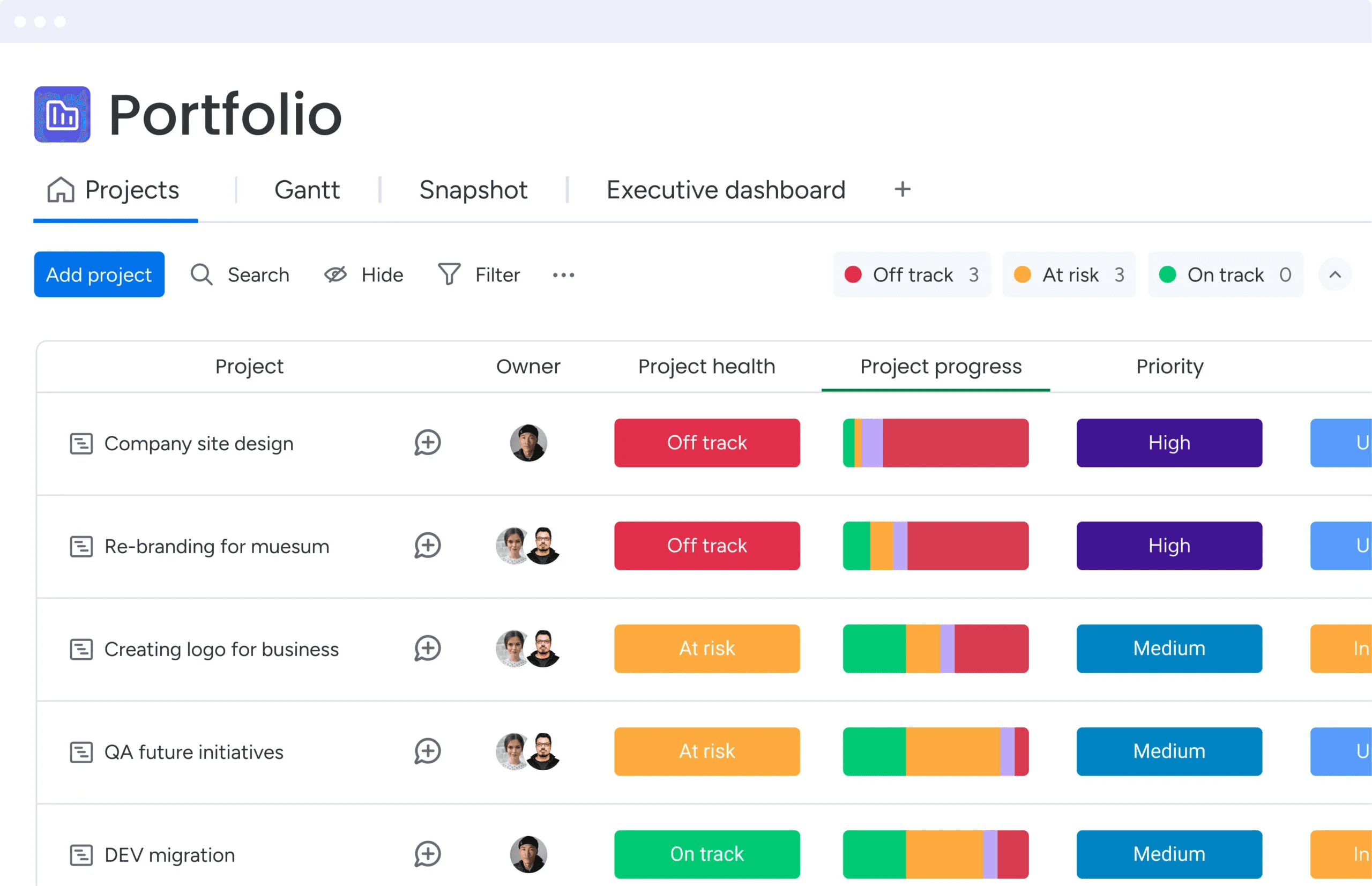
Monday.com is ideal for operations-driven teams handling high onboarding volumes. Its visual boards, automated workflows, and form-based triggers help teams coordinate tasks efficiently and reduce manual work.
However, organizations with highly customized service delivery processes may find their capabilities limited.
Intercom
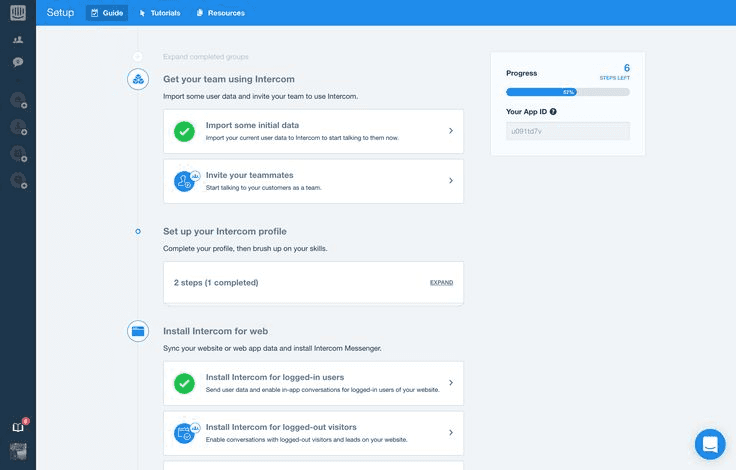
Intercom is designed primarily for product-led SaaS companies focused on driving product adoption. Features such as in-app product tours, chatbots, and contextual messaging help users reach value faster during onboarding.
While highly effective for self-serve onboarding experiences, it offers limited functionality for businesses requiring hands-on service delivery and project management.
Honest comparison for 2026
Tool | Best For | Standout Feature | Limitation |
|---|---|---|---|
Projetly | B2B agencies, CS teams | AI agents + client portal + e-signatures in one workspace | Newer entrant; smaller integration library |
HubSpot | SaaS teams in the HubSpot ecosystem | CRM sync + email sequences + analytics | Onboarding automation is secondary to CRM |
Asana | Project-based agencies | Templatized task structures, client dashboards | Not an automation tool; needs other triggers |
ClickUp | Collaborative teams with varied client types | Flexible customization, AI-assisted setup | Can require significant configuration |
Monday.com | Operations-heavy, high-volume teams | Visual pipelines, form-triggered automations | Less suited to complex service delivery |
Intercom | Product-led growth SaaS | In-app tours, chatbot onboarding | Limited use for service-based businesses |
For most B2B service teams, the right choice is the tool that eliminates the most coordination overhead, not the one with the most features. Projetly is built specifically for client-facing onboarding, not adapted from a project manager or a CRM.
What metrics prove your onboarding is working?
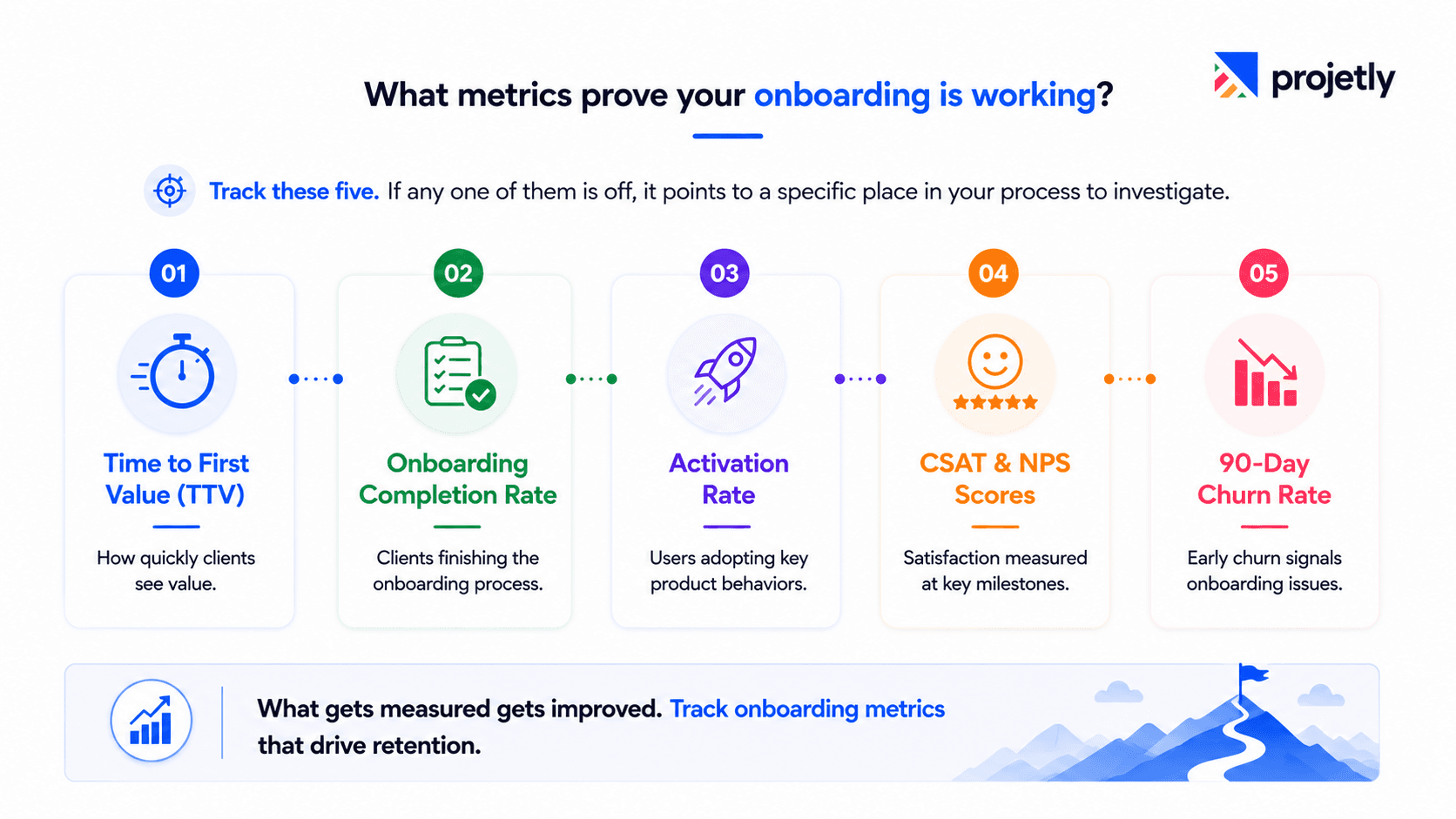
Track these five. If any one of them is off, it points to a specific place in your process to investigate.
Time to first value (TTV): How quickly does a new client reach their first meaningful outcome? Faster TTV directly correlates with 90-day retention.
Onboarding completion rate: What percentage of clients complete all steps? Drop-off at any stage signals a friction point worth fixing.
Activation rate: For SaaS teams, how many users complete the core actions that predict long-term retention?
CSAT and NPS at milestones: Point-in-time satisfaction scores at week one and month one tell you whether the experience feels as good as your data says it should.
Churn in the first 90 days: Early churn is almost always an onboarding problem. Track it, root-cause it, fix it.
What mistakes quietly kill onboarding programs?
The four most common, and how to avoid them
Automating before you've mapped the journey: Automation amplifies whatever process you already have, good or bad. Document the ideal onboarding experience first, then automate it. Teams that skip this step consistently report that their automation just moves problems faster.
Over-automating client-facing touchpoints: Clients notice when every interaction feels scripted. Leaving breathing room for human judgment at key moments isn't a weakness, it's the differentiator.
One-size-fits-all sequences: A single automation track for enterprise and SMB clients will underperform a segmented one. At a minimum, separate your two largest client segments and tailor the sequence to each.
Ignoring the engagement data: Automated onboarding generates rich signals, including who opened what, where clients got stuck, and which resources drove activation. Teams that review and act on this data consistently improve their completion rates quarter over quarter. Teams that don't are just automating the dark.
The bottom line
The competitive advantage in B2B onboarding in 2026 isn't the team that sends the most emails. It's the team that creates the fastest path to value, the most consistent experience, and the strongest early trust — using automation as the engine and human judgment as the driver.
Start here: Pick one workflow to automate this week. Intake forms or e-signature routing are the highest-ROI starting points. Measure the time saved. Then build from there.
See how Projetly runs onboarding →
TL;DR
Teams spend 5–10 hours per new client on manual onboarding logistics, automation recovers most of that time.
The six highest-ROI automation targets: intake forms, e-signature routing, task assignment, KYC/compliance, training delivery, and progress nudges.
Discovery calls, executive reviews, escalations, and change management should always stay human-led.
Companies using onboarding automation report up to 50% reductions in early churn and 3× faster time to ROI.
AI in 2026 is most valuable for predictive churn detection and custom workflow generation, not replacing human judgment.
The single best metric to track is time to first value (TTV): it predicts 90-day retention more reliably than any other signal.
Frequently Asked Questions
What is automated client onboarding?
Software automates emails, forms, contracts, and task assignments. This frees teams to focus on relationships and strategic conversations.How long does automated client onboarding take?
Most B2B onboarding programs take 30–90 days. Automation can reduce onboarding time by up to 40%.What should you automate first?
Prioritize forms, e-signatures, task routing, compliance checks, training delivery, and reminders. These steps deliver the highest ROI.Can you fully automate client onboarding?
No. Automate repetitive tasks while keeping discovery calls, escalations, and executive reviews human-led.How does onboarding automation reduce churn?
It accelerates time to value, prevents missed follow-ups, and flags at-risk clients before issues escalate.What tools are best for client onboarding in 2026?
Projetly is ideal for B2B service teams, while HubSpot, ClickUp, Monday.com, and Intercom support different onboarding models.How does AI improve client onboarding?
AI enables predictive risk detection, personalized workflows, document automation, and 24/7 support during onboarding.
You may also like

A Guide to Project Management Professional Certification

Laugh Your Way to Productivity: 50 Workplace Quotes

50 Funny Workplace Memes That’ll Brighten Your Workday.
What Does a Customer-First Mindset Mean? Explained in 2025

What It Takes to be a Great Customer Success Manager in 2025