Digital Sales Room

By
Sam
How to Use a Digital Sales Room to Close Enterprise Deals Faster in 2026
Enterprise deals are getting harder to close, not because buyers are less interested, but because the buying process itself has become more complex. More stakeholders. Longer approval chains. Higher scrutiny. And a buying committee that does most of its decision-making without a single sales rep in the room.
That is exactly the problem a Digital Sales Room (DSR) is built to solve. If you are carrying enterprise deals that keep stalling, this guide walks through what DSRs do, why they are becoming the go-to tool for enterprise revenue teams in 2026, and precisely how to use one to accelerate your path to close.
See how top sales teams close deals faster with Digital Sales Rooms. Start a free trial.
What is a Digital Sales Room (DSR)?
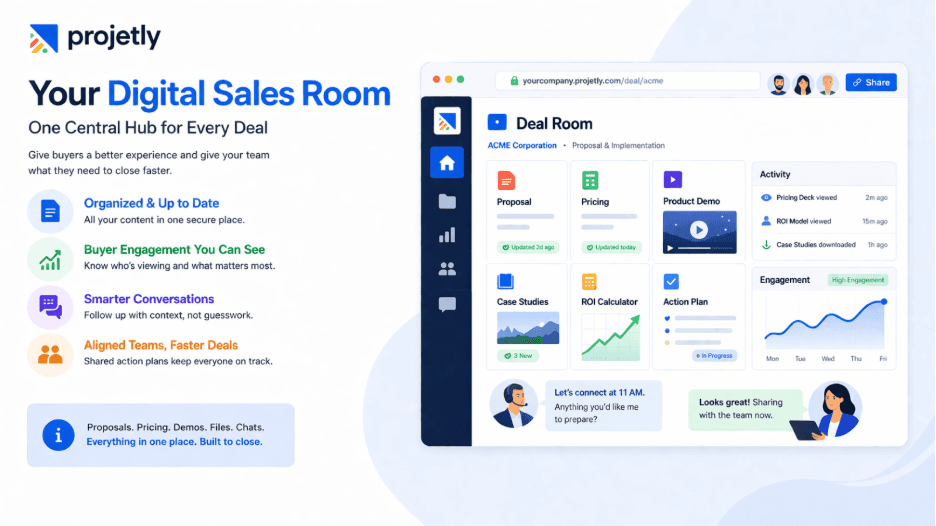
A Digital Sales Room is a secure, shared online workspace where buyers and sellers collaborate throughout the entire deal cycle.
Think of it as a personalized command centre for a specific deal, one URL that holds every proposal, case study, pricing document, demo recording, mutual action plan, and conversation thread relevant to that account.
Instead of scattering information across email threads, shared drives, and slide decks that buyers must hunt down and reassemble, a DSR software brings everything into one branded, always-updated space.
Buyers can access it on their own time, share it internally with decision-makers, and engage with content in whatever sequence makes sense for them.
Gartner Prediction: By 2026, 30% of B2B sales cycles will be managed through Digital Sales Rooms, which will then be used to manage the full customer lifecycle.
That shift is already underway. Enterprise buyers increasingly want to research, evaluate, and advance deals without scheduling a call every time they have a question.
DSRs let them do exactly that while giving sellers unprecedented visibility into what is actually happening on the buyer side.
Walk Through a Live DSR in Action, Book Your Demo Today
Why Enterprise Deals Stall, and Where DSRs Fix the Leak
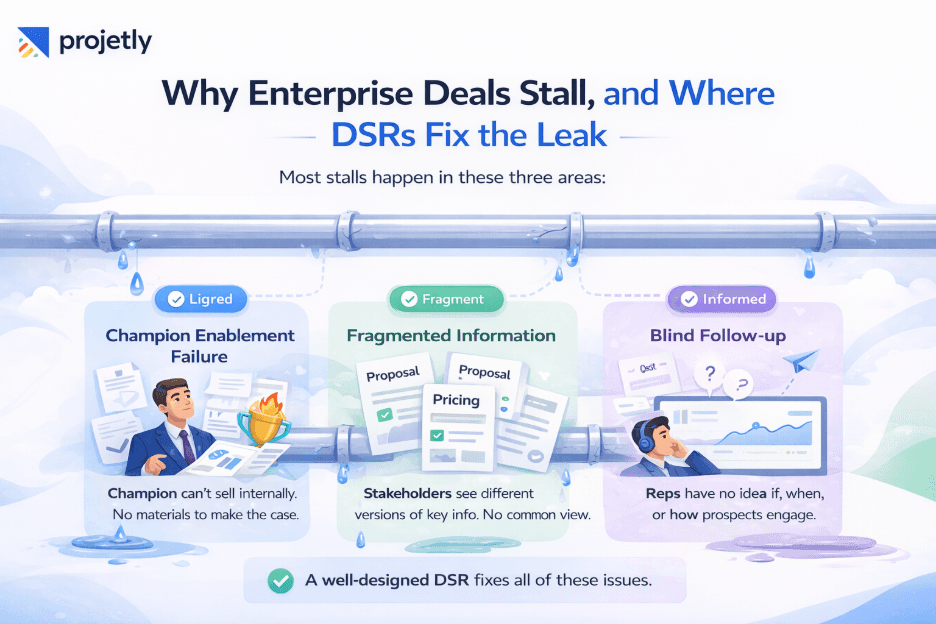
Before diving into tactics, it helps to understand where enterprise deals actually lose momentum. Most stalls happen in one of three places:
Champion Enablement Failure: The champion cannot sell internally. They got excited about your demo, but when they tried to bring the buying committee along, they did not have the right materials to make the case.
Fragmented Information: Stakeholders receive different versions of your proposal, pricing, or implementation plan. Nobody is looking at the same picture, so consensus never forms.
Blind Follow-up: Sellers have no visibility into what buyers are doing. Without knowing which stakeholders are engaging, which objections are circulating internally, or which content is landing, reps cannot time their follow-up or course-correct.
A well-configured DSR platform attacks all three problems at once. It arms the champion with a ready-made internal presentation, keeps every stakeholder anchored to a single source of truth, and gives the seller a real-time pulse on buyer engagement.
Try a Better Way to Manage Deals, Start Your Free Trial
Key Features of a Digital Sales Room That Drive Enterprise Deals
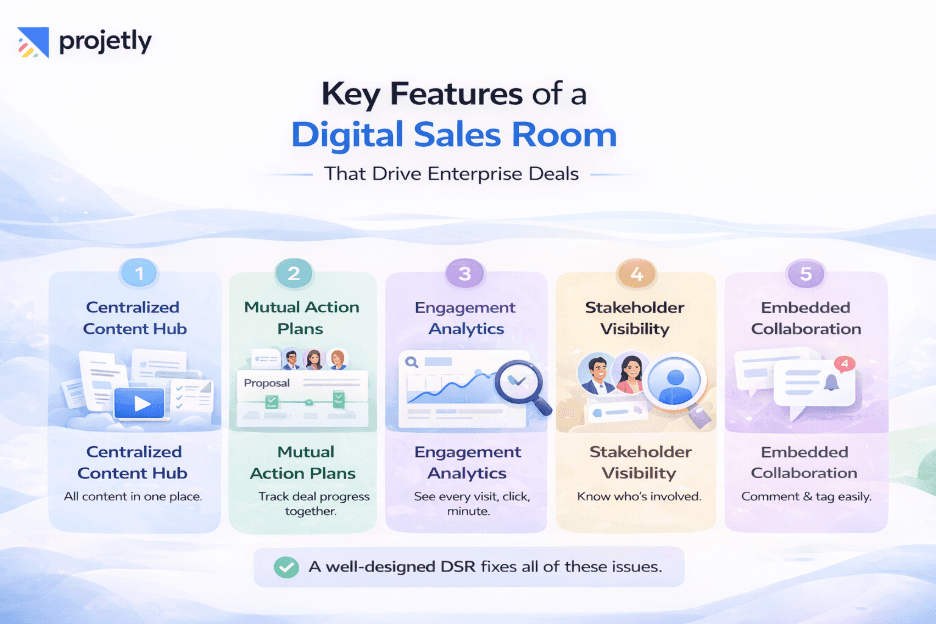
1. Centralized Content Hub
All proposals, case studies, ROI calculators, security documentation, and demo recordings live in one place. When your legal team sends a revised MSA or your solutions engineer updates the integration guide, every stakeholder in the buying committee sees the latest version automatically, no more confusion over which PDF is current.
2. Mutual Action Plans (MAPs)
Enterprise deals fall apart when nobody agrees on what happens next. A Mutual Action Plan built directly into the DSR gives both sides a shared timeline with named owners, milestones, and target dates. It transforms a vague close date into a concrete series of steps, and makes it easy for the champion to show their boss exactly how the deal progresses from today through go-live.
3. Buyer Engagement Analytics
Every visit, click, and minute spent on each piece of content is tracked. If the CFO has opened your pricing document four times this week, that is not a coincidence; it is a signal. Sellers who pay attention to these patterns can reach out at exactly the right moment with exactly the right message, rather than firing off generic check-in emails into the void.
4. Stakeholder Visibility
One of the most persistent problems in enterprise selling is that the rep only knows the champion. The real decision-making happens two or three layers up, in rooms the seller never enters. A DSR exposes who else is viewing the content, which titles, how often, and for how long. This intelligence completely changes how a rep manages the deal.
5. Embedded Collaboration
Buyers can leave questions, tag colleagues, and request clarifications directly inside the room. Instead of a back-and-forth email chain that loses context, the conversation stays attached to the content it is about. Response times drop, and the deal keeps moving.
Have Questions About Digital Sales Rooms? Let’s Talk
What the Numbers Say
Metric | Result |
Deal cycle reduction | 30% shorter (Ventrata) |
Enterprise win rate | ~60% sustained |
Buyer adoption of DSR rooms | 90% |
These are not theoretical projections. Ventrata, an enterprise software company, reported a 30% reduction in deal cycle time after adopting buyer-led workspaces, alongside a sustained enterprise win rate of approximately 60% and a buyer adoption rate of 90% across their DSR rooms. When buyers actually use the room rather than ignore it, everything accelerates.
How to Use a DSR to Close Enterprise Deals Faster: A Step-by-Step Playbook
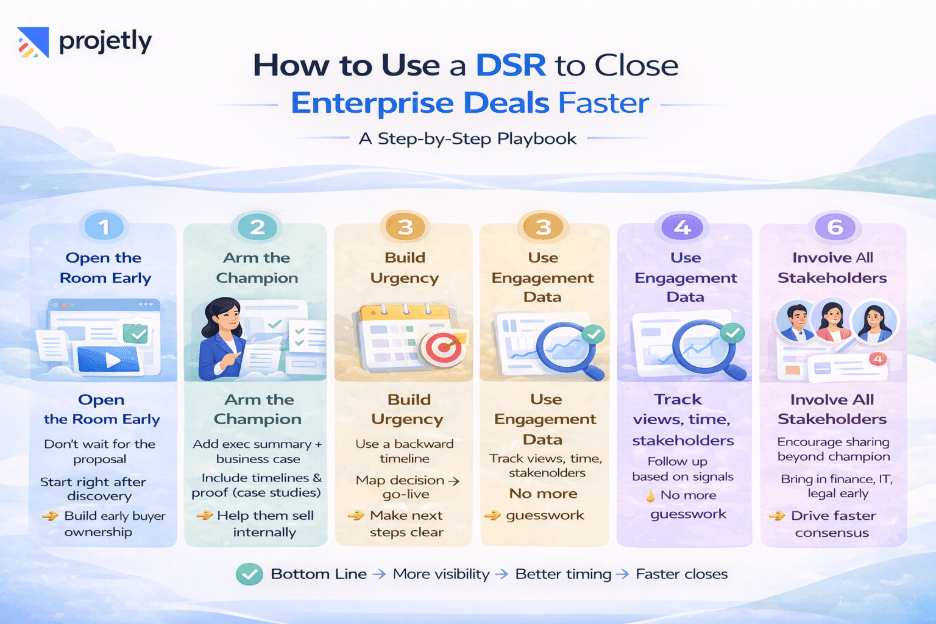
Step 1: Open the Room Early, Not Late
Most reps wait until they have a proposal ready before sending anything over. That is too late. Open your DSR software after discovery, once you understand the buyer's core problem, and start populating it with relevant content as the deal progresses.
Buyers who are invited into a room early develop a sense of ownership over the process. They are more likely to return, more likely to share it internally, and more likely to feel like a partner rather than a prospect.
Step 2: Arm the Champion to Sell Internally
Your champion is fighting for your deal in meetings you will never be invited to. Give them everything they need to win those internal conversations. In the DSR, build a clear executive summary that distils the problem, your solution, and the business case in plain language.
Add a timeline that shows how the team can be living within a realistic window. Include customer stories from companies with a similar profile. Make it so easy for the champion to present that they could do it without your help, and they will be grateful for it.
Step 3: Build Urgency With a Backwards Timeline
Enterprise deals drift when there is no felt urgency. A backwards timeline flips the dynamic. Instead of talking about a close date in the abstract, map from the desired go-live date backwards through implementation, procurement review, legal sign-off, and stakeholder alignment.
When the champion shows the CFO that missing a decision by a specific date means missing their Q3 productivity target, the conversation changes entirely.
Sales Reality Check: Deals do not stall because buyers lose interest. They stall because buyers cannot see a clear path from "not yet decided" to "live and delivering value." A backwards timeline makes that path visible.
Step 4: Use Engagement Data to Time Your Outreach
Long sales cycles are drained of momentum by poor follow-up timing. Calling a buyer the day after they have not looked at your proposal accomplishes nothing. Calling them the day after they spent twenty minutes in your pricing section and forwarding the room link to their Head of procurement is a very different conversation.
Monitor your DSR analytics daily, and let buyer behaviour is a very different conversation. Monitor your DSR analytics daily and let buyer behaviour set your follow-up rhythm.
Step 5: Keep Content Fresh and Personalized
Static decks go stale. If a buyer visits your DSR three weeks after first being invited and finds the same generic content they saw on day one, the impression is not good. Treat the room like a live deal asset. Update it as objections emerge.
Add a personalized video message when the deal hits a critical juncture. Swap in a case study from an industry closer to theirs. Each update creates a reason to notify stakeholders that something new is available, and every notification is another touchpoint without a calendar invite.
Step 6: Get Multiple Stakeholders Into the Room
The fastest path to an enterprise close is consensus, and consensus requires that the right people are informed. Do not limit the DSR to your champion. Actively encourage them to share it with their economic buyer, their IT lead, their legal team, whoever needs to be comfortable before a decision is made.
The sooner those stakeholders engage, the sooner you surface objections you can address, and the less likely a surprise blocker is to derail the deal at the finish line.
Discover How Top Teams Close Faster, Book a Demo
Common Mistakes That Kill DSR Effectiveness
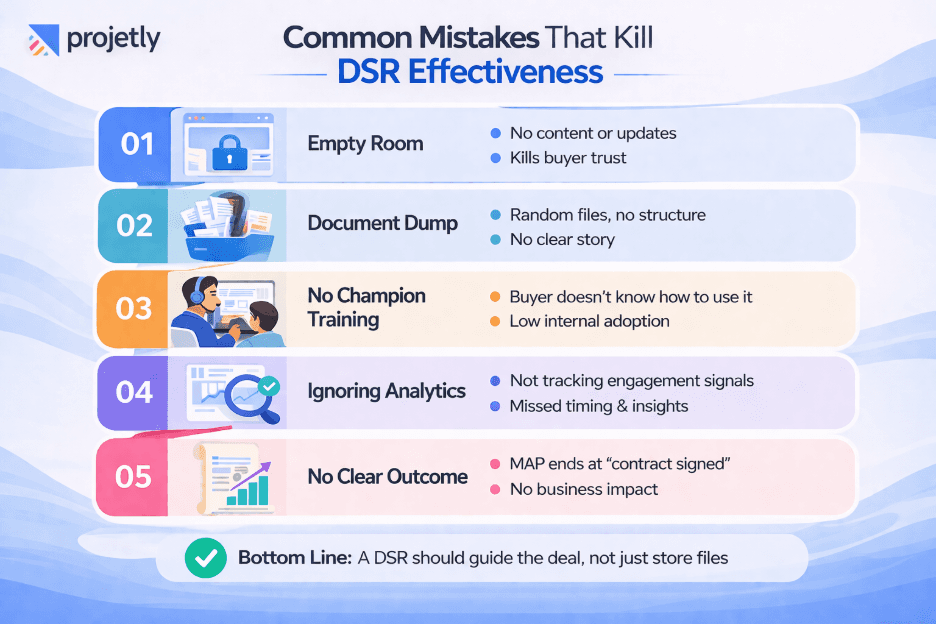
Opening the room with no content, then never updating it. A ghost town of DSR erodes rather than builds confidence.
Treating it as a document dump. A DSR is not a Google Drive folder. Curate content with purpose; every asset should have a clear reason to be there.
Failing to train the champion on how to use it. Walk them through the room on a call. Show them what the stakeholder's view looks like. Make them a co-owner of the space.
Ignoring analytics. If your platform gives you engagement data and you are not looking at it, you are leaving your most valuable sales intelligence on the table.
Not connecting the MAP to a real business outcome. A mutual action plan that ends at "contract signed" misses the point. The plan should lead to the business outcome the buyer cares about: faster onboarding, reduced operational cost, and revenue growth.
See What Your Buyers Experience, Request a Demo
DSR vs. Traditional Enterprise Sales Approaches
Approach | Traditional (Email/Deck) | Digital Sales Room |
Stakeholder Access | Champion only | Full buying committee |
Content Version Control | Multiple conflicting versions | One always-current source |
Buyer Engagement Data | None | Real-time analytics |
Champion Enablement | Rep-dependent | Self-serve, always available |
Urgency Creation | Manual follow-ups | Timeline + data-driven outreach |
Deal Velocity | Slow, reactive | Faster, proactive |
Build, Share, and Track Deals in One Place, Try It Free
Choosing the Right DSR Platform for Enterprise Sales
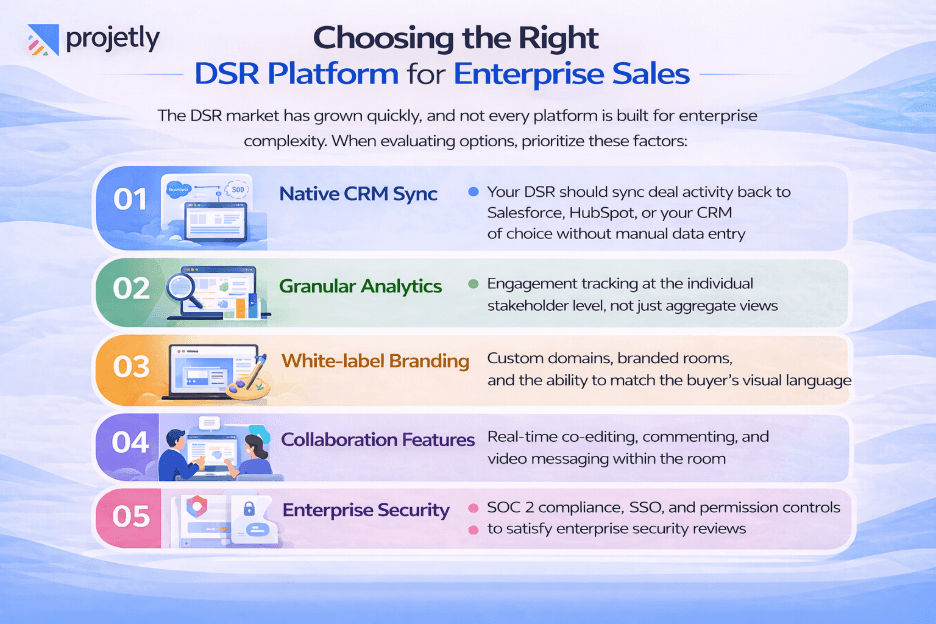
The DSR market has grown quickly, and not every platform is built for enterprise complexity. When evaluating options, prioritize these factors:
Native CRM Sync: your DSR should sync deal activity back to Salesforce, HubSpot, or your CRM of choice without manual data entry
Granular Analytics: engagement tracking at the individual stakeholder level, not just aggregate views
White-label Branding: custom domains, branded rooms, and the ability to match the buyer's visual language
Collaboration Features: real-time co-editing, commenting, and video messaging within the room
Enterprise Security: SOC 2 compliance, SSO, and permission controls to satisfy enterprise security reviews
Find the Right Setup for Your Team, Contact Us
The Future of Digital Sales Rooms in Enterprise Sales
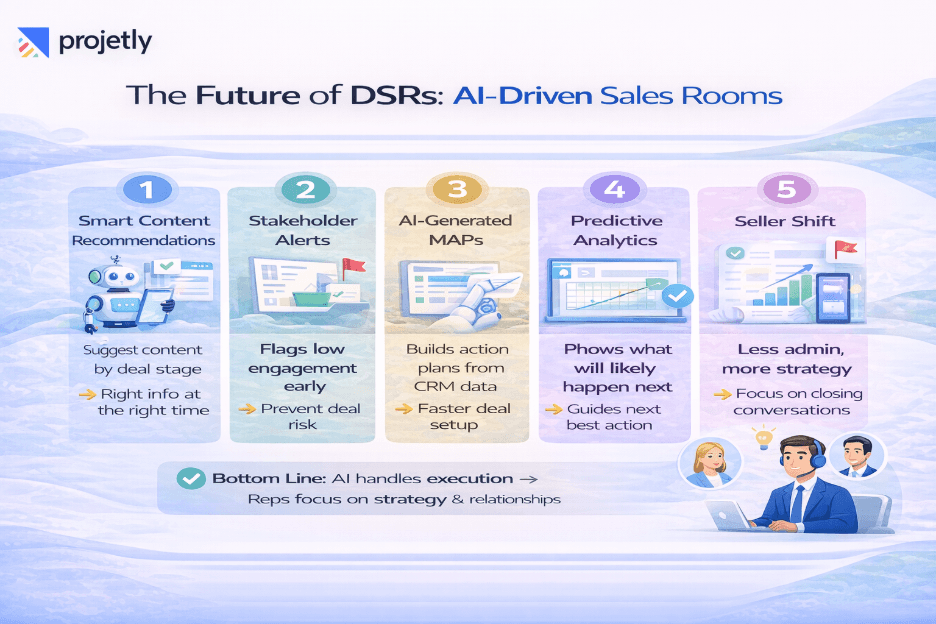
DSRs are evolving fast. The next wave of capability is driven by AI, rooms that surface recommended content based on deal stage, flag stakeholder disengagement before it becomes a crisis, and auto-generate draft mutual action plans from CRM data. Predictive analytics will begin telling reps not just what happened in the room, but what is likely to happen next and what action to take.
For enterprise sales organizations, this matters because it shifts the job of the rep from information delivery to strategic guidance. When the room handles the logistics, content distribution, version control, engagement tracking, the seller can spend their time on the conversations that move deals: executive alignment, objection handling, and relationship depth.
Bottom Line: The Room Makes the Difference
Enterprise deals are won or lost in the spaces between your calls, in the internal meetings your champion is running, in the late-night browsing your economic buyer is doing before making a recommendation, and in the questions your legal team is trying to answer without pulling in another vendor meeting.
A Digital Sales Room puts you in those spaces. It gives you visibility where you had none, gives your champion tools they want to use, and gives your buying committee a single coherent picture of what you are offering and why it matters now.
The deals that close faster in 2026 will not go to the reps who follow up most aggressively. They will go to the reps who make it easiest for buyers to say yes. A well-built DSR does exactly that.
Frequently Asked Questions
What is the difference between a DSR and a proposal tool?
A proposal tool generates a document. A Digital Sales Room is an ongoing, interactive workspace for the entire deal lifecycle. Proposals live inside DSRs, but the room also holds engagement tracking, mutual action plans, stakeholder conversations, and every other asset relevant to the deal.
When in the enterprise sales cycle should I open a DSR?
After discovery, before the formal proposal. Opening early gives the buyer a sense of shared ownership and lets you build the case incrementally rather than overwhelming them with everything at once.
Do buyers actually use digital sales rooms?
When configured well and introduced properly, yes, adoption rates are high. The key is to introduce the room with context, walk the champion through it, and keep it updated so there is always a reason to return.
How does a DSR reduce sales cycle length?
By eliminating the back-and-forth that accounts for most cycle drag: chasing stakeholders for sign-off on documents, resending decks to new stakeholders who just joined the evaluation, waiting to find out if content is landing. With all of that happening inside the room, visibly, trackably, deals move faster because the friction points are removed.
You may also like

A Guide to Project Management Professional Certification

Laugh Your Way to Productivity: 50 Workplace Quotes

50 Funny Workplace Memes That’ll Brighten Your Workday.
What Does a Customer-First Mindset Mean? Explained in 2025

What It Takes to be a Great Customer Success Manager in 2025