Project Management

By
Vijay

The Best Project Management Software for Home Renovation
Embarking on a home renovation project can be an exciting yet daunting endeavour. With multiple tasks, contractors, and deadlines to manage, it's crucial to have a robust project management system in place. The right project management tool acts as a central hub for organizing, project tracking, and streamlining the entire renovation process.
Project management software offers homeowners a comprehensive solution, enabling them to stay on top of every aspect of their renovation project. From setting timelines and assigning tasks to budget management and communicating with contractors, these tools provide a structured approach that minimizes confusion and maximizes efficiency.
By leveraging the power of project management software, homeowners can ensure that their renovation projects stay on track, within budget, and aligned with their vision. This reduces stress and increases the likelihood of achieving a successful outcome that meets their expectations.
Book a Personalized Demo. See how our platform simplifies renovation project management in action.
Key features to consider when choosing project management software
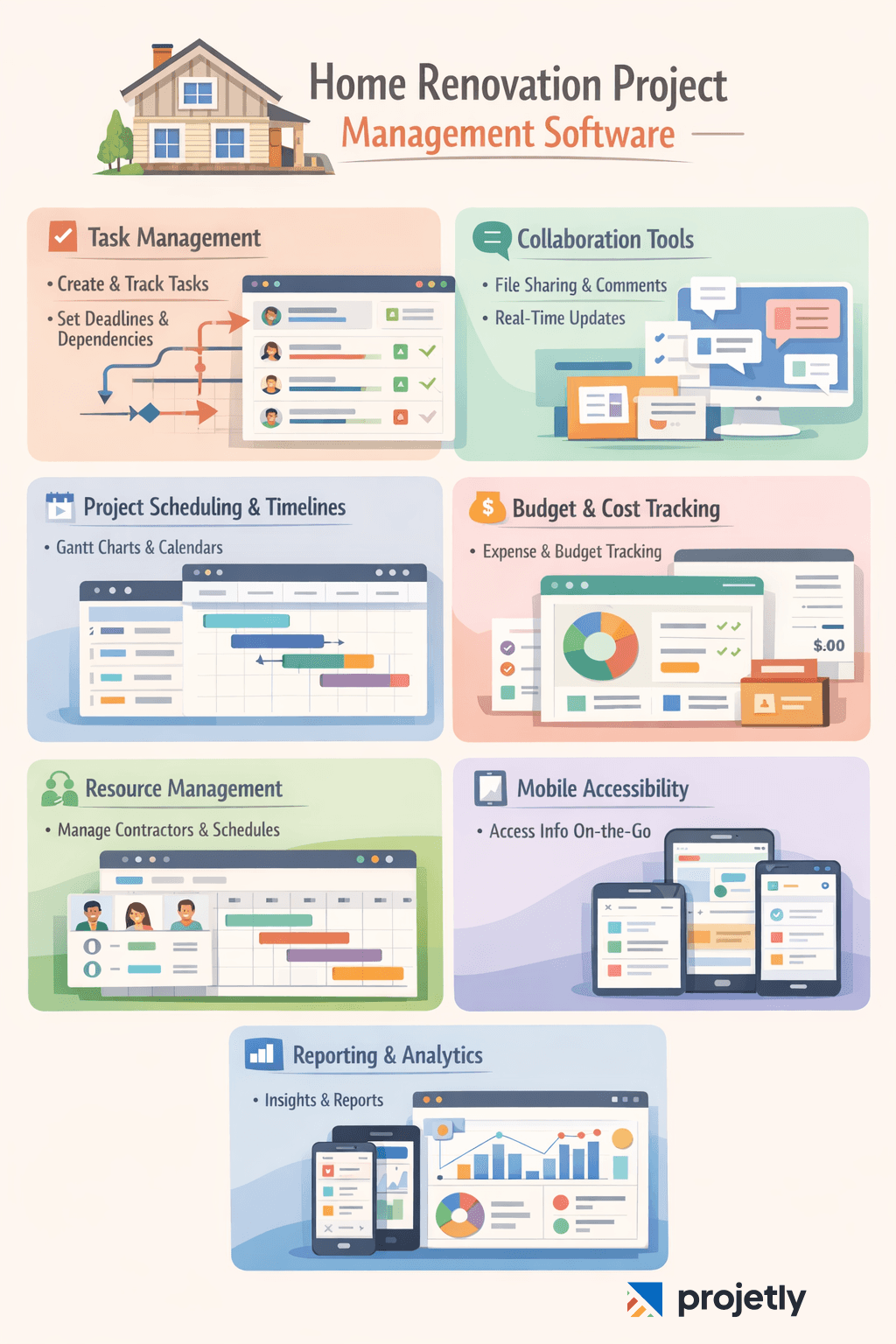
When selecting project management software for your home renovation, evaluating the available features and ensuring they align with your specific needs is essential. Here are some key features to consider:
Task Management: Look for project management software that allows you to create projects, assign tasks, and track tasks efficiently. Advanced project management features like task dependencies, due dates, and progress tracking can help you stay organized and ensure timely project completion.
Collaboration Tools: Effective communication is crucial during a home renovation project. Choose software that offers collaboration tools such as file sharing, document management, commenting, and real-time updates to keep everyone involved and informed.
Project Scheduling and Timelines: A visual representation of a project timeline can be invaluable. Look for software that provides Gantt charts, calendars, or other scheduling software to help you plan and monitor project progress.
Budget and Cost Tracking: Tracking expenses is essential for staying within your renovation budget. Seek software that offers budgeting tools, expense tracking, and invoicing capabilities.
Resource Management: If you're working with multiple contractors or subcontractors, consider software that allows you to manage resource allocation and availability effectively.
Mobile Accessibility: With the increasing use of mobiles, choose software that offers mobile apps or a responsive design, allowing you to access project information and updates on the go.
Reporting and Analytics: Comprehensive reporting and analytics features can provide insights into the project's performance, allowing you to make data-driven decisions and identify areas for improvement.
By evaluating these key features, you can ensure that the project management software you choose aligns with the specific requirements of your home renovation project.
Best project management software options for home renovation
While Trello and Asana offer excellent project management features, they might not be the most specialized tools for the project management software-intensive world of interior design.
While each project management software offers unique benefits, it's crucial to consider both the advantages and potential drawbacks to make an informed decision.
Here are some pros and cons of popular project management software options:

1. DesignFiles
Best for: Design-focused renovation projects
What it offers:
Mood boards
2D floor plans
3D renderings
Client communication tools
Project organization features
Pros:
All-in-one design + project management solution
Strong visual tools
Built-in collaboration features
Cons:
Can be expensive for smaller projects
Slight learning curve
2. Houzz Pro
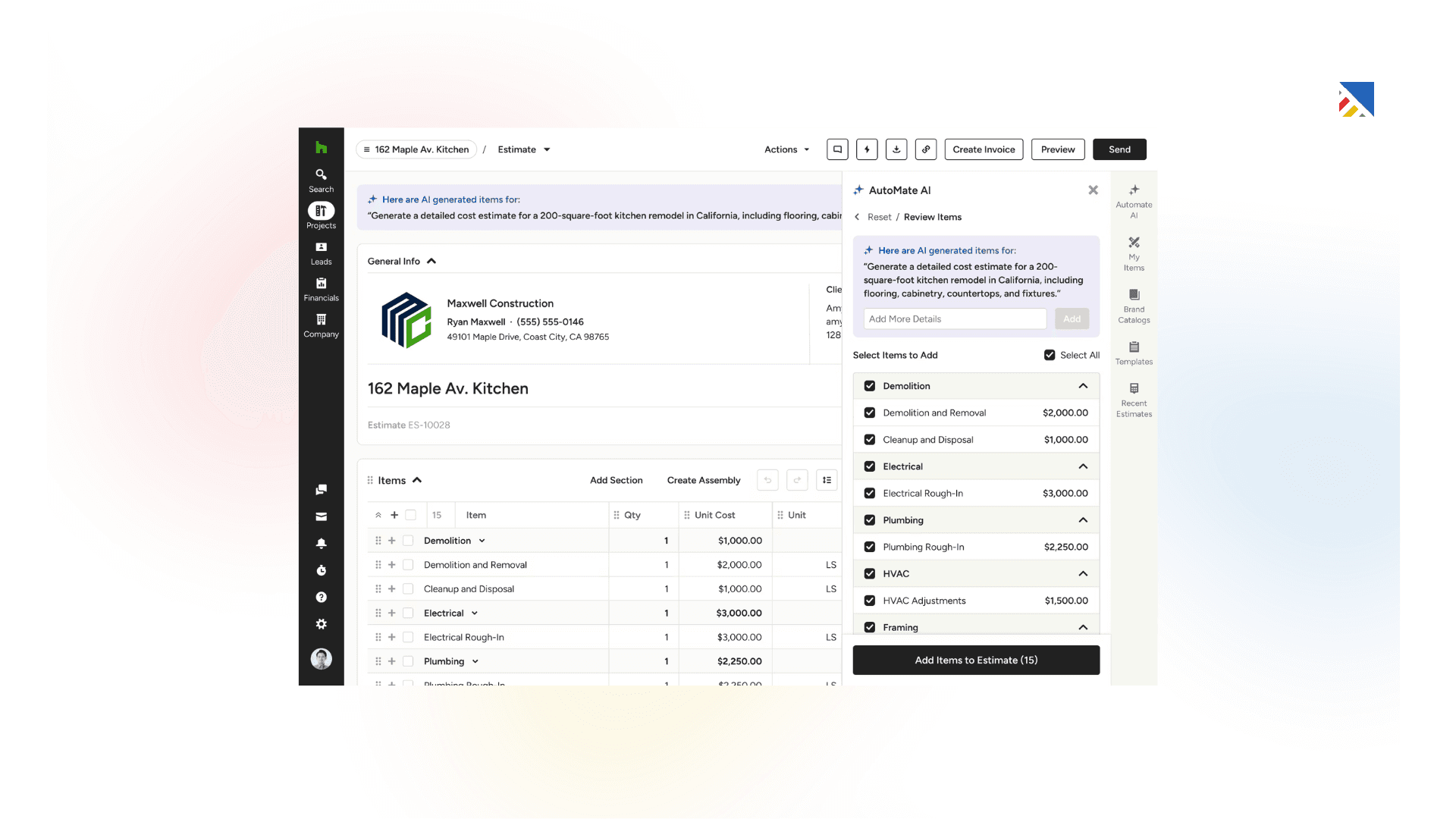
Best for: Contractors and renovation professionals
What it offers:
Project management tools
Client communication
Lead generation
Marketing features
Product library
Portfolio showcase
Pros:
Comprehensive business solution
Combines project management with marketing
Large material and product database
Cons:
Subscription-based pricing
May feel complex for simple renovations
3. Mydoma Studio
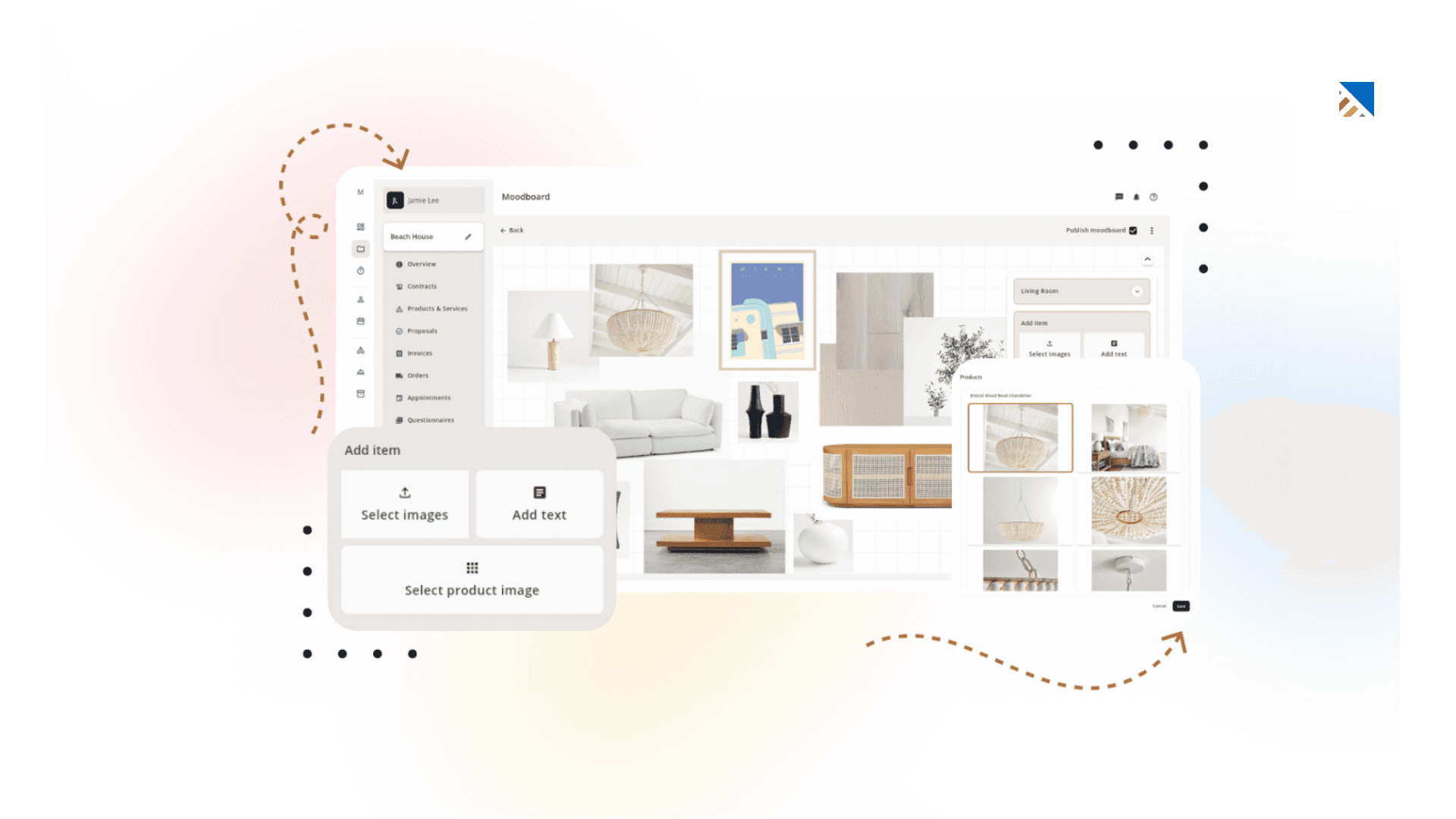
Best for: Interior designers and collaborative renovation projects
What it offers:
Project planning
Budget tracking
Client collaboration
Mood boards
Workflow management
Pros:
Streamlines design and project workflows
Strong budget management
Good for team collaboration
Cons:
Limited advanced 3D modeling
Better suited for medium to large projects
Try It Free for 14 Days
Explore features designed to keep your renovation on track.
4. SketchUp
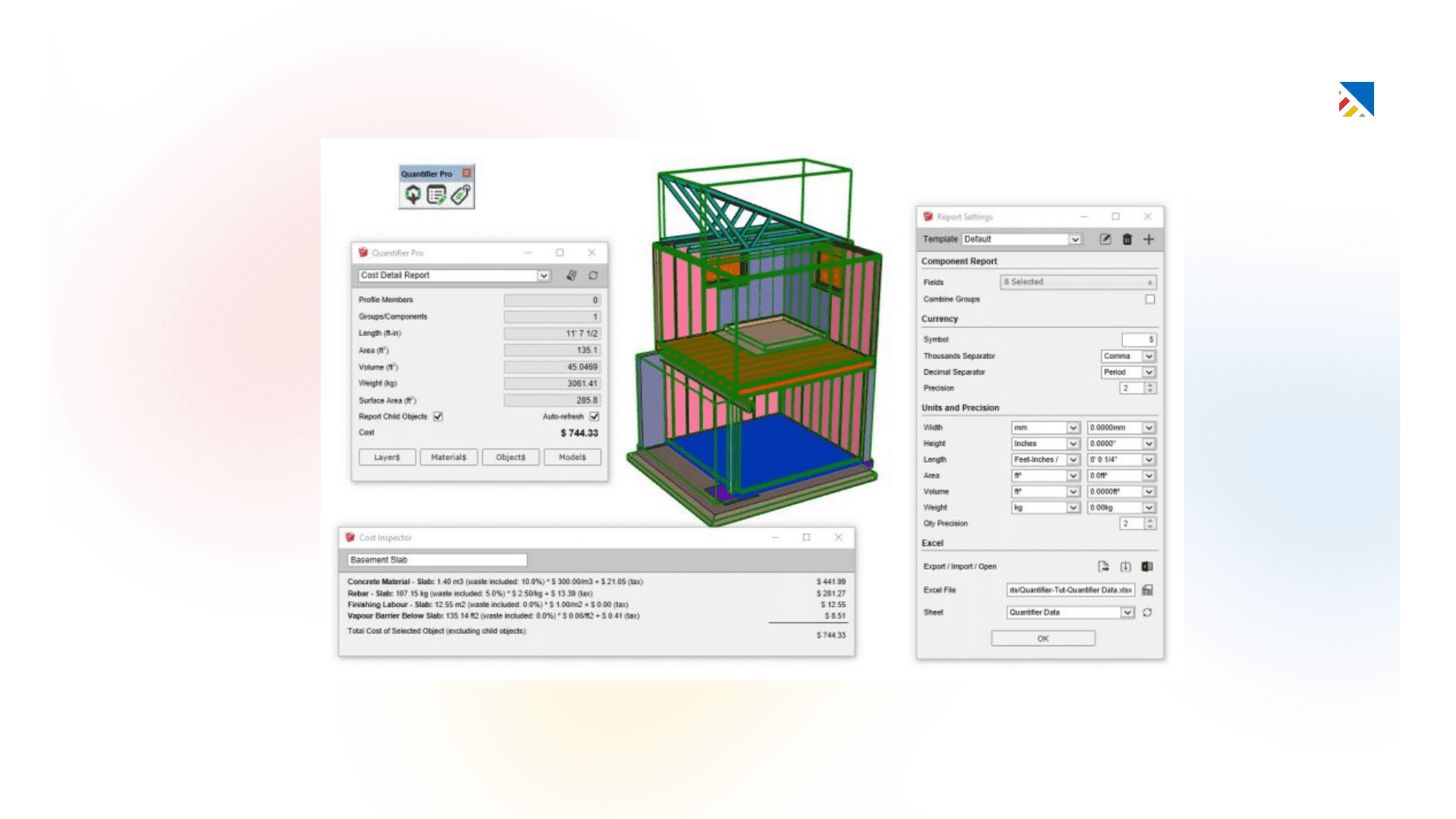
Best for: Detailed 3D visualization
What it offers:
Advanced 3D modeling
Furniture layout design
Precise space visualization
Pros:
Powerful visualization capabilities
User-friendly interface
Excellent for detailed planning
Cons:
Not a full project management solution
Requires additional software for budgeting and task tracking
5. Floorspace
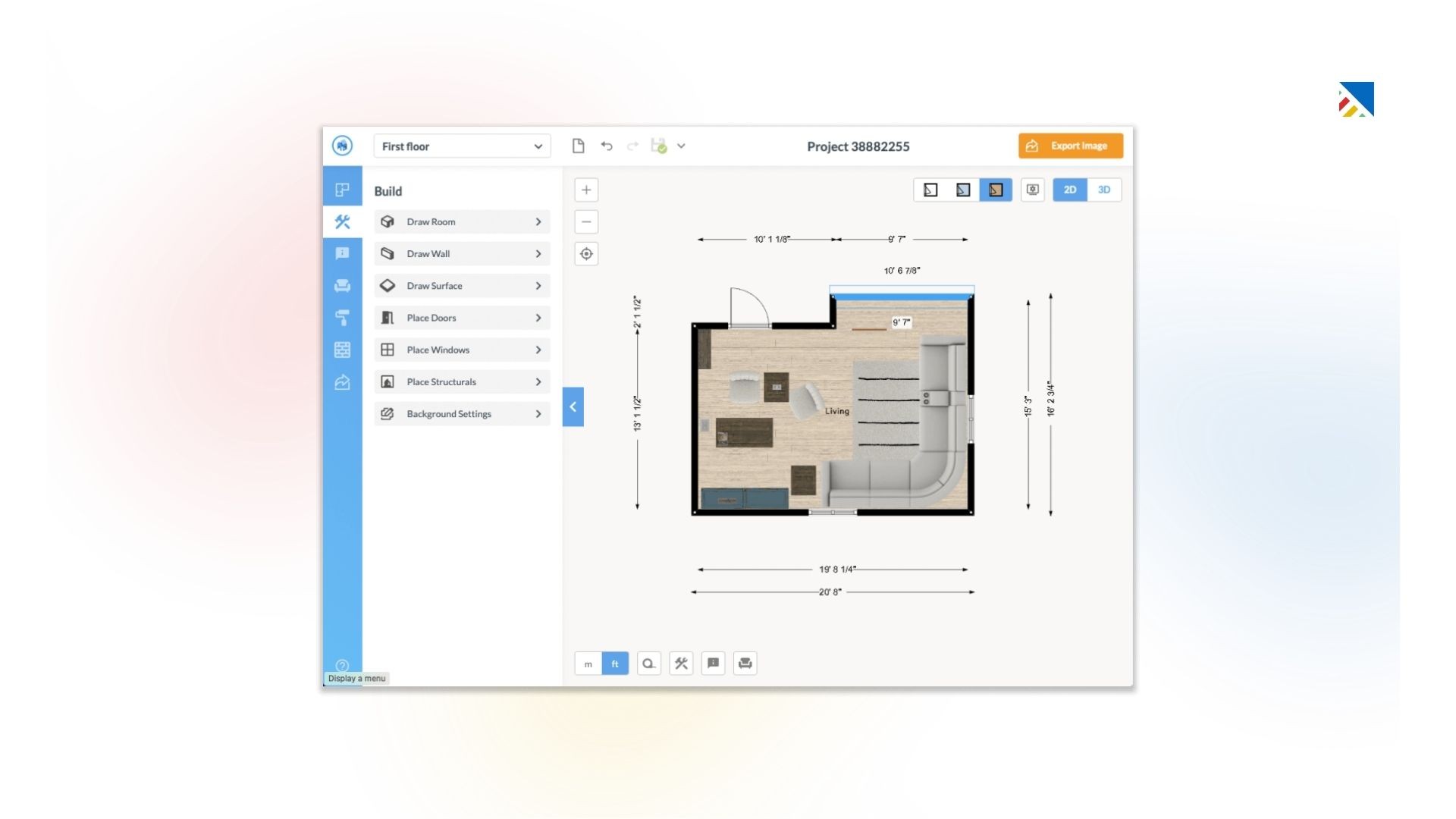
Best for: DIY renovators and layout planning
What it offers:
2D and 3D floor plans
Furniture placement tools
Presentation-ready visuals
Pros:
Strong space planning capabilities
Easy visualization of layouts
Good for avoiding costly layout mistakes
Cons:
Limited task management features
Not a complete renovation workflow tool
Remember, the best software depends on your specific needs and project scope. Some tools offer a comprehensive approach, while others excel in particular areas like 3D visualization or client communication. Explore free trials and demos to discover the perfect fit for your dream renovation!
Comparison of project management software for home renovation
While Trello and Asana offer excellent project management features, they might not be the most specialized tools for the intricate world of interior design. Here's a breakdown of some industry-specific software options to elevate your home renovation project:
Feature Comparison:

Factors to consider when making a decision
Choosing the right project management software for your home renovation project involves considering various factors beyond the features and capabilities. Here are some key factors to consider:
Project Complexity: Evaluate the complexity of your home renovation project. If it's simple and straightforward, you may not require advanced features and could opt for a more basic solution. However, if your project is complex with multiple phases and stakeholders, you'll likely need more robust and comprehensive software.
Team Size and Collaboration Needs: Consider the number of people involved in your project, including contractors, subcontractors, and family members. If collaboration and communication are critical, prioritize software with robust collaboration tools and team management features.
Budget: Project management software's pricing can vary significantly, from free options to premium solutions with advanced features. Determine your budget and weigh the costs against the potential benefits and time savings the software can provide.
User-Friendliness and Ease of Use: Evaluate the software's user interface and overall usability. Some solutions may have a steeper learning curve, while others prioritize simplicity and intuitive design. Consider your team's technical proficiency and choose software that aligns with their skill levels.
Integrations and Compatibility: If you already use other tools or software for your home renovation project, consider the PM software integration capabilities. Seamless integration can streamline your workflow and reduce the need for project data entry across multiple platforms.
Scalability and Future Growth: While your current project may have specific requirements, consider the potential for future growth or additional renovation projects. Choose software that can scale and adapt to your changing needs over time.
Customer Support and Training Resources: Evaluate the level of customer support and training resources the software vendor provides. Reliable support and comprehensive documentation can be invaluable, especially when you first start or encounter challenges.
By carefully considering these factors, you can narrow your options and select the project management software that best aligns with your specific needs, preferences, and requirements.
Tips for Implementing Project Management Software Effectively
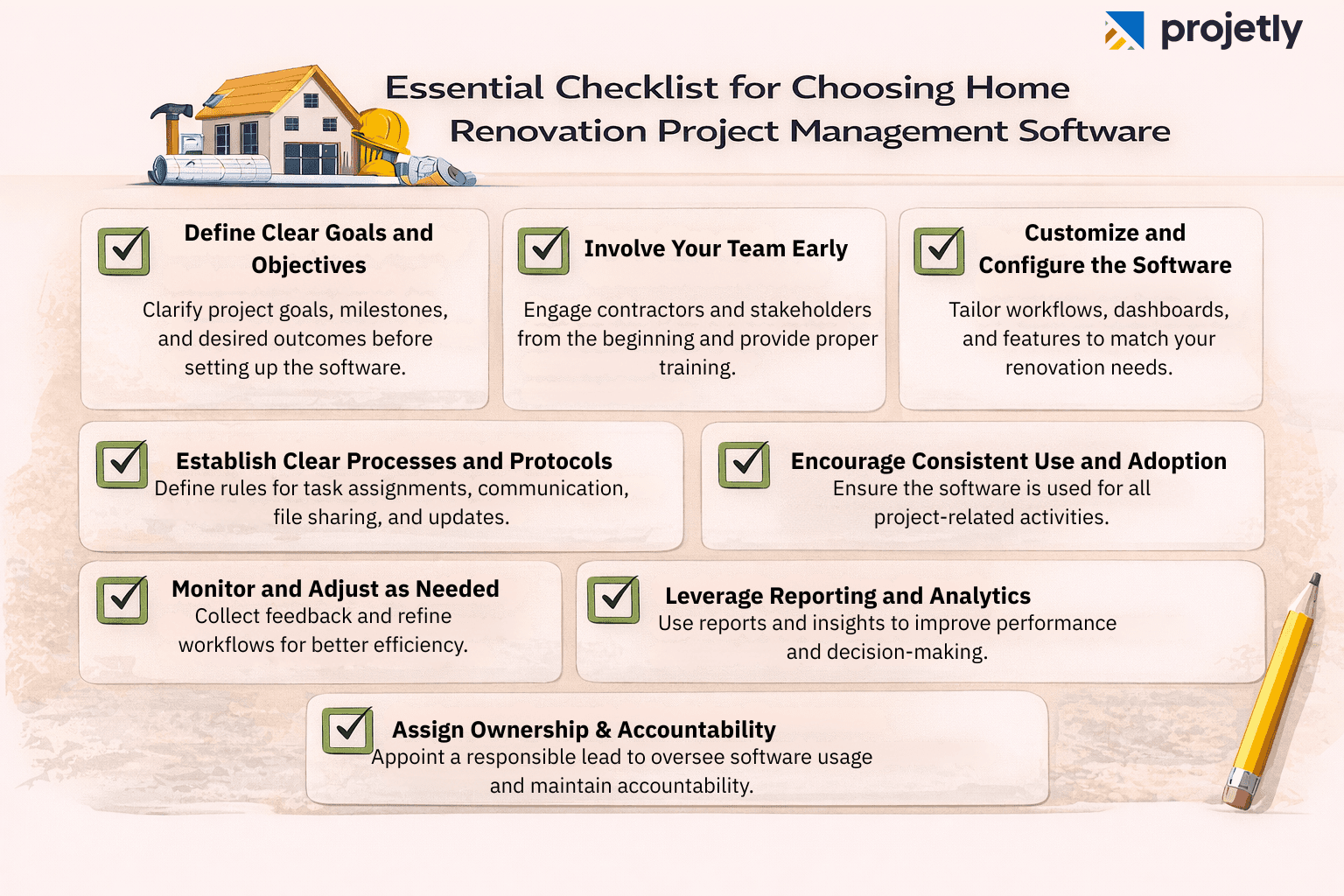
Implementing project management software effectively maximizes its benefits and ensures a successful home renovation project. Here are some tips to help you get the most out of your chosen software:
Define Clear Goals and Objectives: Before diving into the software, take the time to define your project goals, milestones, and desired project outcomes. This will help you set up the software effectively and ensure it aligns with your project requirements.
Involve Your Team Early: Engage your team, including contractors and subcontractors, in the implementation process. Provide training and resources to ensure everyone is comfortable using the software and understands its features and capabilities.
Customize and Configure the Software: Most project management software offers customization options to tailor the interface, workflows, and features to your needs. Take advantage of these customization options to create a streamlined and efficient project management experience.
Establish Clear Processes and Protocols: Define transparent processes and protocols for using the PM software, such as task assignment, communication channels, file sharing, and progress tracking. Consistent processes will help ensure everyone is on the same page and minimize confusion.
Encourage Consistent Use and Adoption: Encourage your team to use project management software consistently for all project-related activities. Regular use and adoption will help ensure that the software becomes an integral part of your workflow and maximizes its benefits.
Monitor and Adjust as Needed: Regularly monitor the software's effectiveness and gather feedback from your team. Be open to making adjustments and improvements based on their experiences and insights.
Leverage Reporting and Analytics: Take advantage of the software's reporting and analytics features. These tools can provide valuable insights into project performance, identify areas for improvement, and inform data-driven decision-making.
Assign Ownership & Accountability: Designate a project owner or software champion responsible for overseeing implementation, maintaining data accuracy, and ensuring team adoption. Clear ownership prevents confusion, improves accountability, and keeps the system organized throughout the renovation lifecycle.
By following these tips and actively engaging with the project management software, you can streamline your home renovation project, improve collaboration, and increase the chances of achieving a successful outcome.
Case studies: Success stories of using project management software for home renovation
To illustrate the benefits of using project management software for home renovation projects, let's explore some real-life success stories:
Case Study Scenarios: Project Management Software for Home Renovation
Scenario 1: The DIY Enthusiast
Sarah and Michael: A young couple planning their first home renovation - a complete kitchen overhaul. They're comfortable with DIY projects but want to stay organized and on budget.
Challenge: Juggling multiple tasks (demolition, cabinet installation, appliance purchases) while keeping track of a tight budget and timeline.
Solution: Floorspace - Sarah and Michael use Floorspace's 2D and 3D floor plan features to create a detailed kitchen layout. They can experiment with different cabinet configurations, appliance placement, and flooring options to optimize the space and functionality. Floorspace also allows them to create material lists and budgets for various design choices.
Results: Floorspace's visual tools help Sarah and Michael plan their kitchen renovation down to the last detail. They can ensure everything fits perfectly before the demo begins and avoid costly mistakes. The software also helps them stay on budget by tracking material costs associated with different design decisions. Sarah and Michael can confidently tackle their DIY kitchen renovation with a clear plan.

Scenario 2: The Busy Family
The Jones Family: A busy family of four with limited time for home renovations. They're hiring a contractor for the home remodelling business, but want to be involved in the decision-making process.
Challenge: Effective communication and collaboration with the contractor, staying informed on project progress, and managing design selections and approvals remotely.
Solution: Mydoma Studio The Jones Family utilizes Mydoma Studio's project management features to create a shared project plan with their contractor. The home remodelling software allows them to assign tasks with deadlines and specifications, ensuring the contractor is on the same page. Mydoma Studio also integrates mood boards and design tools, allowing the Jones family to visually communicate their preferences and remotely collaborate with the contractor on home design selections.
Results: Mydoma Studio organizes the Jones Family project and ensures clear communication with the contractor. Using the built-in mood boards and design tools, they can easily track project progress, review updates, and make design decisions. Despite their busy schedules, the Jones family stays involved in renovating and achieves their desired outcome.

Scenario 3: The Design-Savvy Couple
David and Emily: A design-focused couple renovating their kitchen with a specific aesthetic vision. They prioritize creating detailed plans and project boards to achieve their desired look.
Challenge: Visualizing the final design, managing a complex project with various design elements (cabinetry, countertops, lighting), and ensuring everything is together cohesively.
Solution: DesignFiles David and Emily leverage DesignFiles' comprehensive suite of design tools to bring their kitchen vision to life. They can create mood boards to explore different design styles and colour palettes. DesignFiles also allows them to develop detailed 2D floor plans and integrate them with 3D models to see their kitchen design come alive in a realistic virtual space. This will enable them to experiment with different material combinations and lighting schemes to achieve their perfect kitchen.
Results: DesignFiles empowers David and Emily to create a kitchen that matches their design vision. The mood boards and 3D renderings help them make informed decisions and avoid costly design mistakes midway through the renovation. With a clear plan and the ability to visualize the result, David and Emily can confidently move forward with their dream kitchen renovation.
Contact Us Today
Speak with our experts to find the perfect solution for your renovation needs.
Cost considerations for project management software
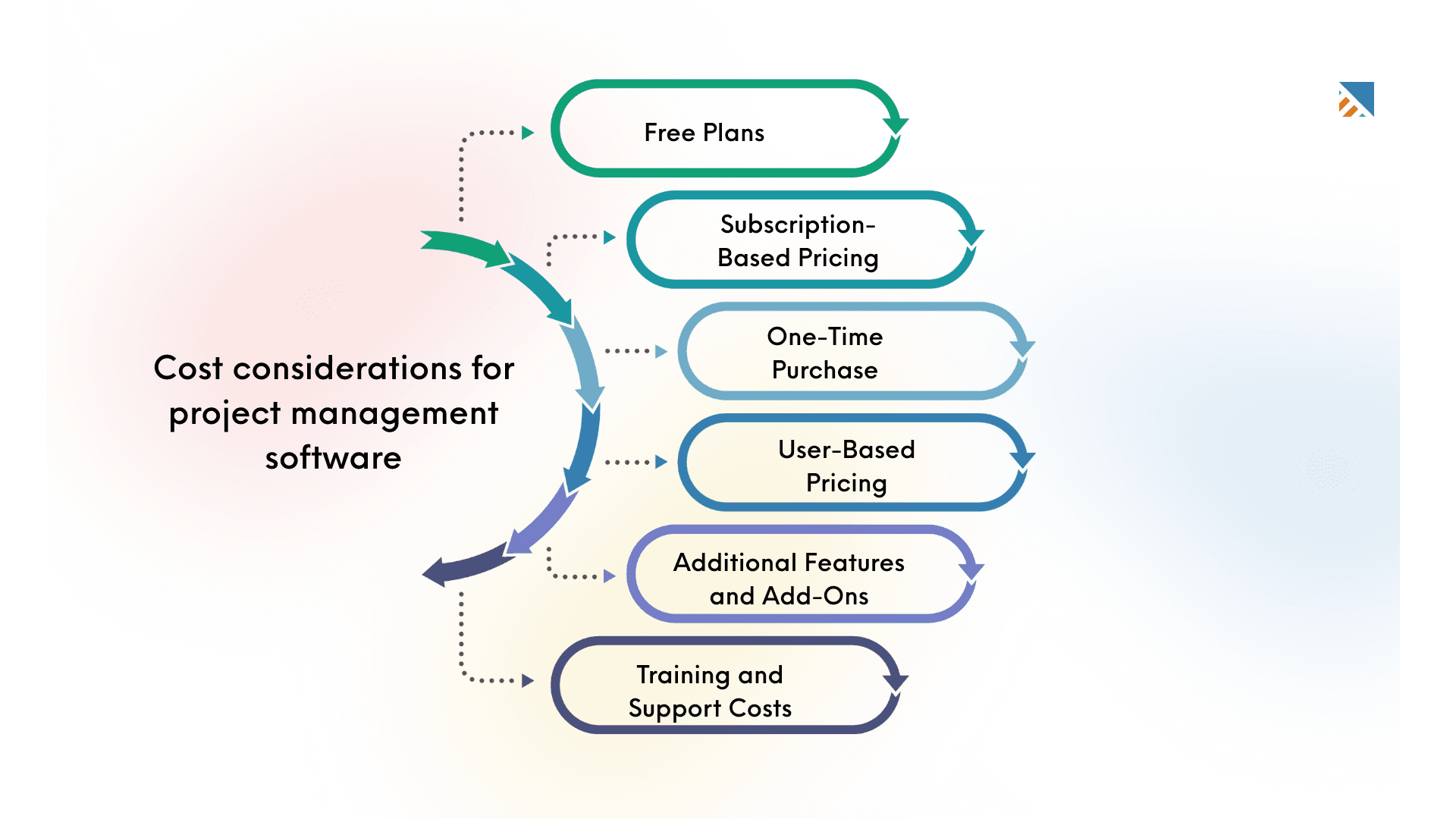
When evaluating project management software options for your home renovation project, it's essential to consider the associated costs. While some solutions offer free plans or trials, many feature-rich software options come with subscription fees or one-time purchase costs.
Here are some cost management considerations to keep in mind:
Free Plans: Several project management software providers offer free plans with limited features and functionality. These plans can be a great starting point for small or simple home builder projects, allowing you to test the software before committing to a paid plan.
Subscription-Based Pricing: Many popular project management software solutions follow a subscription-based pricing model. In this model, you pay a monthly or annual fee for access to the software and its features. These plans often offer different tiers with varying levels of functionality and user limits.
One-Time Purchase: Some software providers offer a one-time purchase option, where you pay an upfront fee to own a perpetual license for the software. This can be a cost-effective choice for long-term usage, but you may need additional fees for updates or support.
User-Based Pricing: Many project management software solutions charge based on the number of users or team members accessing the software. The costs can increase accordingly as your project grows and more people are involved.
Additional Features and Add-Ons: Some software providers offer extra features or integrations as add-ons, which can incur additional costs on top of the base subscription or purchase price.
Training and Support Costs: While some software providers include training resources and support in their pricing plans, others may charge additional fees for these services.
When evaluating costs, it's essential to consider not only upfront expenses but also potential long-term costs and the software's scalability. Additionally, factor in the possible time and productivity savings the right project management software can provide, as these benefits often outweigh the initial investment.
You should carefully review the pricing plans and feature offerings of different software options and choose the one that best fits your project requirements and budget.
Conclusion: Make the right choice for your home renovation project
Choosing the right project management software can significantly impact the success of your home renovation. The best solution depends on your project scope, team size, collaboration needs, and budget. Carefully compare options, explore free trials, and involve your team to ensure the software aligns with your goals.
Once selected, focus on proper implementation. Provide training, establish clear processes, and encourage consistent use. Regularly review performance, gather feedback, and use reporting tools to improve efficiency.
With the right software in place, you can streamline communication, stay organized, and complete your renovation on time and within budget. The right tool doesn’t just manage tasks, it transforms your renovation into a smooth and well-coordinated experience.
Related Blog: Top 10 Project Management Software for Mac
Frequently Asked Questions
What is project management software for home renovation?
Home renovation project management software is designed to help homeowners, contractors, and project managers plan, execute, and track home renovation projects. It includes task management, scheduling, budgeting, and communication.
How can project management software benefit my home renovation project?
Project management software can benefit your home renovation project by providing the following:
Organization: Keeping all project details, documents, and schedules in one place.
Time Management: Helping you create and track timelines and deadlines.
Budget Control: Monitor expenses and manage your budget to avoid overspending.
Enhanced Communication: Facilitating communication between your contractors and other stakeholders.
Documentation: Storing all essential documents, contracts, and designs in an easily accessible format.
What features should I look for in project management software for home renovation?
Key features to look for include:
Task Management: Tools to assign, track, and prioritize tasks.
Scheduling Tools: Calendars, timelines, and Gantt charts to plan and monitor progress.
Budgeting and Cost Tracking: These tools manage expenses and budgets.
Collaboration Tools: Features for communication, file sharing, and real-time updates.
Customization: Options to tailor the software to your project needs.
Mobile Access: Ability to access the software from mobile devices for on-the-go updates.
Are there any best free project management software options for home renovation or construction business?
Yes, there are several best free construction project management software options available for home renovation projects. Some popular free options include Trello, Asana (basic plan), and Monday.com (free plan). These free versions often come with limited features compared to their paid counterparts but can still be very effective for managing smaller or less complex renovation projects.
How do I choose the cloud-based project management software for my home renovation project?
To choose the best project management software for your home renovation project:
Assess Your Needs: Identify your renovation project's specific needs and scope.
Compare Features: Look for software that offers the features you require.
Read Reviews: Consider user reviews and testimonials to gauge the software's reliability and ease of use.
Take Advantage of Trials: Use free trials to test the software and see if it fits your workflow.
Consider Your Budget: Evaluate the cost of the software and ensure it fits within your project budget.
Are general-purpose tools like Trello or Asana enough for a home renovation?
They can be, depending on complexity. For smaller, straightforward renovations, Trello or Asana’s task lists, due dates, and basic collaboration features work well. But for design-heavy projects or where you need specialized capabilities, like mood boards, detailed floor plans, 3D renderings, or integrated client/contractor communication, industry-specific tools (e.g., DesignFiles, Mydoma Studio, Houzz Pro) are better aligned. You can also pair a general tool for high-level task tracking with a design-focused app for visualization.
What’s the difference between visualization tools (e.g., SketchUp, Floorspace) and full project management suites (e.g., DesignFiles, Mydoma, Houzz Pro)?
Visualization tools focus on space planning and design fidelity, while suites manage the project end to end.
Visualization: SketchUp excels at detailed 3D modeling; Floorspace specializes in precise 2D/3D floor plans, furniture placement, and presentation-ready visuals.
Project management suites: DesignFiles and Mydoma Studio combine planning, task management, budgeting, and collaboration, often with built-in design features like mood boards and 2D layouts. Houzz Pro goes further with marketing, lead generation, and a large product library. For most renovations, pairing a visualization tool (for accuracy and fit) with a PM suite (for tasks, budgets, timelines, and communication) yields the best results.
Which software fits common renovation scenarios like DIY, busy families, or design-forward projects?
Match the tool to your goals and involvement level.
DIY kitchen with tight budget/timeline: Floorspace helps you perfect layouts in 2D/3D, plan materials, and avoid costly mistakes before demolition.
Busy family working with a contractor: Mydoma Studio centralizes tasks, deadlines, approvals, and mood boards so you can collaborate remotely and stay informed.
Design-savvy couple with a clear aesthetic: DesignFiles offers mood boards, 2D plans, and integrated 3D to confidently test materials and lighting before build.
Professionals who also need marketing: Houzz Pro adds lead generation, a vast product library, and portfolio tools alongside project management.
You may also like

A Guide to Project Management Professional Certification

Laugh Your Way to Productivity: 50 Workplace Quotes

50 Funny Workplace Memes That’ll Brighten Your Workday.
What Does a Customer-First Mindset Mean? Explained in 2025

What It Takes to be a Great Customer Success Manager in 2025