Customer onboarding toolkit

By
Anuj

10 Best Client Onboarding Software for Consulting Firms in 2026
If you've ever watched a high-value client go cold in the first two weeks, not because of the work, but because the B2B onboarding experience felt chaotic, you already understand what's at stake.
Consulting firms live and die by first impressions. And right now, most firms are leaving that impression to spreadsheets, email threads, and the memory of one overworked HR manager.
That's a problem the right software can fix.
This guide breaks down the ten best client onboarding software tools purpose-built for consulting firms in 2026, what each one does well, who it's actually for, and how to pick the right one for your team.
Start your free trial and create an onboarding experience that clients remember.
Why Client Onboarding Software Matters More Than Ever in 2026
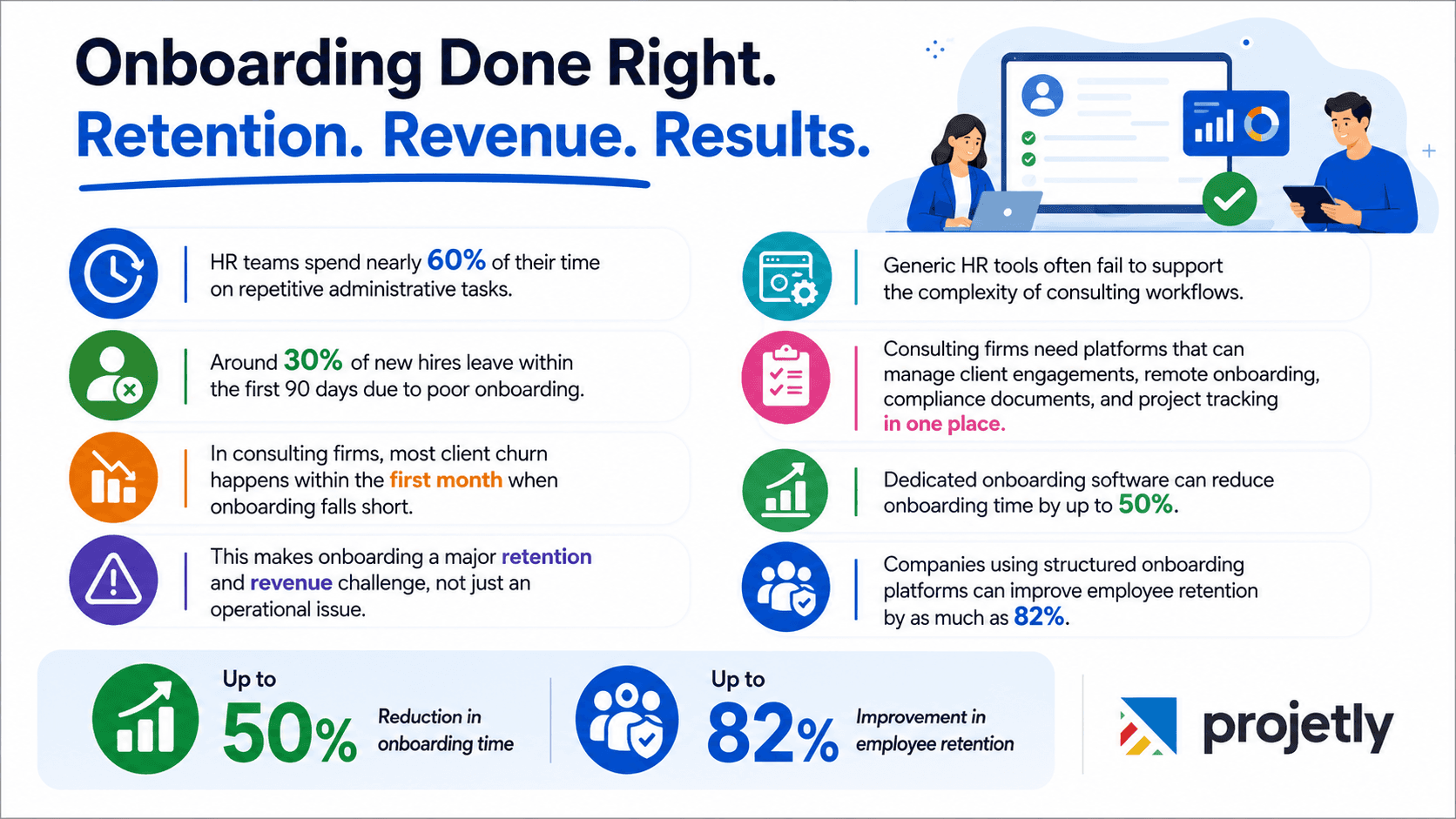
Let's start with the numbers that should concern every consulting firm leader.
HR teams typically spend around 60% of their time on administrative, repetitive tasks. Roughly 30% of new hires leave within 90 days, and poor onboarding is one of the top reasons cited. For clients, the window is even shorter: up to 90% of client churn in service firms happens when onboarding disappoints in the first month.
That's not a small operational problem. That's a revenue and retention crisis hiding inside your welcome email.
What consulting firms need isn't generic HR software. They need tools built for the complexity of their actual work: managing multiple client engagements simultaneously, onboarding consultants who are remote or on client sites, ensuring NDAs and contracts are signed before day one, and tracking progress across projects without having to use five different logins.
The best platforms handle all of this in a single, unified flow. Firms that move to dedicated onboarding software can cut onboarding time by up to 50% and improve employee retention by up to 82%. Those are meaningful, measurable outcomes.
Here's what the landscape looks like across ten of the strongest options in 2026.
Talk to Our Onboarding Experts
What to Look for Before You Choose
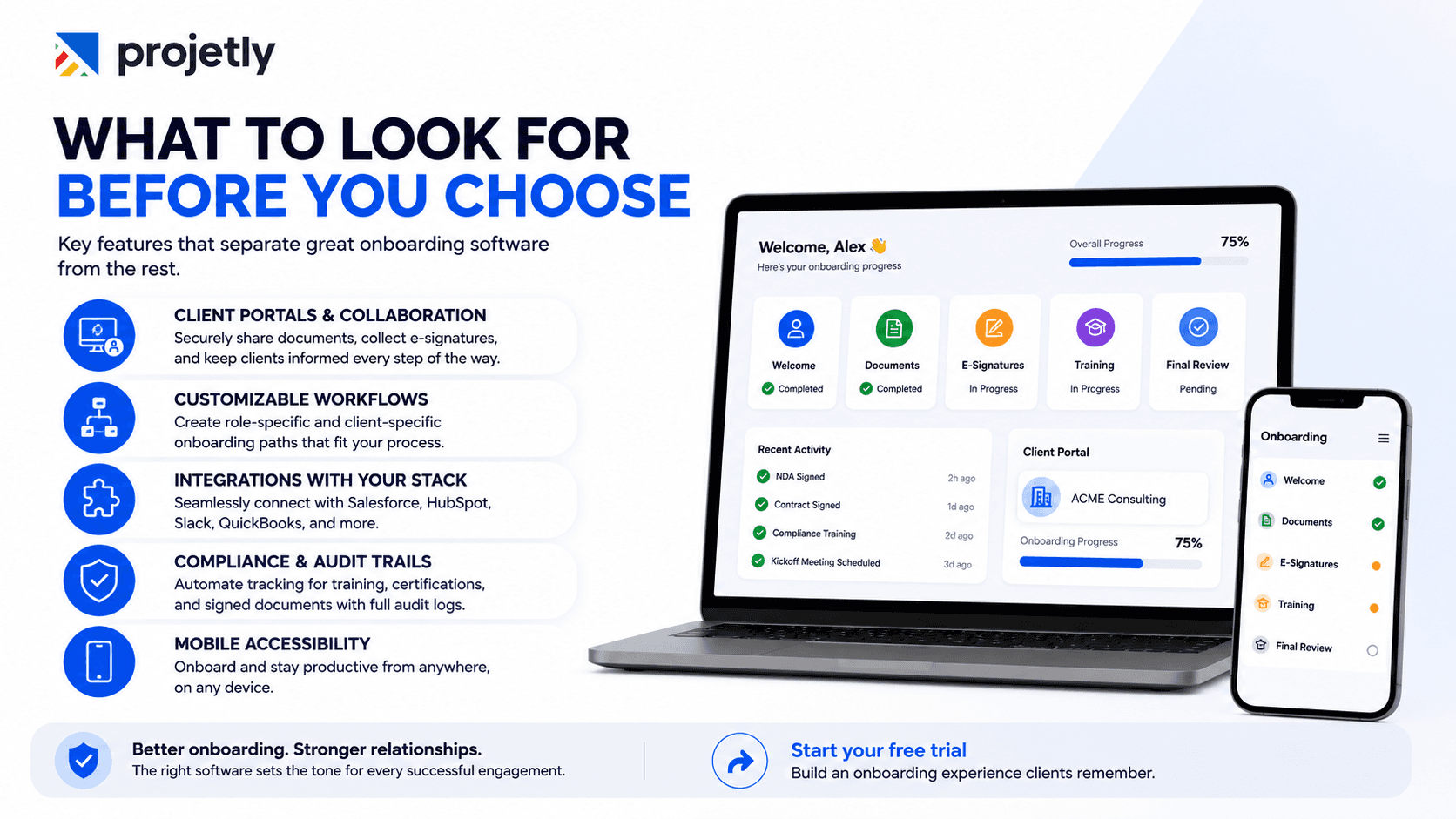
Before diving into specific tools, it's worth knowing what separates good onboarding software from software that merely happens to have an onboarding module bolted on.
Client portals and external collaboration: Consulting firms onboard both new hires and clients. Your tool needs to handle securely sharing documents with external parties, collecting e-signatures on contracts and NDAs, and giving clients a clean view of progress without exposing internal operations.
Customizable workflows: A litigation consultant's onboarding journey looks nothing like a management consultant's. Role-specific and client-specific paths aren't a nice-to-have; they're table stakes.
Integrations with your existing stack: Whether you're running Salesforce, HubSpot, Slack, or QuickBooks, the onboarding platform should pull data from where it already lives, not create a new silo.
Compliance and audit trails: Regulated industries need documented proof that training happened, certifications were submitted, and legal documents were properly signed. Automated compliance tracking is a must; manual checkbox processes are not enough.
Mobile accessibility: Your consultants are rarely at a desk. The platform needs to work from a phone in a client lobby just as well as from a desktop at headquarters.
With those filters in mind, here are the ten platforms that consistently stand out for consulting firms in 2026.
Build a Smoother Client Experience
1. Projetly: Best for B2B Consulting and Complex Client Projects
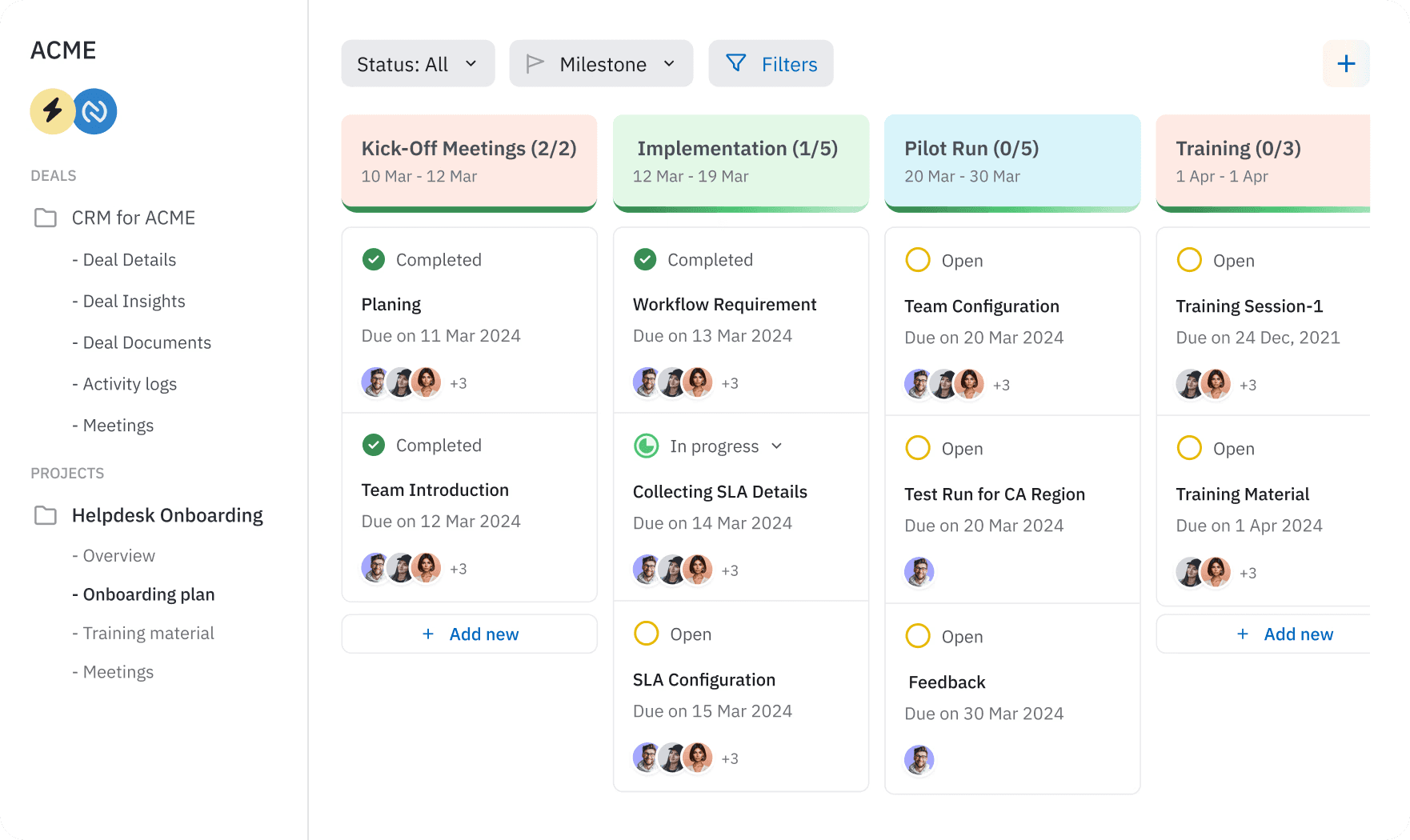
Projetly is the closest thing to a true all-in-one solution built specifically with B2B consulting in mind. Rather than bolting onboarding onto a project management tool, it was designed from the ground up to handle client onboarding inside a unified workspace.
What it does well:
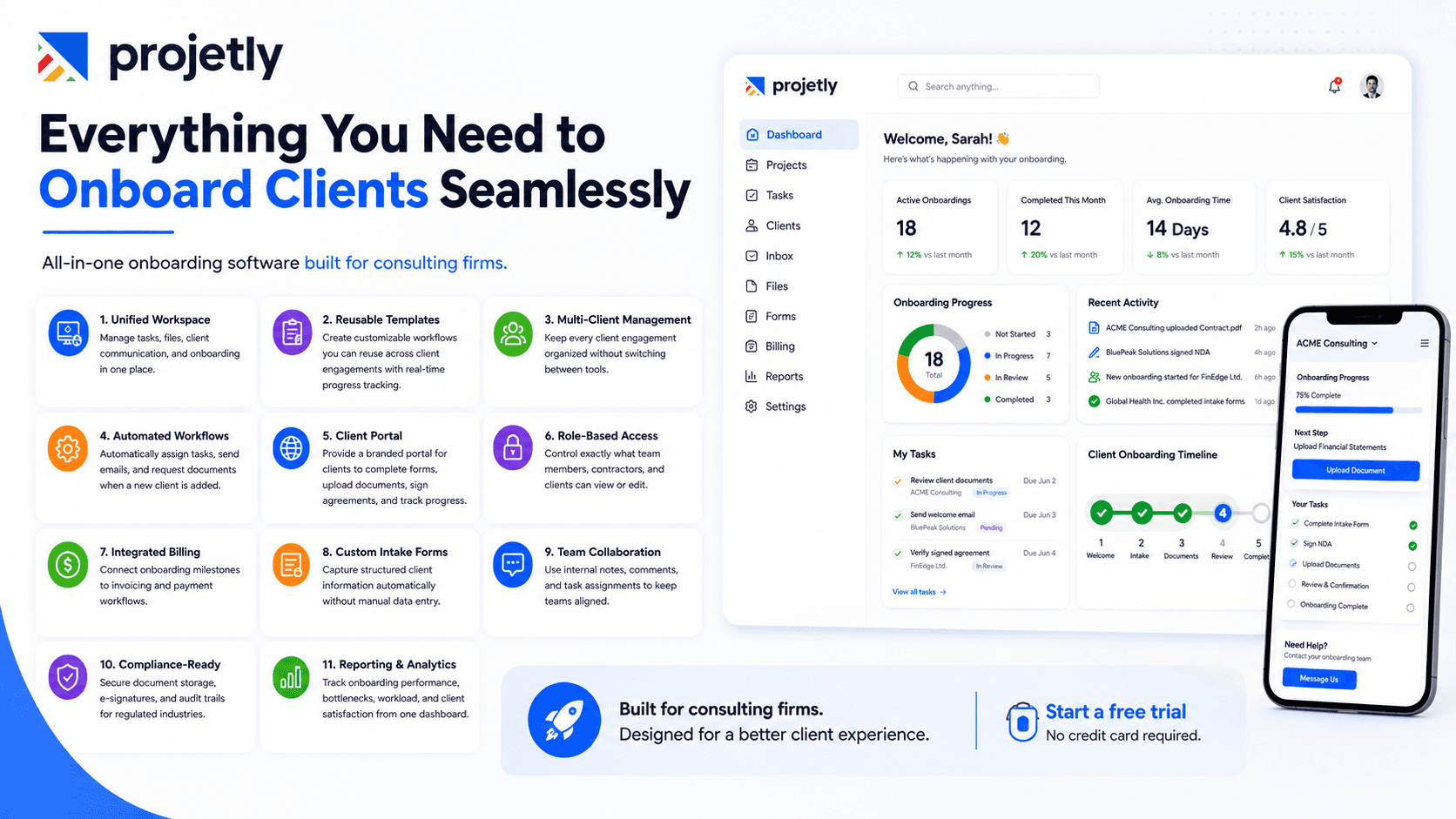
Unified workspaces: A single environment where project tasks, file sharing, client communication, and onboarding checklists coexist without forcing constant tab-switching. For firms managing multiple client engagements at once, this matters more than most vendors will admit.
Reusable onboarding templates: Templates are fully customizable, meaning you can build a master workflow for a financial consulting client and clone it every time, adjusting only what's specific to that engagement. Progress dashboards give everyone real-time visibility, cutting down on the "what's the status of X?" emails that chew through HR bandwidth.
Multi-client management: Built for firms juggling multiple engagements simultaneously, Projetly keeps each client's context clean and accessible without the overhead of switching tools or workspaces.
Automated onboarding workflows: Trigger-based automation removes the manual legwork from repetitive onboarding steps. When a new client is added, tasks get assigned, welcome emails go out, and document requests fire automatically, without anyone having to remember the checklist.
Client portal: Clients get their own branded portal where they can complete intake forms, upload documents, sign agreements, and track their onboarding progress in real time. It reduces back-and-forth and gives clients a professional first impression from day one.
Role-based access controls: Granular permission settings let you control exactly what each team member, contractor, or client contact can see and do. Sensitive financial or HR documents stay locked down, while clients only access what's relevant to them.
Integrated billing and invoicing: For consulting firms, Projetly connects onboarding milestones directly to billing triggers. When a project phase is marked complete, invoices can be generated and sent automatically, closing the gap between delivery and payment.
Custom intake forms and data capture: Build structured intake forms that collect exactly the information you need at the start of every engagement. Responses feed directly into the client record, eliminating manual data entry and reducing errors.
Team collaboration and internal notes: Internal commenting, @mentions, and task assignments keep the delivery team aligned without exposing internal conversations to clients. Everyone knows what's happening, who owns what, and what's blocking progress.
Compliance-ready by design: The compliance layer is particularly strong. E-signatures, secure document storage, and audit-ready reporting make it viable for firms operating in finance, healthcare, or any other regulated space where documentation errors have consequences.
Reporting and analytics: Leadership gets a bird's-eye view of onboarding performance across all client engagements, average time-to-complete, bottlenecks by stage, team workload, and client satisfaction scores. Data that was previously buried in spreadsheets becomes actionable.
Integrations: Salesforce, Slack, HubSpot.
Best for: Mid-market to enterprise consulting firms managing complex, multi-stakeholder client onboarding.
Pricing: Custom plans with a free trial available.
2. CogniSaaS: Best for Enterprise Firms Needing Predictive Visibility
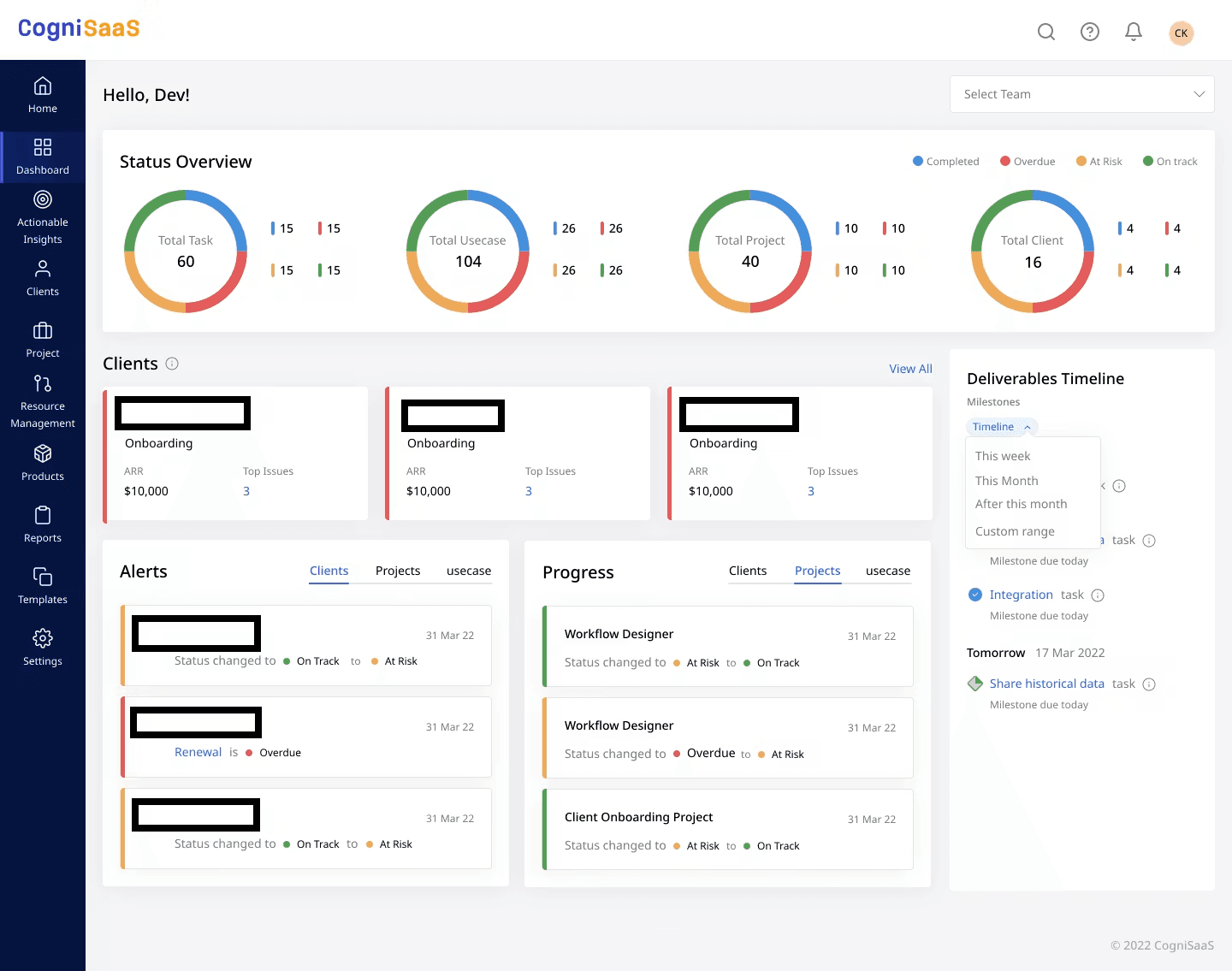
CogniSaaS leads with intelligence, specifically, the ability to predict where onboarding is going to break down before it actually does.
What it does well:
CogniSaaS uses RAG-based forecasting and analytics to flag onboarding risks early, especially valuable for enterprise teams managing multiple client projects where delays can impact timelines, billing, and cross-functional coordination.
The platform supports multiple project views like Kanban, Gantt, list, and spreadsheet formats, giving teams flexibility in how they work. Its client portal reduces back-and-forth by allowing customers to track onboarding progress and submit documents directly.
Pre-built workflow templates help teams launch faster, while integrations with Jira and Slack fit naturally into existing enterprise workflows.
Integrations: Jira, Slack, and CRMs.
Best for: Enterprise consulting firms with large onboarding volumes who need predictive delay detection and cross-team reporting.
Pricing: Custom pricing; 14-day free trial available. Best suited for teams of 10 or more.
3. Motion.io: Best for Small Firms and Budget-Conscious Teams
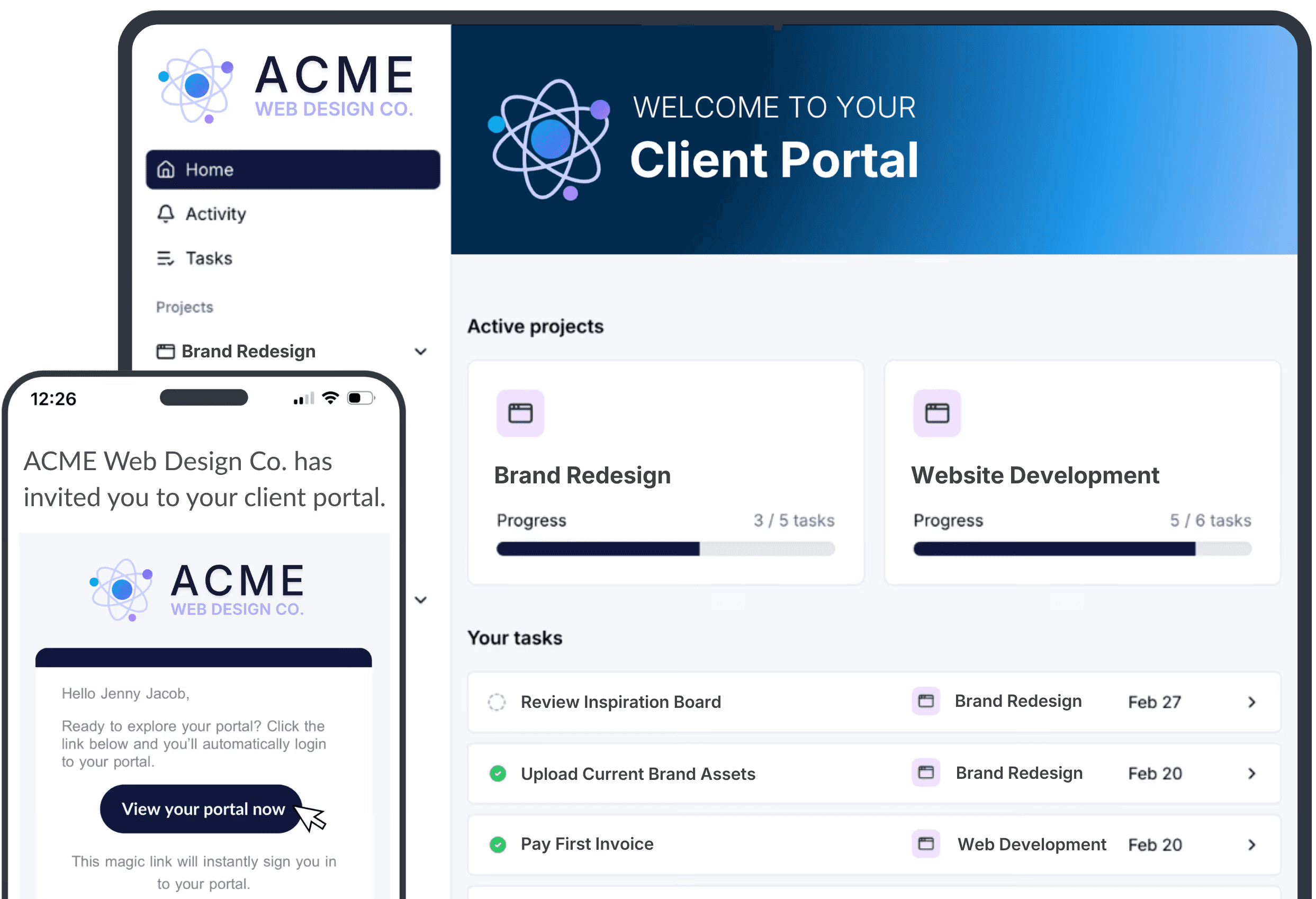
Not every consulting firm is running a 50-person operation. Boutique firms, solo consultants, and small specialist practices have real onboarding needs, and they shouldn't have to pay enterprise prices to meet them.
Motion.io was built for exactly this segment.
What it does well:
The headline feature is white-labeled client portals: branded, professional-looking spaces where clients can upload documents, sign agreements, and track onboarding steps without seeing any Motion.io branding. For a small consultancy, this creates the impression of a bespoke client experience at a fraction of the cost of building one.
Automation handles the repetitive work, form submissions, e-signature requests, and task assignments, so small operators aren't manually following up on every step. The security posture is strong for the price point, using military-grade encryption for document storage, which matters for legal and financial consultancies handling sensitive client information.
Integrations: Slack, HubSpot, Zapier.
Best for: Small consulting firms, solopreneurs, boutique agencies, and legal or financial consultancies working within tight budgets.
Pricing: Starting at $29/month for individuals; $59/month for teams.
4. ProProfs: Best for Training-Heavy Onboarding
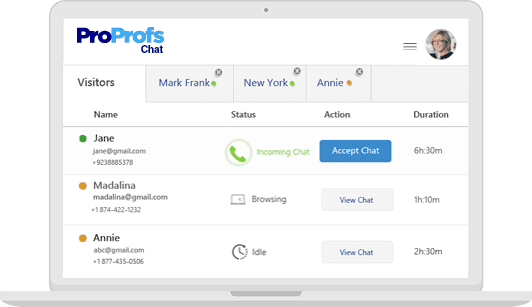
Some consulting firms don't just onboard clients to a project; they onboard them to a methodology, a framework, or a platform. And for new hires, thorough training is often the difference between a consultant who hits the ground running and one who spends their first month confused.
ProProfs is a learning management system (LMS) built specifically for this kind of onboarding.
What it does well:
The platform includes ready-made course content for quick deployment, along with tools to create custom training tailored to specific onboarding processes or methodologies. Quizzes and assessments help ensure learners actually retain the material.
Multi-language support stands out for global consulting firms, making it easier to onboard employees and clients across different regions without added friction.
Its AI Tutor offers personalized guidance based on where learners struggle, while analytics track engagement, completion, and assessment performance so managers can identify gaps early and provide support proactively.
Integrations: Slack, Zapier, BambooHR, and others.
Best for: Consulting firms with significant training requirements, process consultants, compliance-heavy industries, or firms onboarding global clients across language barriers.
Pricing: Starting at $39/month, with custom pricing for advanced features.
5. Glide: Best for AI-Driven, High-Volume Onboarding
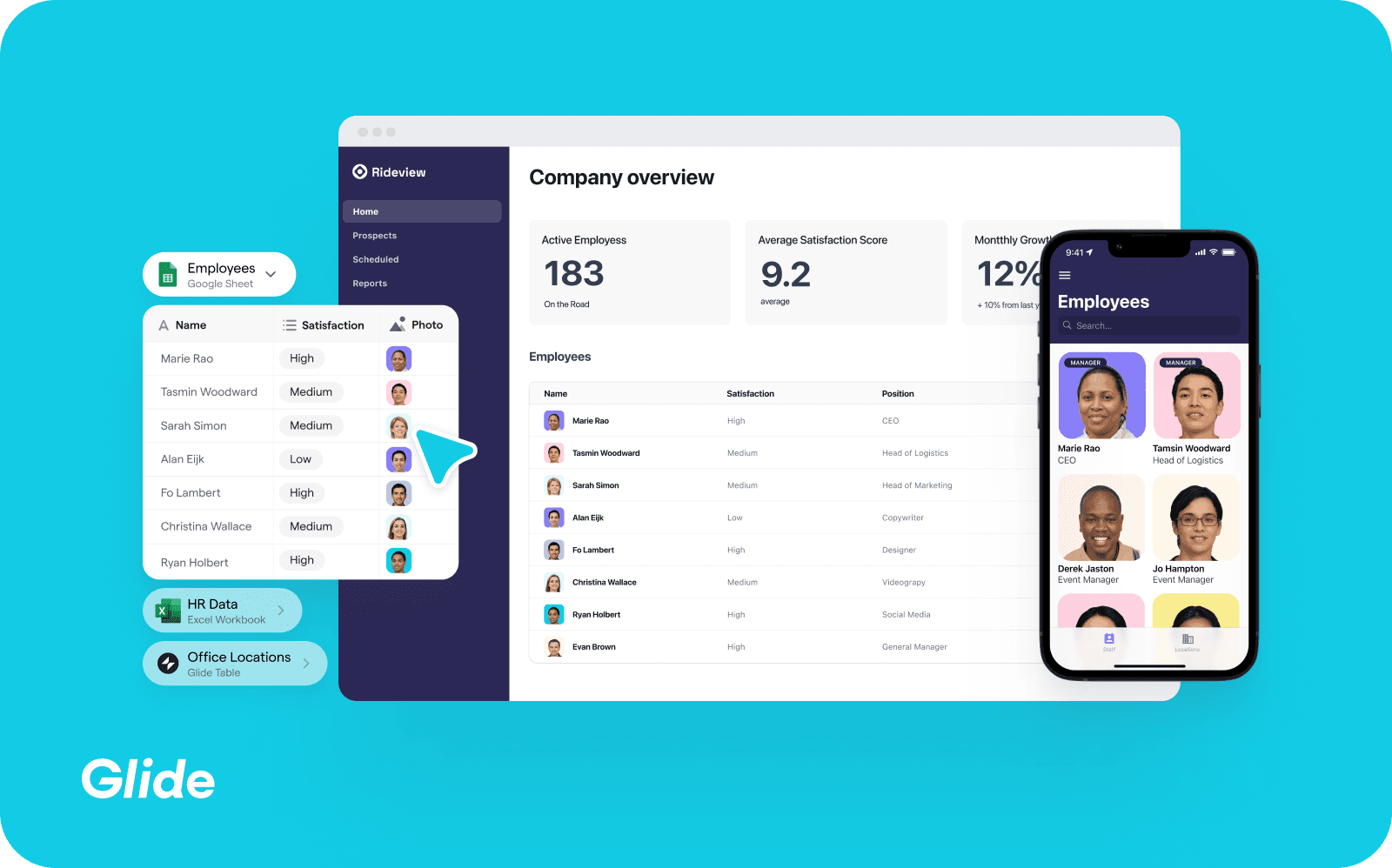
If your onboarding process involves significant data collection, complex document management, or high volumes of scheduling coordination, Glide is worth a close look. It leans heavily into AI automation to handle the operational complexity that tends to break manual processes at scale.
What it does well:
Glide’s AI onboarding agents automate time-consuming tasks like data analysis, task prioritization, document organization, and meeting scheduling, especially useful for firms managing large implementations or distributed teams across time zones.
Its workflow builder automatically adapts onboarding paths based on user or client type, reducing manual coordination. Integrations with Google Workspace and Microsoft Teams also help it fit seamlessly into existing workflows.
Rather than acting as a traditional HR or project management tool, Glide is positioned more as an operational intelligence platform, best suited for organizations handling complex, high-scale onboarding processes.
Integrations: Google Workspace, Microsoft Teams.
Best for: Consulting firms managing high-volume, data-intensive onboarding with complex scheduling and document workflows.
Pricing: Custom pricing; contact for a demo.
6. Clustdoc: Best for Compliance-Heavy and Document-Intensive Onboarding
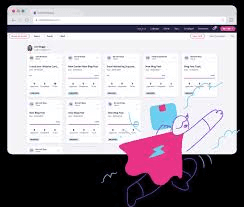
Clustdoc is purpose-built for firms where the onboarding process is fundamentally a document and verification workflow, collecting client information, reviewing submissions, verifying identities, and getting contracts signed before anything else can move forward.
What it does well:
Clustdoc simplifies document-heavy onboarding with a branded portal where clients can upload files, complete checklists, sign contracts, and verify identity in one place. Its accept/reject review system also helps teams manage submissions without constant email follow-ups.
Industry-specific templates for finance, legal, consulting, insurance, and real estate make it well-suited for compliance-focused businesses, while the shared inbox keeps client communication organized across teams.
With 1,500+ integrations, a mobile app, and built-in identity verification, Clustdoc fits easily into existing workflows, especially for firms managing KYC and regulated onboarding processes.
Integrations: 1,500+ via API, including CRM and document management tools.
Best for: Financial services consultancies, legal firms, and any consulting practice with complex document collection, identity verification, or compliance-driven onboarding requirements.
Pricing: Starting at $100/month (Pro plan at $190/month); 7-day free trial available.
7. Dock: Best for High-Touch Client Collaboration and Transparency
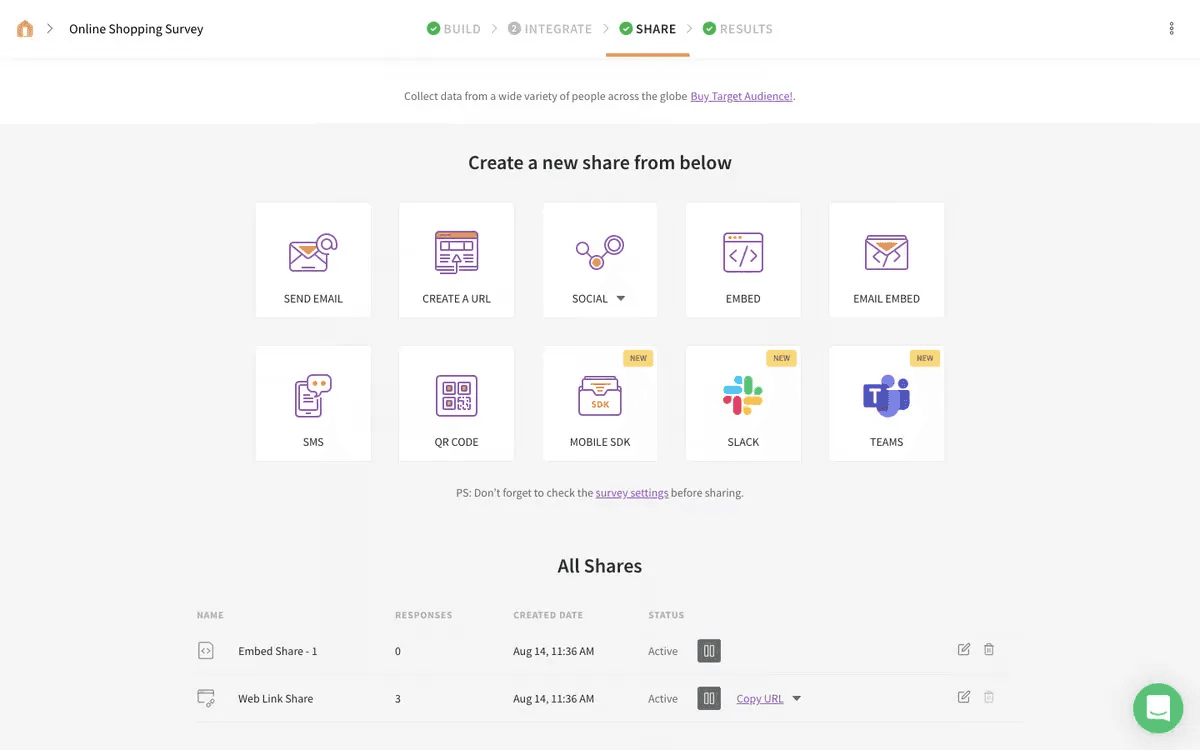
Dock takes a client-facing-first approach to onboarding. Where many tools focus on what's happening internally, Dock is built around the idea that clients should be active participants in their own onboarding — not passive recipients of emails.
What it does well:
Dock gives teams and clients a shared onboarding workspace to manage tasks, documents, timelines, and updates in one organized place. Templated onboarding plans with forms, tasks, and welcome content can be launched quickly, helping teams get projects moving faster.
Its biggest strength is transparency. Clients can track project progress, completed steps, upcoming milestones, and pending actions without constantly requesting updates. Teams can also control visibility by marking tasks as internal or client-facing within the same workspace.
Native integrations with Salesforce, HubSpot, and Slack help automate data flow and keep teams updated through the tools they already use.
Integrations: Salesforce, HubSpot, Slack, Google Drive, and others.
Best for: Customer success teams and consulting firms that manage high-touch B2B onboarding where client visibility and engagement are critical to delivery success.
Pricing: Free plan available (up to 50 workspaces); paid plans from $350/month for up to 5 users.
8. Copilot: Best for Service Firms Building a Branded Client Experience
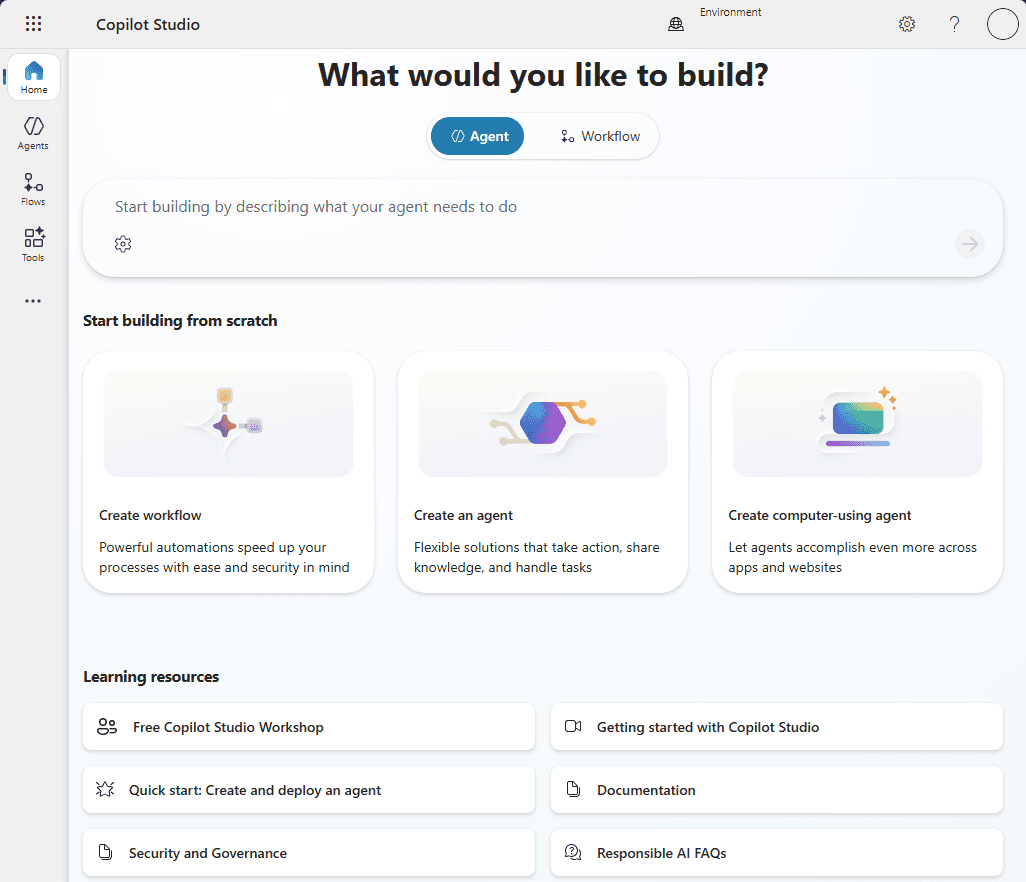
Copilot is a client portal platform that consolidates every touchpoint of client delivery, messaging, billing, file sharing, contracts, and forms into a single branded workspace. It's designed for service businesses that want to replace the patchwork of scattered tools with one professional, consistent experience.
What it does well:
Copilot’s biggest strength is its white-label client portal, giving clients a fully branded experience for messaging, document sharing, e-signatures, invoicing, and onboarding forms, all in one place instead of scattered across multiple tools.
For consulting and service firms, their contract workflows are especially useful. Teams can send reusable contract templates, track signatures, and keep all records tied to individual client accounts for easier management and audits. Custom onboarding forms also capture structured intake data directly within the client record, reducing manual data entry.
Unlike generic project management tools, Copilot is built specifically for client service delivery, with features focused on the day-to-day needs of client-facing teams.
Integrations: Zapier, Stripe, and various business tools.
Best for: Consulting firms and professional service businesses that want a polished, branded client portal to centralize communication, contracts, billing, and onboarding in one place.
Pricing: Starter at $59/month; Professional at $189/month; Advanced at $499/month; Enterprise with custom pricing.
9. ChurnZero: Best for Connecting Onboarding to Long-Term Client Retention
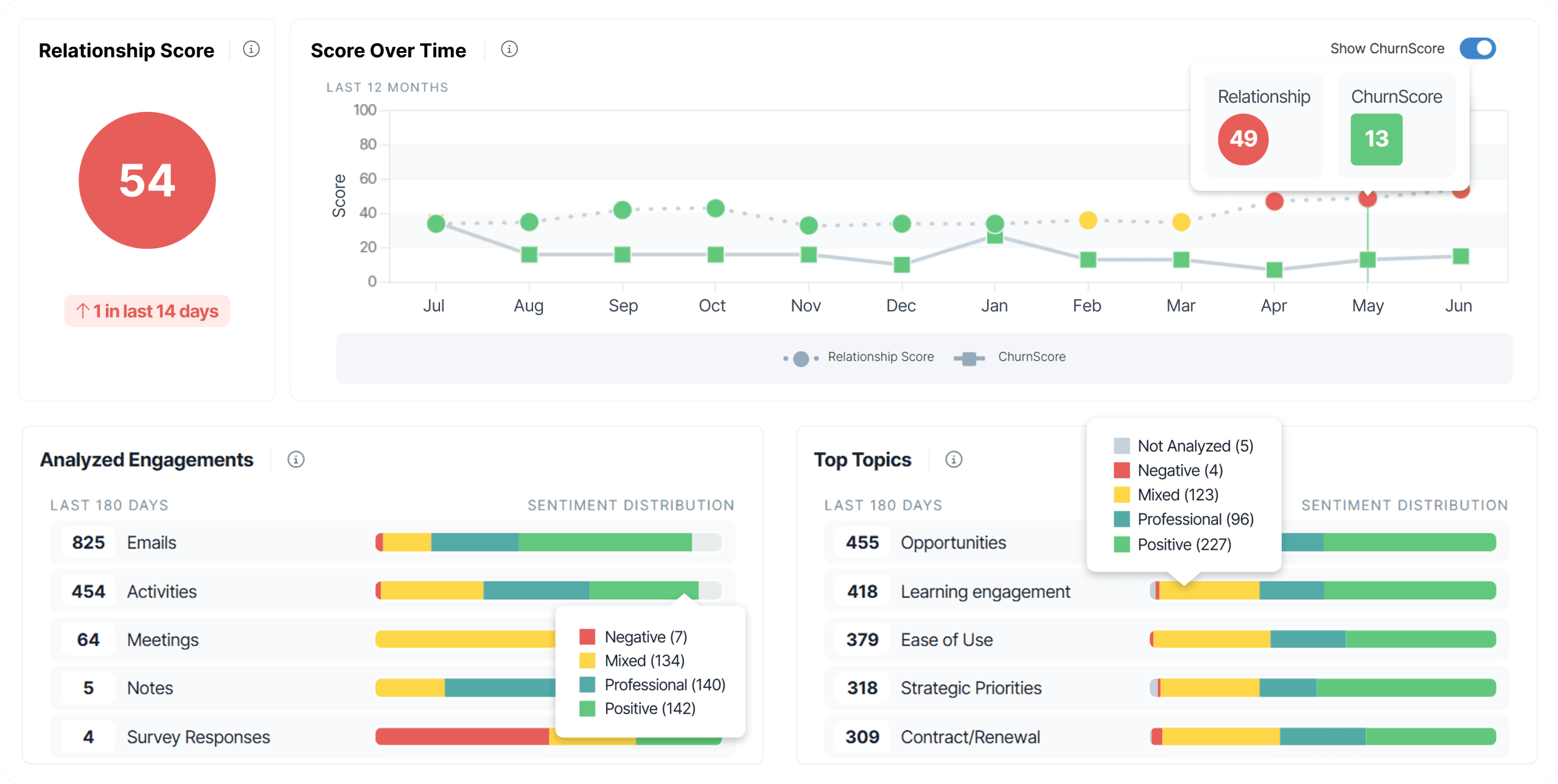
ChurnZero is a customer success platform, and it approaches onboarding differently from every other tool on this list. Rather than treating onboarding as a discrete phase with a start and end date, ChurnZero treats it as the opening chapter of an ongoing client relationship and builds the tooling around that philosophy.
What it does well:
ChurnZero combines onboarding workflows with customer health scoring, journey tracking, and retention analytics, making it especially valuable for consulting firms managing long-term client relationships or recurring services.
During onboarding, the platform monitors engagement signals like task completion, activity levels, and stalled progress. These insights feed into health scores that help teams identify at-risk accounts early, both during onboarding and throughout the client lifecycle.
Automation handles reminders, task assignments, and personalized communication, while reporting connects onboarding performance directly to retention and revenue outcomes that leadership teams care about.
Integrations: Salesforce, HubSpot, Zendesk, Jira, and others.
Best for: Consulting firms with recurring client relationships who want onboarding connected to client health monitoring, churn prevention, and long-term retention management.
Pricing: Custom pricing; contact for a demo.
10. HubSpot Service Hub: Best for Firms Already Running HubSpot
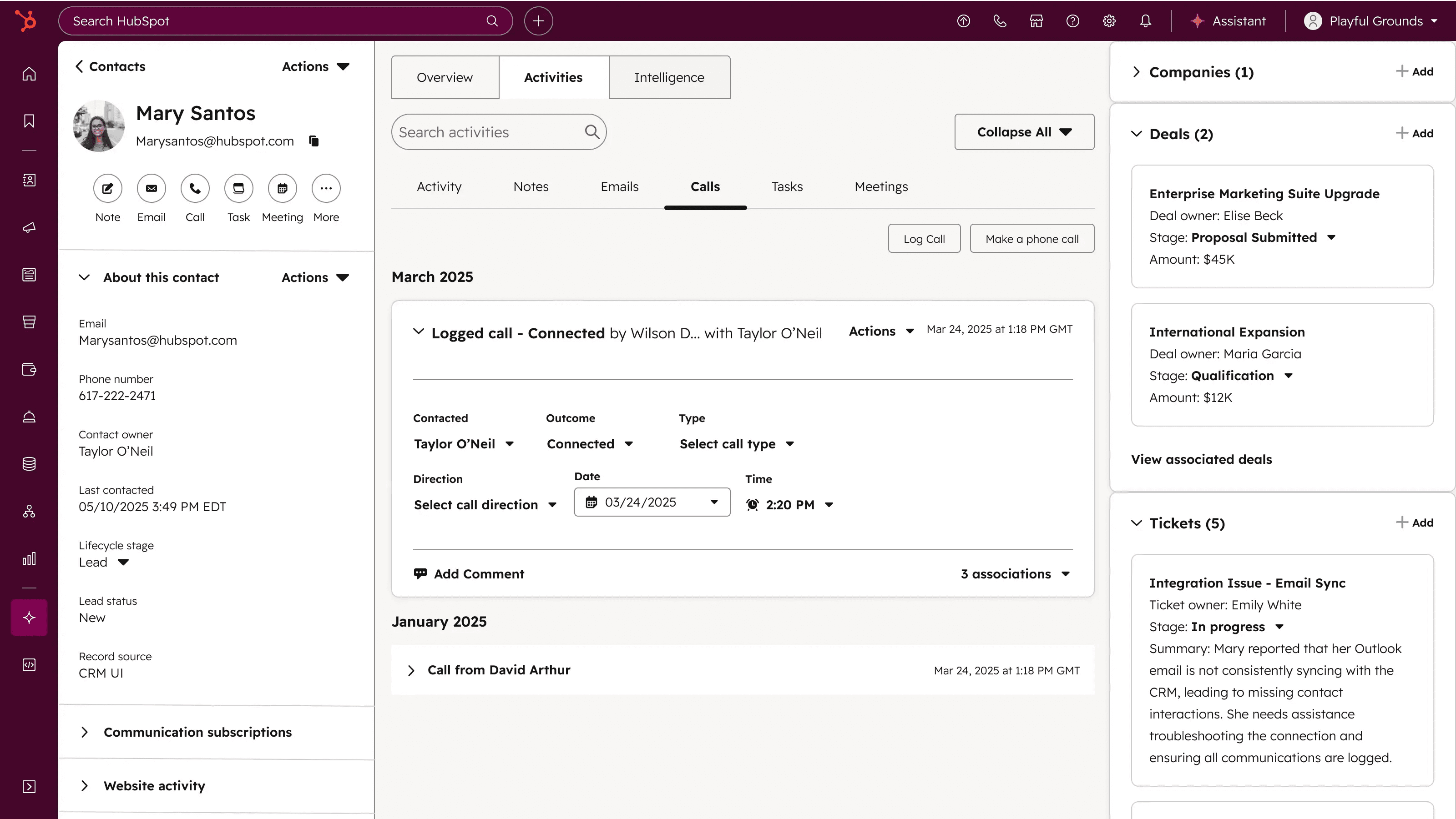
HubSpot Service Hub isn't a dedicated onboarding platform; it's a customer service and success tool that sits inside the broader HubSpot ecosystem. But for consulting firms already using HubSpot for CRM and sales, it offers something the specialized tools can't: complete, unified visibility across the entire client journey from first contact through onboarding to ongoing delivery.
What it does well:
HubSpot Service Hub’s biggest advantage is its native integration with HubSpot CRM. When a deal closes, client data flows directly into onboarding workflows without manual handoffs, duplicate data entry, or third-party integrations. Tasks, communication history, deal details, and contact records all stay centralized in one system.
Its automation features help streamline onboarding with task triggers, reminders, email sequences, and ticket pipelines that mirror each onboarding stage. Built-in knowledge base tools also reduce repetitive support requests by giving clients self-serve onboarding resources.
For firms already operating within the HubSpot ecosystem, Service Hub is often a more practical choice than adopting a separate onboarding platform that requires additional integration management.
Integrations: Native across the full HubSpot suite; plus Slack, Jira, Salesforce, and hundreds of others.
Best for: Consulting firms already using HubSpot CRM and Sales Hub who want to extend that infrastructure into client onboarding and success without managing a separate tool.
Pricing: Free tier available; paid plans scale with your HubSpot subscription level.
Start Managing Better for Free
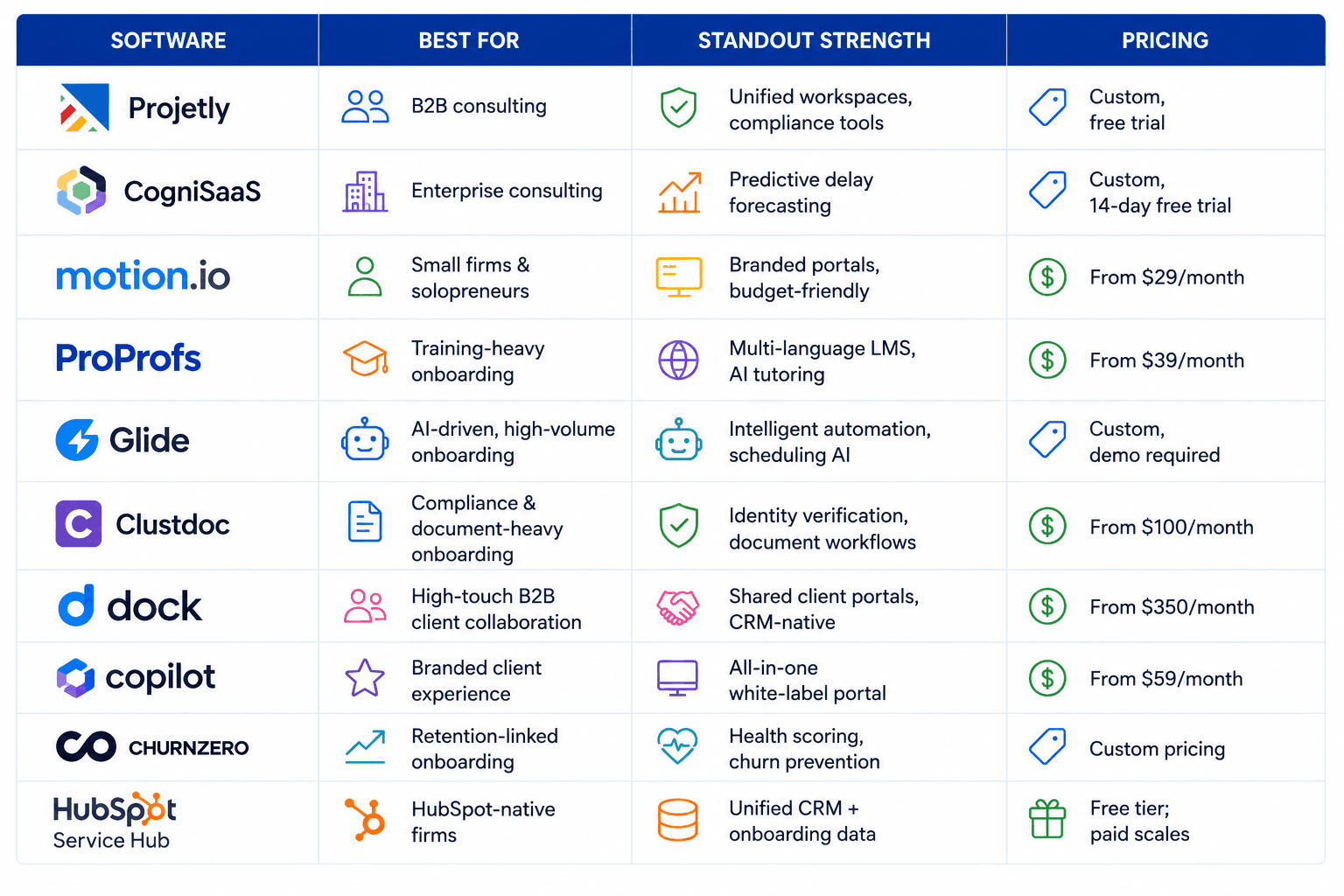
Quick Comparison: All 10 Tools at a Glance
How to Choose the Right Tool for Your Firm
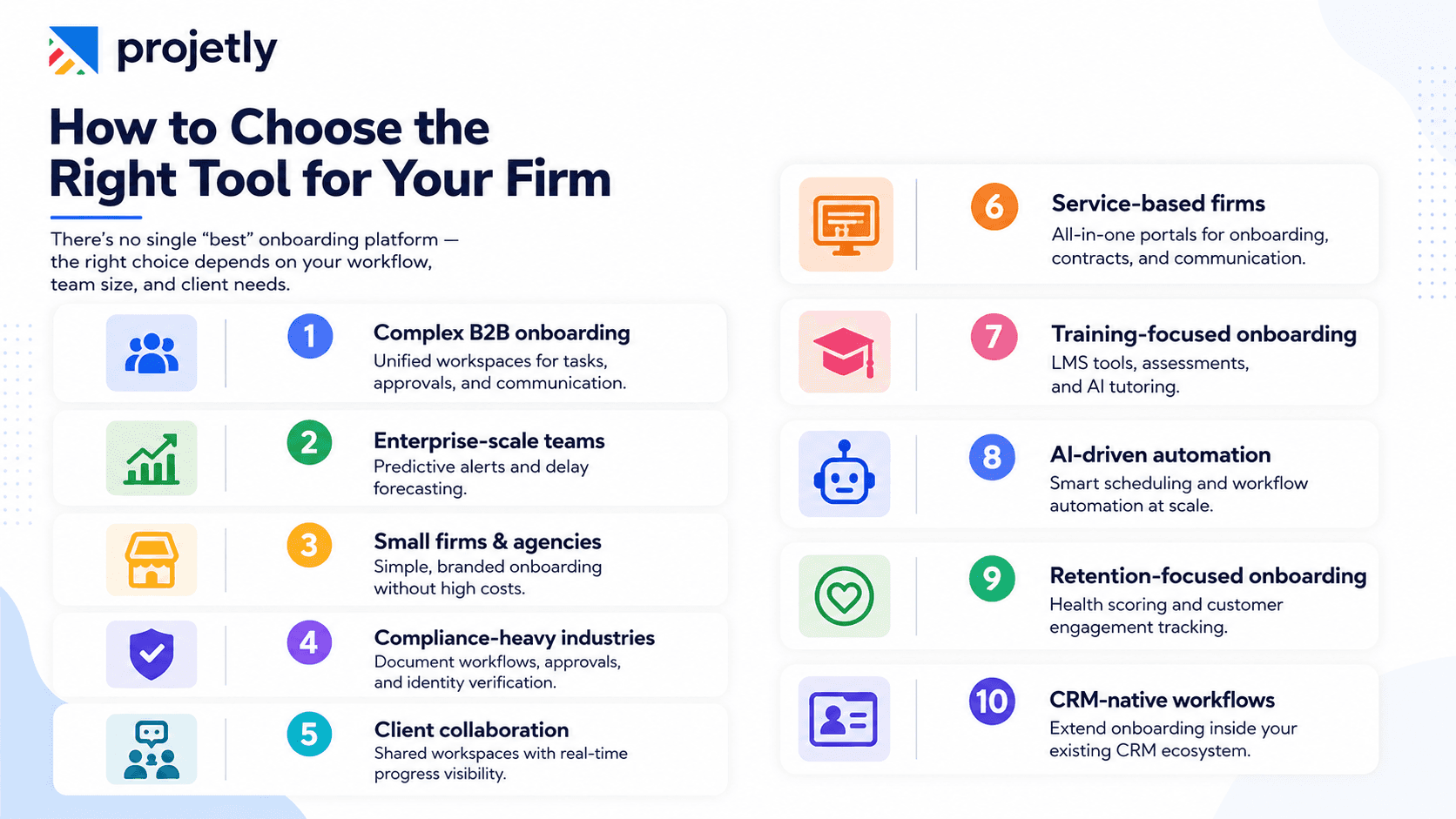
There’s no universal “best” onboarding platform. The right choice depends on how your firm operates, your client complexity, and where your current onboarding process breaks down most often.
Complex B2B onboarding: Choose unified workspaces that keep tasks, approvals, stakeholders, and communication organized in one place.
Enterprise-scale operations: Look for predictive forecasting and risk alerts that help identify delays before they affect clients.
Small firms & agencies: Lightweight branded platforms deliver a professional experience without enterprise-level cost or complexity.
Compliance-heavy industries: Prioritize document workflows, approvals, identity verification, and audit tracking.
Client collaboration: Shared workspaces improve transparency with real-time progress tracking and fewer status-update requests.
Service-based firms: All-in-one client portals reduce tool sprawl by combining onboarding, contracts, invoicing, and communication.
Training-focused onboarding: LMS capabilities, assessments, AI tutoring, and multilingual support work best for education-driven onboarding.
AI-driven automation: Intelligent scheduling and workflow automation help manage onboarding efficiently at scale.
Retention-focused onboarding: Health scoring and engagement tracking connect onboarding directly to long-term customer success.
CRM-native workflows: If your team already runs inside a CRM ecosystem, extending onboarding there is often simpler than adopting separate tools.
6 Strategies to Get More Out of Any Onboarding Platform
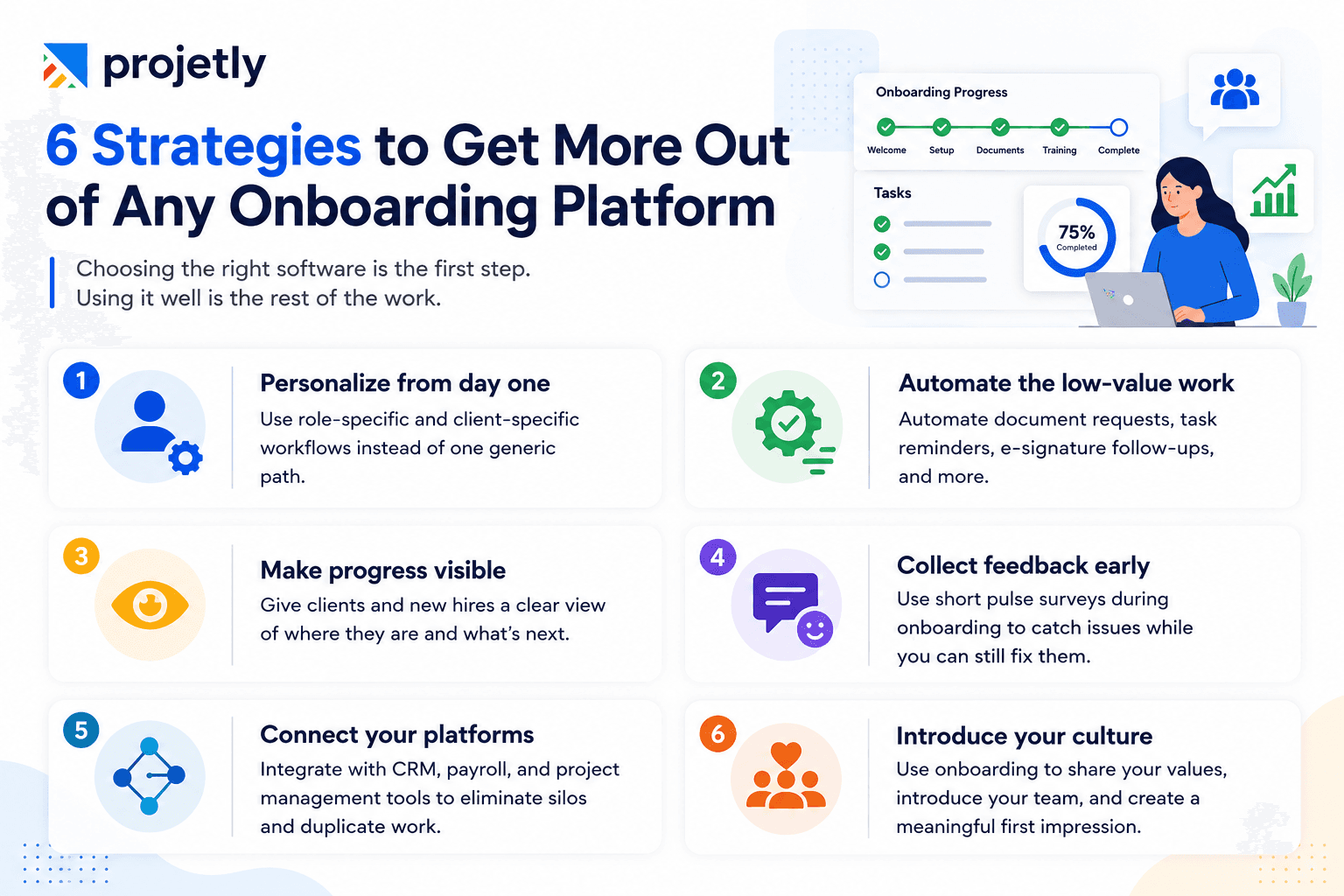
Choosing the right software is the first step. Using it well is the rest of the work.
Personalize from day one: Use role-specific and client-specific workflows rather than a single generic path. A client who feels like their onboarding was designed for their situation specifically will trust you faster and push back less.
Automate the low-value work aggressively: Document requests, task reminders, e-signature follow-ups, every one of these can be automated. The goal is to free up human time for the conversations that actually move client relationships forward.
Make progress visible to everyone: Give clients and new hires a clear view of where they are in the onboarding journey. Knowing what's been completed and what's coming next removes anxiety and cuts down on the status-check emails that drain your team.
Collect feedback during onboarding, not after: Short mid-onboarding pulse surveys catch problems while you can still address them, not three months later in a retrospective when the damage is already done.
Connect your platforms deliberately: Onboarding software that doesn't communicate with your CRM, payroll system, or project management tool creates duplicate data entry and gaps between teams. Integration isn't a nice-to-have in 2026; it's the baseline expectation.
Introduce your culture with intention: Onboarding is one of the few moments when you have someone's full attention and goodwill. Use it deliberately, through leadership messages, team introductions, and welcome materials that reflect your firm's actual identity and values, not just its processes.
Frequently Asked Questions
What's the Best Client Onboarding Software for Consulting Firms in 2026?
Projetly stands out for B2B consulting firms with its unified workspace approach and compliance-focused onboarding. CogniSaaS is better suited for enterprise-scale operations managing large onboarding volumes. For smaller teams, Motion.io and Copilot offer affordable, client-friendly onboarding experiences, while Clustdoc is the strongest fit for compliance-heavy industries.
What Does an Effective Consulting Client Onboarding Process Look Like?
A strong onboarding process starts with understanding client goals, then moves through setup, training, task tracking, and feedback collection. The best systems automate repetitive operational work so teams can focus more on client relationships and delivery quality.
What Are the 5 C’s of Onboarding?
Clarity: Define expectations and goals early
Connection: Build relationships through collaboration
Compliance: Handle documentation and regulatory requirements
Culture: Introduce company values and ways of working
Confidence: Equip users with the tools and knowledge to succeed
Can Onboarding Software Handle Both Client and Employee Onboarding?
Yes. Many modern platforms support both client and employee onboarding within the same system. Tools like Projetly, CogniSaaS, and Clustdoc provide separate workflows while keeping administration centralized.
Is Onboarding Software Worth It for Small Consulting Firms?
Yes, small firms often feel operational inefficiencies the most. Even one delayed onboarding or early client churn can have a major impact. Affordable tools like Motion.io and Copilot make onboarding automation accessible without high upfront costs.
What’s the Difference Between an Onboarding Platform and a CRM?
A CRM manages client relationships, contacts, deals, and pipeline data. An onboarding platform manages execution, tasks, document collection, approvals, workflows, and milestone tracking. The best setups integrate both for a smoother client experience.
The Bottom Line
Spreadsheets and email chains are not an onboarding strategy. In 2026, they're a liability for client retention, for consultant satisfaction, and for the operational scalability that determines whether a firm can grow without growing its problems.
The firms that get onboarding right don't just retain clients. They convert the first 30 days into proof of everything they promised during the sales process. That's the real return on choosing the right customer onboarding tool and taking the time to use it well.
You may also like

A Guide to Project Management Professional Certification

Laugh Your Way to Productivity: 50 Workplace Quotes

50 Funny Workplace Memes That’ll Brighten Your Workday.
What Does a Customer-First Mindset Mean? Explained in 2025

What It Takes to be a Great Customer Success Manager in 2025